


Why did you make certificates and printing so buggy in Captivate 8?
I have to admit, for a program that's supposed to be designed for eLearning, I find it odd, to say the least, that you don't have a standard certificate feature, and your printer widget doesn't print to fit automatically. Very frustrating. This is an eLearning tool after all.
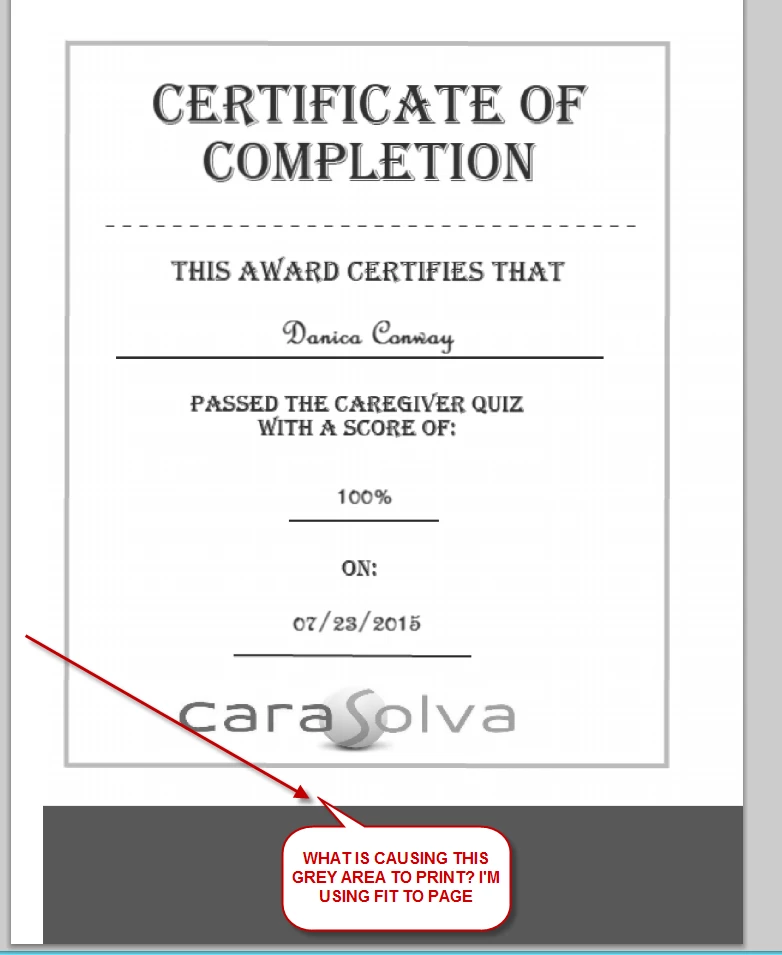
So you have a FOLDER for a certificate widget, and yet there's no widget there. And I create my own, and it prints on two pages. And if I print to fit screen, it doesn't print the certificate at all, just a couple of blank pages with footer information comes out. And then I try to print on half the page, putting the certificate sideways, and the certificate prints fine (except, of course, the big black bar across the bottom), but the inserted name and score and date don't print sideways (even though they LOOK correct when you're in Captivate making the document). So I try a really cludgey setup so it takes half the page, but is not sideways, and it prints ok except the BIG BLACK BAR at the bottom where the video control bar would have been. So then I go to your forums and somewhere it says to install the eLearning Asset tool because that contains a certificate that works, and I do, and guess what? It doesn't contain one.
What's the point of having this eLearning program if you can't even print a certificate properly?
And you no longer support email output? We can't export the scores to a LMS, as we do not HAVE one. And we don't have the money to buy one. So we MUST use email output to our own web page.
And you don't allow me to load the old Captivate 4 projects (which happens to be what I designed all my previous video courses in) in Captivate 8?
 AdChoices