Participant
August 19, 2023
Answered

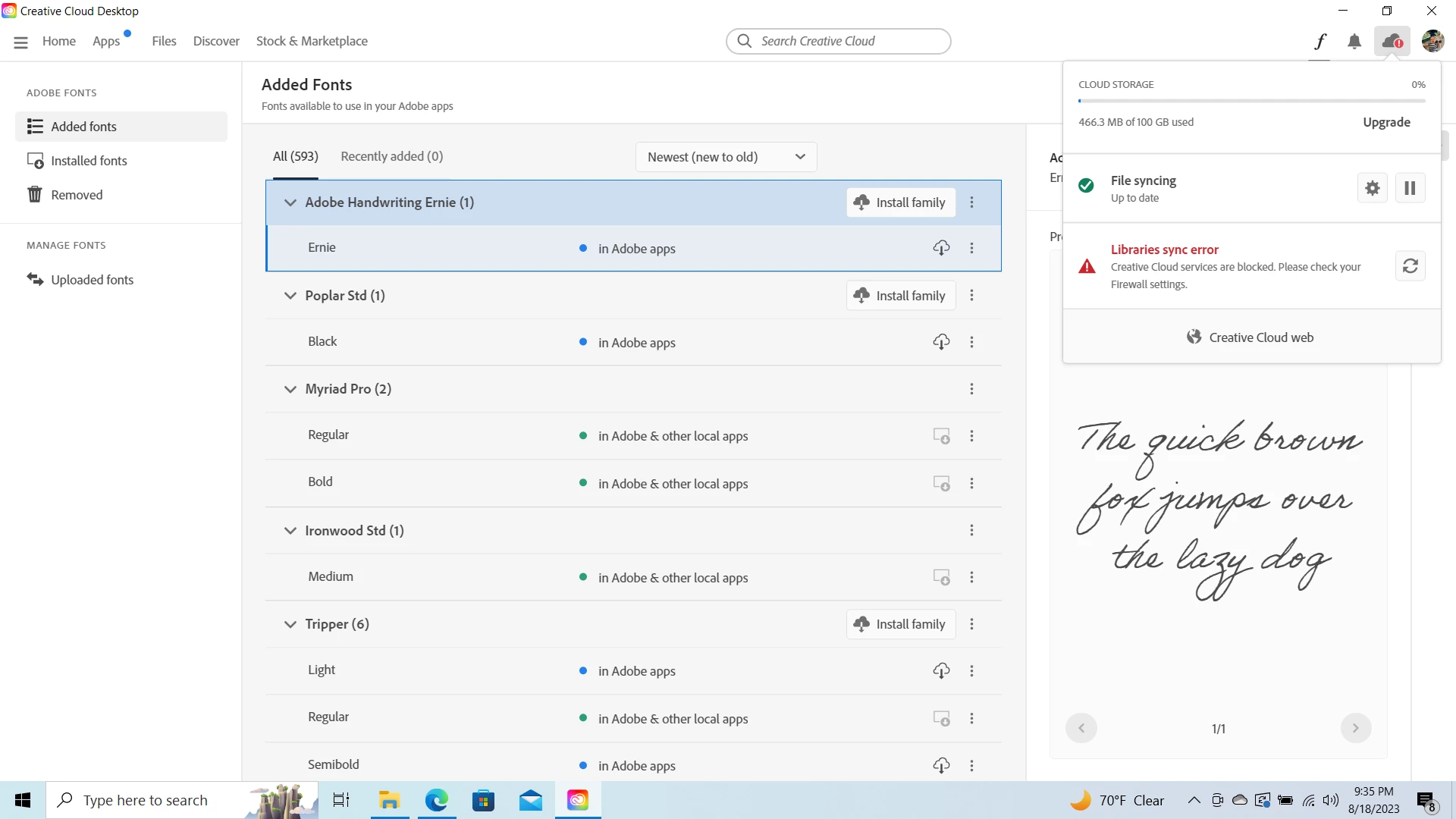
hello can anyone tell me how to fix this error? cant use my fonts across devices

  • August 19, 2023
  • 1 reply
  • 251 views

hello, can anyone help me with this

This topic has been closed for replies.
Correct answer Bobby Henderson

A firewall under normal settings shouldn't disrupt the CC sign-in and sync processes. But a VPN can do that (I've seen issues with my own setup when my VPN is running).


If your CC account is signed in on two notebook computers are both running at the same time (and on the same network)? That could be an issue. I'd try signing out of CC on one of them to see of the sync error corrects itself on the other notebook. Or even try signing out on both computers and then signing in on one notebook. The iPad shouldn't affect the overall device limit.

1 reply

Community Expert
August 19, 2023

Like the error prompt says, check your firewall settings if you have a firewall running. The same goes for a VPN; those can disrupt the sync process. If you're logging into your CC account on more than 2 computers that could be an issue as well. 

Participant
August 21, 2023
Hey thanks for the reply, so do i have to turn my firewall off ? Ive been trying to find something that would give me a clue but i have nothing? Except turning the fore wall off but then id have no protection ? Also you said logged in on more then 2 devices which i am i have 2 laptops and a ipad is there no way to stay logged in across all 3 i literally use them all and they all have different things i need. If you have a more detailed solution i would be very grateful kinda new to adobe and computers for that matter. This may be a simple solution but i swear ive spent days and hrs trying to sync these fonts 🤦‍♂ there has got to be a way 🙏

Sent from my iPhone
Bobby HendersonCommunity ExpertCorrect answer
Community Expert
August 21, 2023

A firewall under normal settings shouldn't disrupt the CC sign-in and sync processes. But a VPN can do that (I've seen issues with my own setup when my VPN is running).


If your CC account is signed in on two notebook computers are both running at the same time (and on the same network)? That could be an issue. I'd try signing out of CC on one of them to see of the sync error corrects itself on the other notebook. Or even try signing out on both computers and then signing in on one notebook. The iPad shouldn't affect the overall device limit.