


AndreSosa
Participating Frequently
September 27, 2022
質問

I can't save anything and anywhere but to the cloud.

  • September 27, 2022
  • 返信数 5.
  • 712 ビュー

“Save as” only shows me the “Save to the Cloud” window (attached)
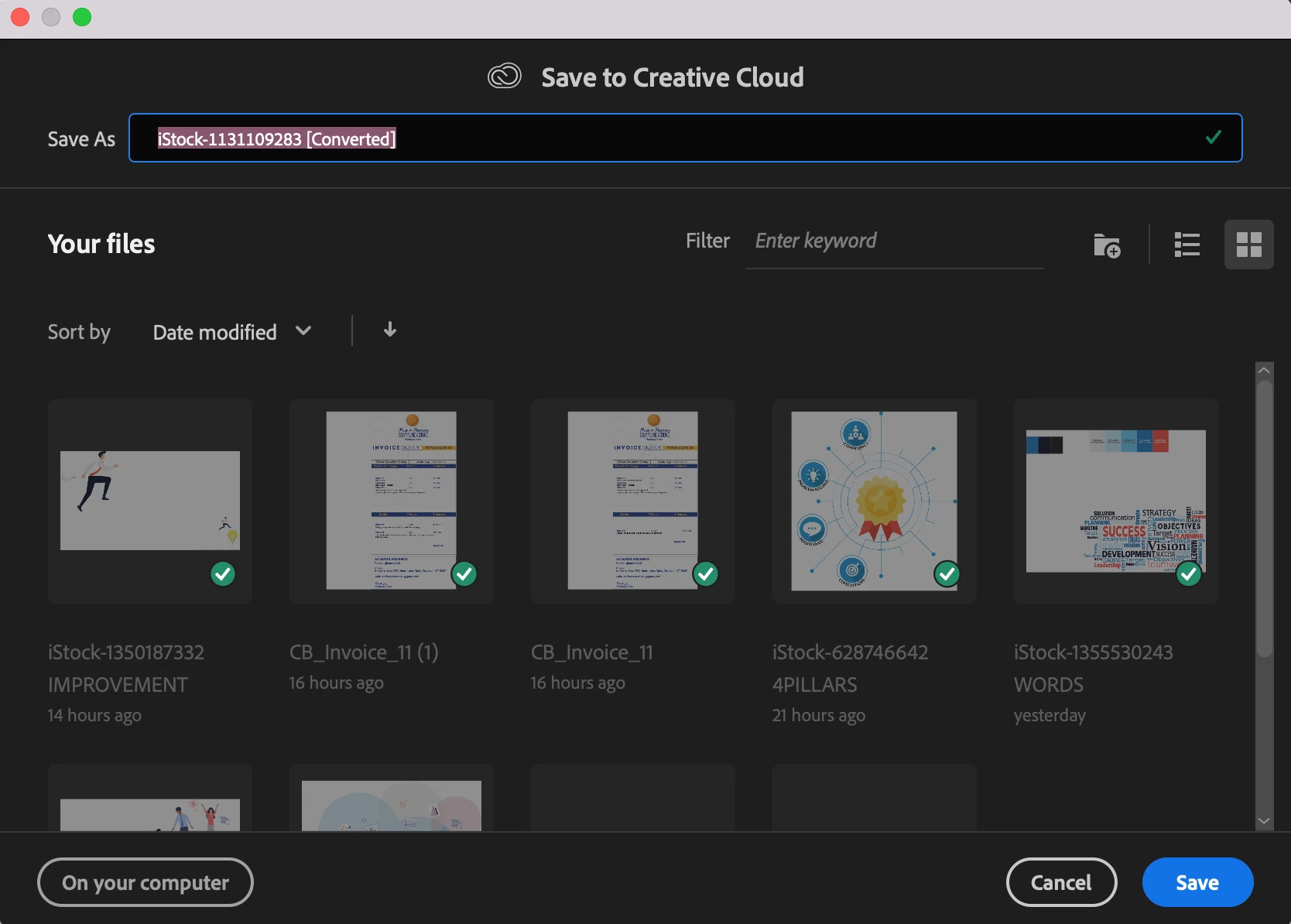
AND the “Save to my computer” button does not work. I am afraid to quit and restart as I might not be able to find/open those files back again. Where is the normal “Save as” window???? 😞 Please help

このトピックへの返信は締め切られました。

返信数 5

Anshul_Saini
Community Manager
Community Manager
September 28, 2022

Hi @AndreSosa,


We are sorry to hear about the trouble you are facing. As Monika suggested, you may try resetting Illustrator preferences (https://helpx.adobe.com/illustrator/kb/troubleshoot-preference-issues.html). As shown in the video, you may take back up preferences before resetting them. Also, you may try Kevin's suggestion first to provide full disk access to Illustrator from system preferences and check if you are able to save on Mac by choosing the "On your computer" on the save dialog box. If you are still unable to do so, did you get any error or message after clicking the "on your computer" option?


Also, you may visit the CC assets website to check if all the documents are synced or not, so there is no data loss.


Let us know how it goes. We will be looking forward to your response.


Thanks & Regards,

Anshul Saini

Kevin Stohlmeyer
Community Expert
Community Expert
September 28, 2022

One other thing I noticed we didnt try - go to Apple system preferences/Security and Privacy/and add Illustartor to Full Disk Access.

Restart AI.

Does the "On Your Computer" button work now?

AndreSosa
AndreSosa作成者
Participating Frequently
September 28, 2022

 Not there. Should I restart the computer as well?

:..(

Kevin Stohlmeyer
Community Expert
Community Expert
September 28, 2022

Its in your Apple system preferences - not Adobe.


Kevin Stohlmeyer
Community Expert
Community Expert
September 27, 2022

Go to your Illustrator preferences/File Handling and change your default location to My Computer instead of Creative Cloud.


AndreSosa
AndreSosa作成者
Participating Frequently
September 27, 2022

Hi Kevin,

I don't have that option. 

😞

Kevin Stohlmeyer
Community Expert
Community Expert
September 27, 2022

What version are you running?


Monika Gause
Community Expert
Community Expert
September 27, 2022

So you saved your files already?

Files saved to the Cloud can be found in the "Your files" section that you have open already.


Does Illustrator have full disk access on your computer?

AndreSosa
AndreSosa作成者
Participating Frequently
September 27, 2022

Hi Monica, Yes. I've always been able to save my files wherever I wanted. I’ve never had an issue like this. It just started happening a few days ago. I can see them in the window, but I don't know how to open them. I just want to return to my usual way of saving my files (Finder).

Monika Gause
Community Expert
Community Expert
September 27, 2022

When was the last time you rebooted your computer?

Did you already try and reset the preferences (this will erase all your settings)

Did you already try and log out of your Adobe account in the Creative Cloud app and then in again?

AndreSosa
AndreSosa作成者
Participating Frequently
September 27, 2022

It is only saving them as .aic files