
URGENT: How can I write in Arabic in Illustrator 2024? I can't find the option
I'm doing everything I'm supposed to do on my end from the help blogs but some options I do not see
From the Adobe help page, it says I should:
You can choose between available composers from the Paragraph panel menu (Windows > Paragraph > panel menu). For example, you can use the Middle Eastern & South Asian Single-Line Composer or Middle Eastern & the South Asian Every-Line Composer.
But I do not see any Middle Eastern composer...
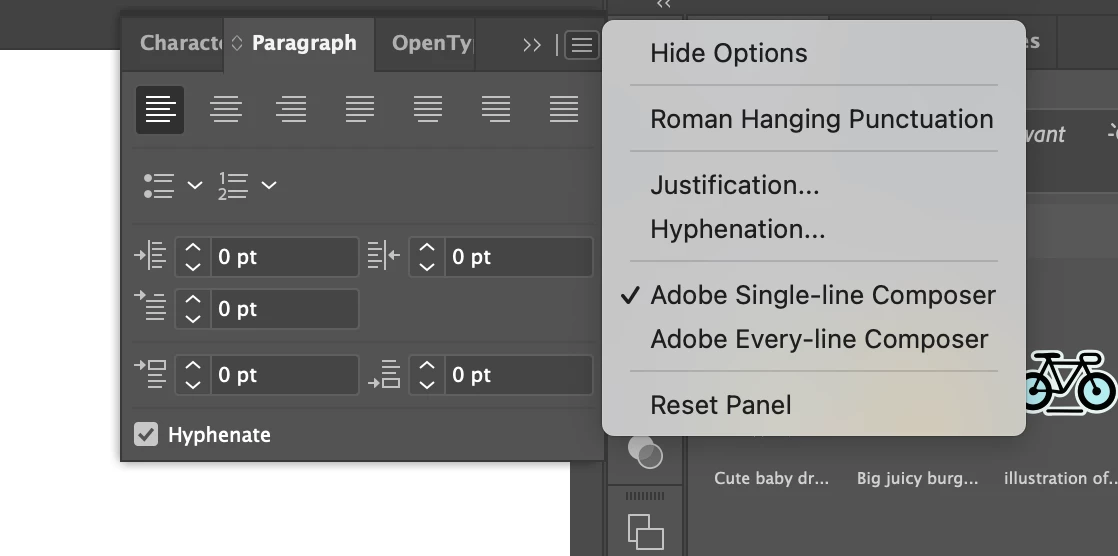
That blog post also says I can do the following:
To create content in Arabic and Hebrew, you can make the right-to-left (RTL) direction the default text direction. However, for documents that include left-to-right (LTR) text, you can now seamlessly switch between the two directions.
Select the paragraph direction from the Paragraph panel.
I do not see that option at all:
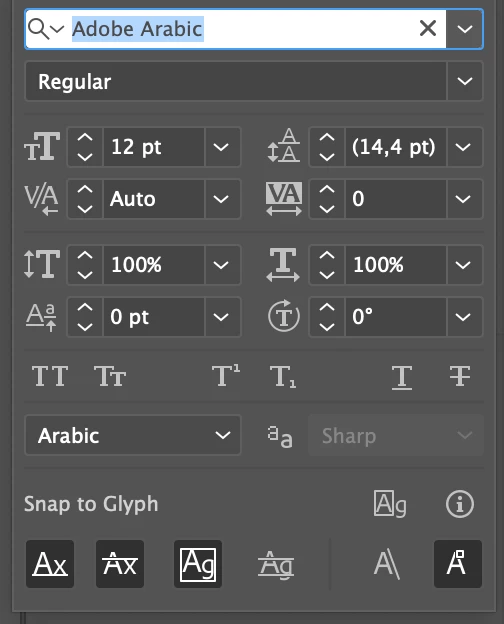
What am I doing wrong??? Why is this so complicated?? I am trying every single Workspace, resetting, etc, nothing is working.


 AdChoices