


解決済み
How do I change the Shortcut for "merge a copy of all visible layers into target layer"?
How do I change the Shortcut for "merge a copy of all visible layers into target layer"? I can't find it in the list of shortcut for PScc 2019.

How do I change the Shortcut for "merge a copy of all visible layers into target layer"? I can't find it in the list of shortcut for PScc 2019.
laurew22301508 wrote
How do I change the Shortcut for "merge a copy of all visible layers into target layer"? I can't find it in the list of shortcut for PScc 2019.
I think people might be missing your point. The shortcut to make a copy merged layer is Shift Ctrl Alt E. When there is an existing shortcut, it should make it easy to find and change, because you scroll through the Edit > Shortcut list looking for commands that have shortcuts. That shortcut does not appear though
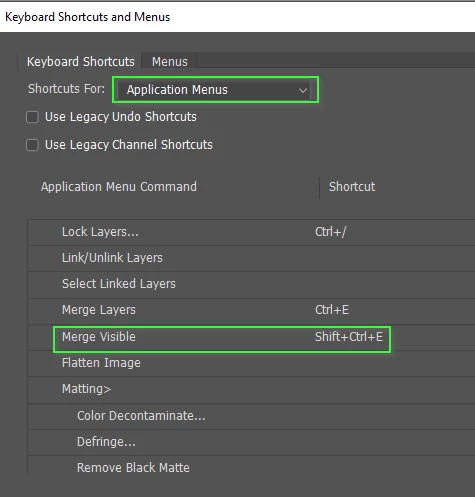
So the way this must work is that Shift Ctrl E for merging visible layers, is applying the universal 'Copy' when you add the Alt key. This makes it more difficult to rationalize the long Shift Ctrl Alt E shortcut because there is no entry to apply it to.
As the others have said, you can use an action. I had some concerns about this though, because Copy merged has some limitations, primarily that it won't work if you have a layer selected and that layer is turned off. So I tested the action and it works fine. If you have no layers selected, it adds a copy merged layer to the top of the stack. If you have a turned off layer selected, it gives you an error message so you know to either unselect that layer, or turn it on.
I did try recording the action again, this time unselecting all layers before using Shift Ctrl Alt E, but this time it didn't work at all.
I suspect that the bottom line here is none of this forums regular posters have ever bothered, or even thought about, using anything other than the full shortcut to add a copy merged layer.
Enter your E-mail address. We'll send you an e-mail with instructions to reset your password.
 AdChoices