

Participating Frequently
January 30, 2022
解決済み

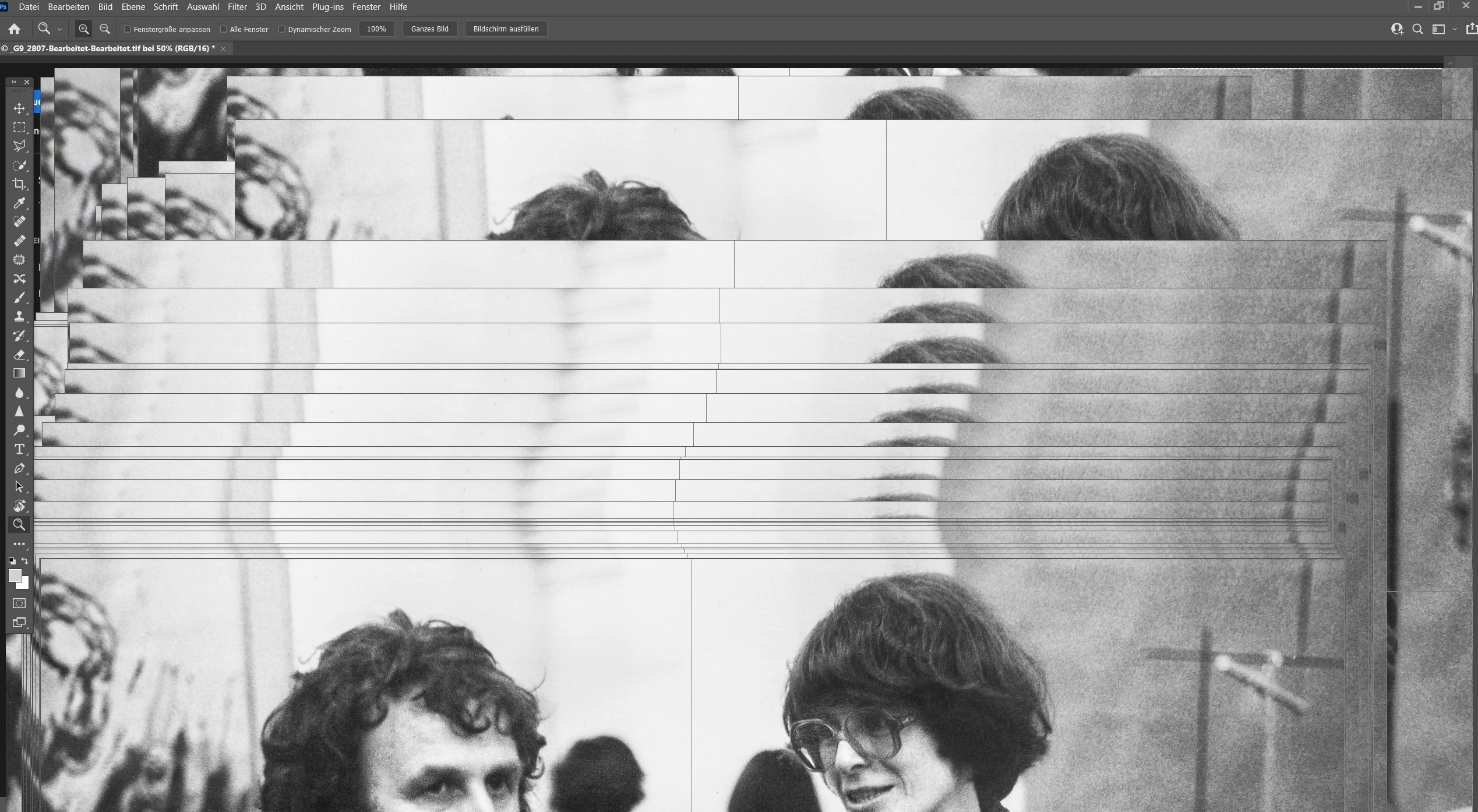
Photoshop 23.1.1 updat. extrem langsam und hängt. Siehe Bild

  • January 30, 2022
  • 返信数 6.
  • 994 ビュー

Photoshop 23.1.1 update.

Seit dem update vor 5 Tagen ist PS extrem langsam und hängt.

Siehe Bild

このトピックへの返信は締め切られました。
解決に役立った回答 Ged_Traynor

Hi

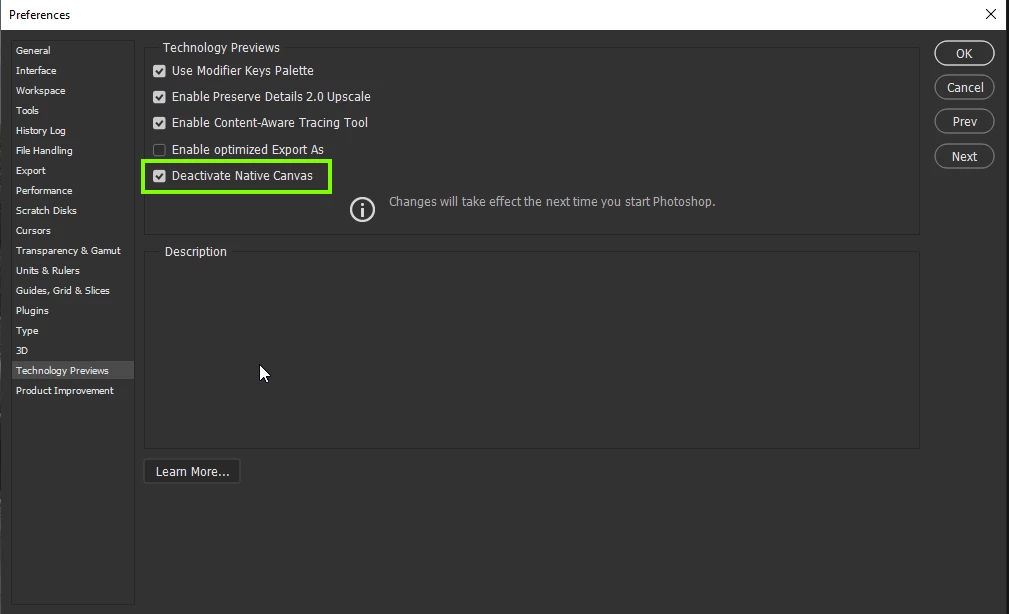
Try enabling this option in preferences and restarting Photoshop to see if it helps
返信数 6

Community Manager
July 27, 2022

Hi @herbertb66186142 

We believe we have fixed this issue.  Would you please uncheck the Preferences > Technology Previews > Deactivate Native Canvas checkbox and restart Photoshop.  Do you still see the issue?

Thankyou?

Legend
January 31, 2022

@Andreas Resch This option is for older cards that aren't fully compatible with native GPU acceleration (DX12 for windows and Metal for macOS). You may need to uprade your hardware to enjoy native GPU acceleration in the future.

Participating Frequently
January 31, 2022

@J453

I have a relatively good graphics card. Is that enough?
HP AMD Radeon Pro WX 4100 Graphics Card - 4GB - FirePro W4100 - 4GB - GDDR5 - 128bit - 5120x2880

Participating Frequently
January 31, 2022

Thank you,
the category was automatically ticked for me. Now I have removed the hook. Let's see if it gets better.
My apologies: Translate into English with google.
Best regards
Herbert

Andreas Resch
Inspiring
January 31, 2022

Photoshop was lagging for me as well - dragging a selection border was stuttering and moving shapes was lagging as well. Deactivating the setting and restarting helped. But why would Adobe create something that I have to disable to have Photoshop work properly again? And I'm working on a fast computer. 

Participating Frequently
January 31, 2022

thanks i'm trying

Ged_Traynor
Community Expert
Ged_TraynorCommunity Expert解決!
Community Expert
January 31, 2022

Hi

Try enabling this option in preferences and restarting Photoshop to see if it helps

Participant
February 6, 2022

Thanks a lot Ged_Trainor. This solved the starting crash for me!