


Ken Nielsen
Legend
June 15, 2021
解決済み

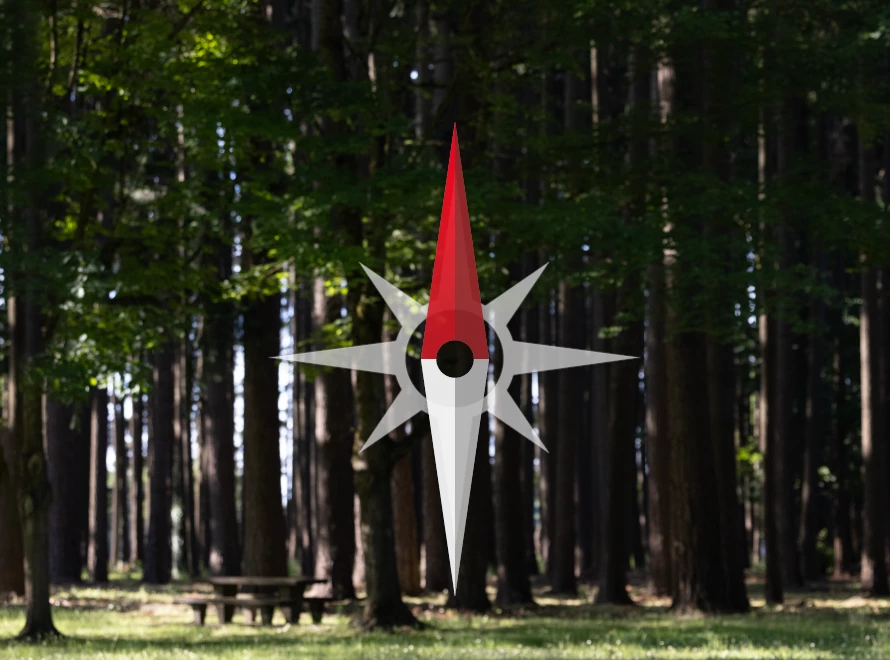
What is this navigational symbol that voluntarily pops up in all of my images? How do I get rid of?

  • June 15, 2021
  • 返信数 1.
  • 631 ビュー

All of a sudden, every image I open today has this 'Captain Hook' navigational symbol that pops up and stays centered on my images, I have no idea what triggered this to start appearing and nothing I do gets rid of it, not the esc. key, nothing. I request help with this as it has stopped my workflow today. 

TIA,

Ken
このトピックへの返信は締め切られました。
解決に役立った回答 S_Gans

It's the rotate canvas tool. It's found in the layer's panel, nestled in under the hand tool. 
You may have turned it on by accident, with a gesture, in which case, go to Preferences > Tools > uncheck Enable Gestures.

There is some very good info on this tool here: https://www.photoshopessentials.com/basics/photoshop-rotate-view-tool/

返信数 1

S_Gans
Community Expert
S_GansCommunity Expert解決!
Community Expert
June 15, 2021

It's the rotate canvas tool. It's found in the layer's panel, nestled in under the hand tool. 
You may have turned it on by accident, with a gesture, in which case, go to Preferences > Tools > uncheck Enable Gestures.

There is some very good info on this tool here: https://www.photoshopessentials.com/basics/photoshop-rotate-view-tool/

Adobe Community Expert / Adobe Certified Instructor
Ken Nielsen
Ken Nielsen作成者
Legend
June 15, 2021

Extremely good help S Gans, I appreciate and I'm back to work now thanks to you. Much appreciation.

Ken

jane-e
Community Expert
Community Expert
June 15, 2021

In addition, the shortcut for Rotate Canvas is "R" (which may be how you did it accidentally) and "Escape" will back you out.


~ Jane