


Acrobat Pro - Fill and sign AUTO COMPLETE won't let me clear data keeps zooming out
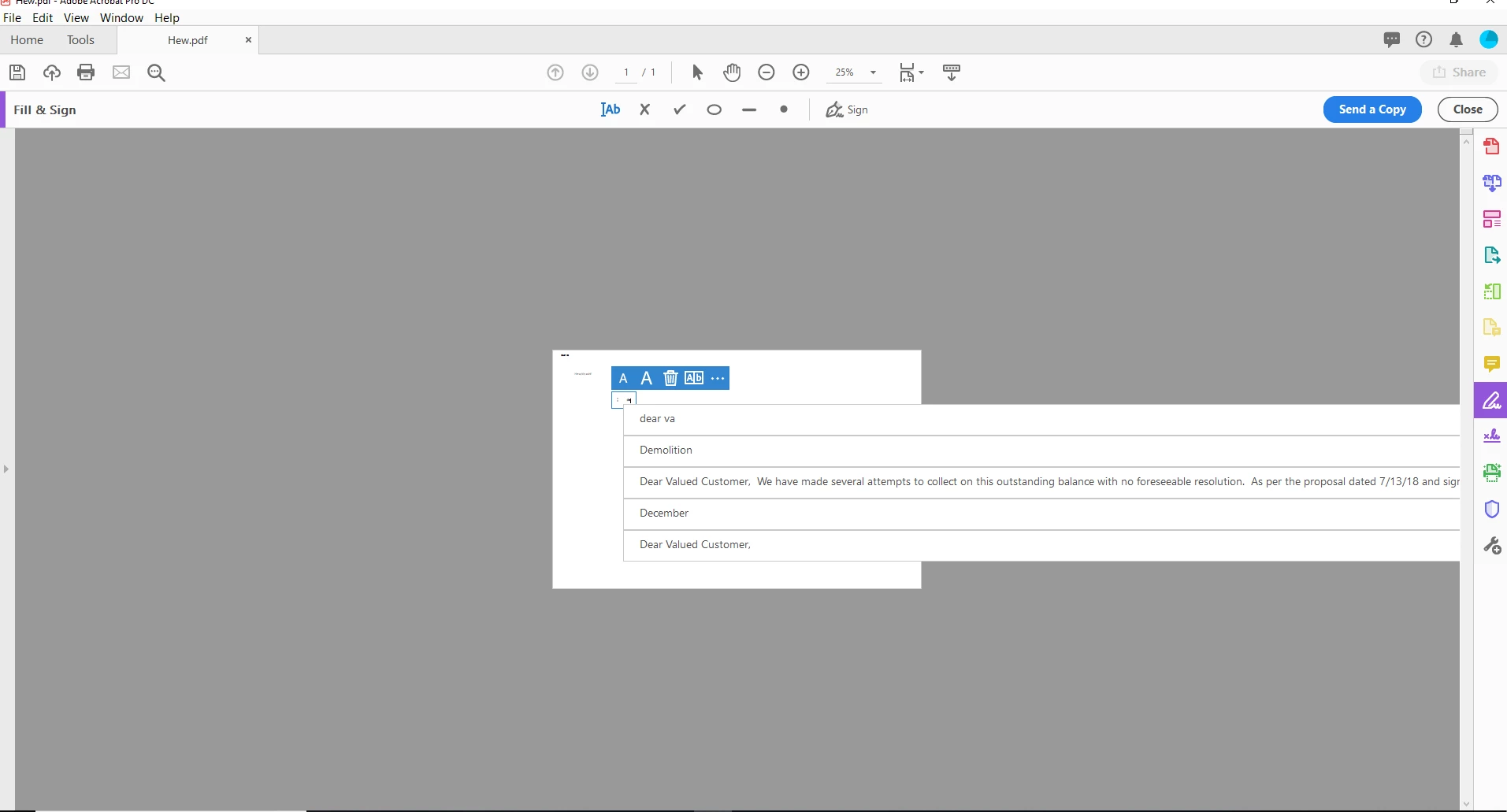
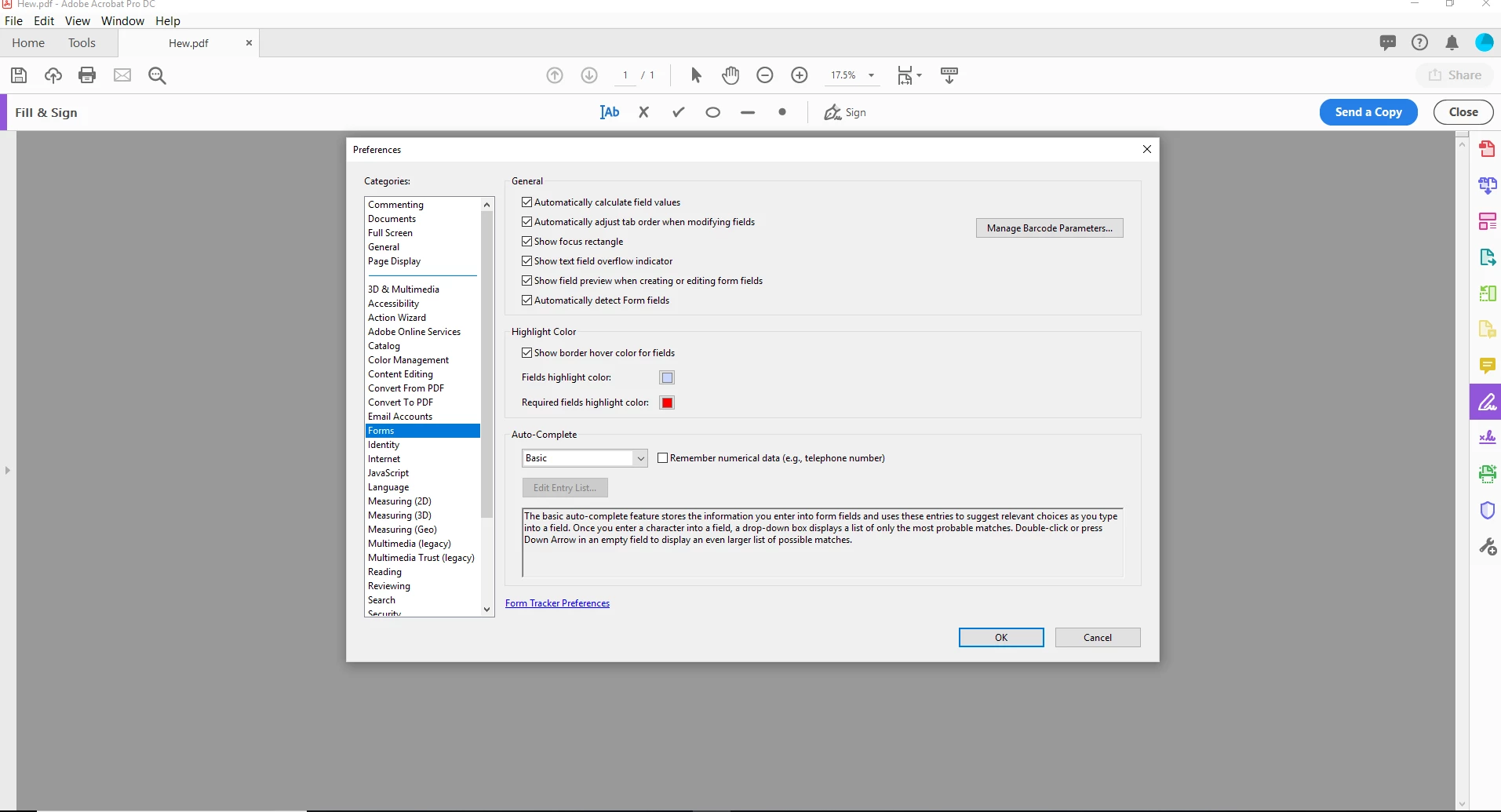
I have come across a problem when typing with the fill and sign tool in acrobat pro. The page keep auto zooming out because the fill and sign auto fill is bring back a large paragraph of text as one whole sentence. (see attached picture). My guess would be to clear the autofill information, but I can't seem to find a place to do that. i went to preferences > forms > auto - complete, but the option to edit entry list is not clickable. i have tried uninstalling and re installing and no luck.
Please help! this is very annoying and i use PDF Forms for 95% of my job and cannot stand the auto zoom out!!
this is the pic showing the autofill option of the large text, i can't even see the x to clear it out.
this is the pic of my preferences, the option to edit entry list is grayed out.
 AdChoices