rogeliov33397151
Participating Frequently
October 8, 2025
質問

Can't Install Dictionaries for Spell Check in Acrobat Pro

  • October 8, 2025
  • 返信数 1.
  • 380 ビュー

Hello everyone,


I'm having trouble installing additional dictionaries for the Spell Check feature in the latest version of Adobe Acrobat Pro.


Software Version and Platform:
Adobe Acrobat Pro Continuous Release | Version 2025.001.20756 | 64-bit  running on Windows 11 Pro 25H2 OS build 26200.6725.


The Problem:
The process fails when I try to add a new dictionary through the preferences.


Steps to Reproduce:

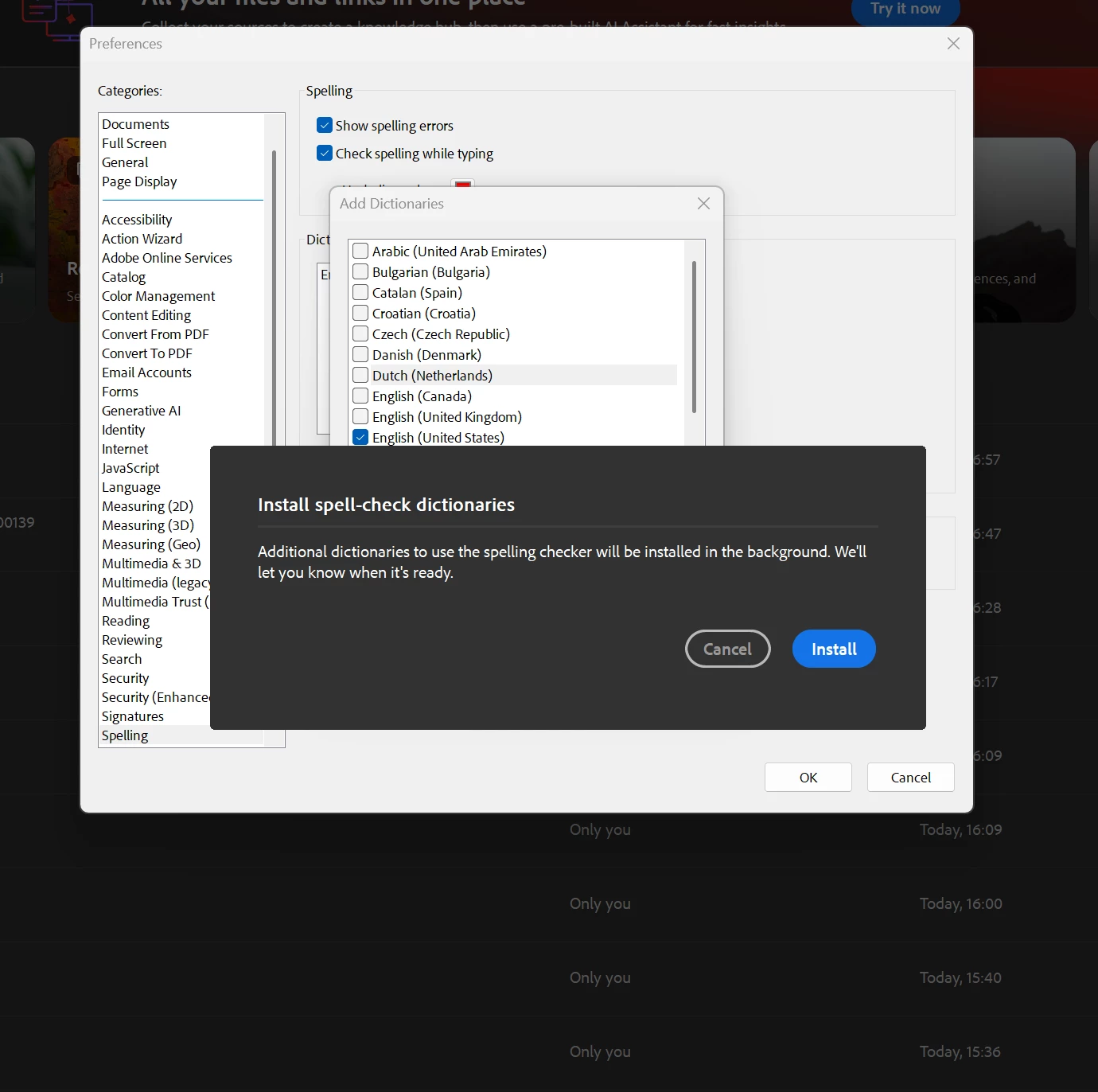
  1. I go to Preferences > Spelling and click Add....
    The dictionary list opens, but when I click on a dictionary, the checkbox does not get marked as selected.
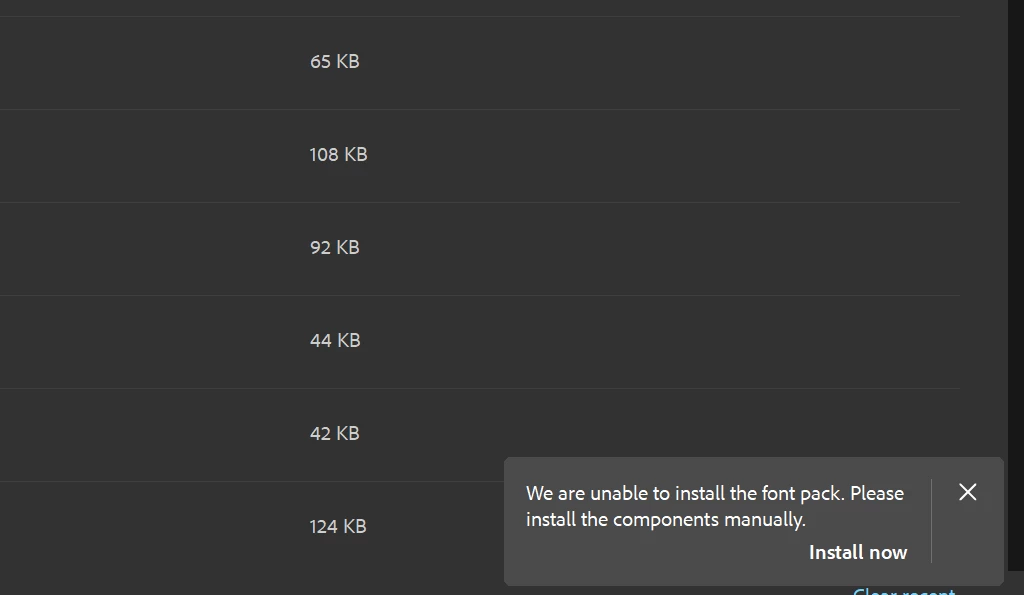
  2. After clicking Install, a small pop-up window appears in the lower-right corner of the screen: “We are unable to install the font pack. Please install the components manually. Install now”. This pop-up does not provide an "Install now" button or any other interactive options; it seems to be incomplete.
  3. The installation never proceeds.


Troubleshooting Attempted:
I have already tried repairing the Acrobat installation using the Adobe Acrobat Pro available self repairing option, but this did not resolve the issue.


Has anyone else experienced this problem? Any guidance on how to get the dictionaries to install would be greatly appreciated.


Thank you for your help.

R.

    返信数 1

    AnandSri
    Community Manager
    Community Manager
    October 9, 2025

    Hello @rogeliov33397151


    I hope you are doing well. Thank you for sharing the details and screenshots.


    Install Language Components Manually. Download the required font and dictionary packs from the official page: https://adobe.ly/3WwAMMi
    Please ensure to close Acrobat before installing. Run the installer as Administrator.


    Ensure you have full admin rights on Windows 11, and the operating system is updated with the latest update. Temporarily turn off your antivirus or endpoint protection software to prevent any potential blockages of the installer. After installation, reopen Acrobat, go to Menu > Preferences > Spelling, and you should now see the new dictionaries available. 


    Let us know how it goes.

    Thanks,

    Anand Sri.

    rogeliov33397151
    Participating Frequently
    October 12, 2025

    Dear Anand,

    Thank you for your previous guidance. Unfortunately, I was unable to install the dictionaries even after following the steps you recommended:

    • Ensuring I have full administrator rights on Windows 11.

    • Verifying my operating system is updated with the latest patches.

    • Temporarily disabling my antivirus/endpoint protection software.

    The issue persists. To provide more context, here is what I have done so far:

    1.  Download Source: I visited the official download page, and the closest match for my version was the "Font and spelling pack" for 64-bit Windows, 2023 Release (Continuous).

    2. The Error: When I run the installer as an administrator, I encounter the following error:


    Could you please provide further assistance? Thank you in advance for your time and support.

    Best regards,

    R

    AnandSri
    Community Manager
    Community Manager
    October 24, 2025

    Dear Anand,


    Here the Log ID: 48ede655-22ae-45a8-915a-be5cfe84de0c


    Thanks for your support.

    R.


    Thank you for sharing the details. We will get this replicated and share an update here. 


    Regards,

    Anand Sri.