


CRL download error - Cannot connect to server.
Hi,
adobe is unable to download Certificate revocation list from local authority.
I'm using this manual : https://helpx.adobe.com/acrobat/kb/revocation-check-fails-for-ldap-url-certificate.html
ldap URL should be in format : ldap://ds.example.com:389/dc=example, dc=com, where ds.example.com is the hostname.
Although very vague description, I added two expected url adresses to the cert template.
One with query:
?certificateRevocationList?base?objectClass=cRLDistributionPoint
One that ends without the query
I changed this and I can see in log that Adobe Cannot still cant connect to server.
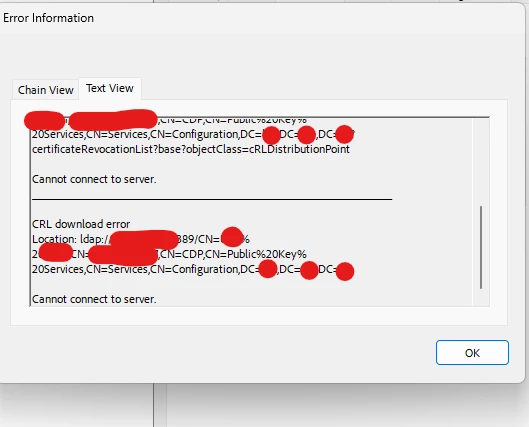
Yet when testing the exact same url with :
certutil –split -URL ldap://....... url it works as expected and recovers CRL list , and I can see the communication with WireShark
Yet I don't see Adobe even trying to connect to the server in WireShark
Adobe version : newest 23.8.20458.0 ,Contnuous Release | Version 2023.008.20458 | 64-bit
 AdChoices