This topic has been closed for replies.

1 reply

try67
Community Expert
Community Expert
December 14, 2024

You need to use a Dialog object with the drop-down in it, then populate the text field with the selected item.

For more info search the forum for "dynamic stamp". This issue has been discussed in detail. There's even an entire book written about it...

Participant
December 14, 2024

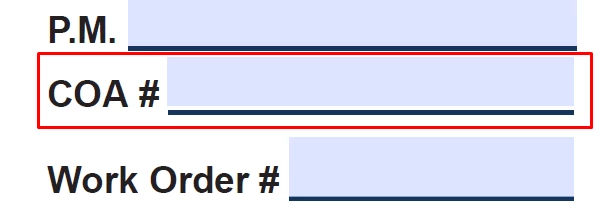
I'm searching the Drop-down Dynamic stamp but not yet getting this. I'm trying this script but not worked.


if (event.source.forReal && (event.source.stampName == "CustomDropdownStamp")) {

    var dropdown = this.getField("DropdownField");

    dropdown.setItems(["Approved", "Rejected", "Pending Review"]);

    dropdown.value = "Approved";

    
    var displayField = this.getField("DisplayField");
    if (dropdown.value) {
        displayField.value = "Status: " + dropdown.value;
    }

#Can you send me a screenshot or video link? Please 

Thom Parker
Community Expert
Community Expert
December 14, 2024

Fields on a dynamic stamp can only be filled with a script. So, a dropdown field cannot be placed on a dynamic stamp. 

To allow the user to enter values into a dynamic stamp, including selecting from a dropdown, radio buttons, or a checkbox, the dynamic stamp script must display a custom dialog box to the user. Custom dialogs are an advanced scripting topic. 

You can find out more about dynamic stamps and custom dialogs here:

https://www.pdfscripting.com/public/All_About_PDF_Stamps.cfm

https://www.pdfscripting.com/public/Alerts-Popups-and-Other-UI.cfm

https://www.pdfscripting.com/public/ACRODIALOGS-OVERVIEW.cfm


Thom Parker - Software Developer at PDFScriptingUse the Acrobat JavaScript Reference early and often