


Participant
Apr 16, 2026 6:21 PM UTC
Answered

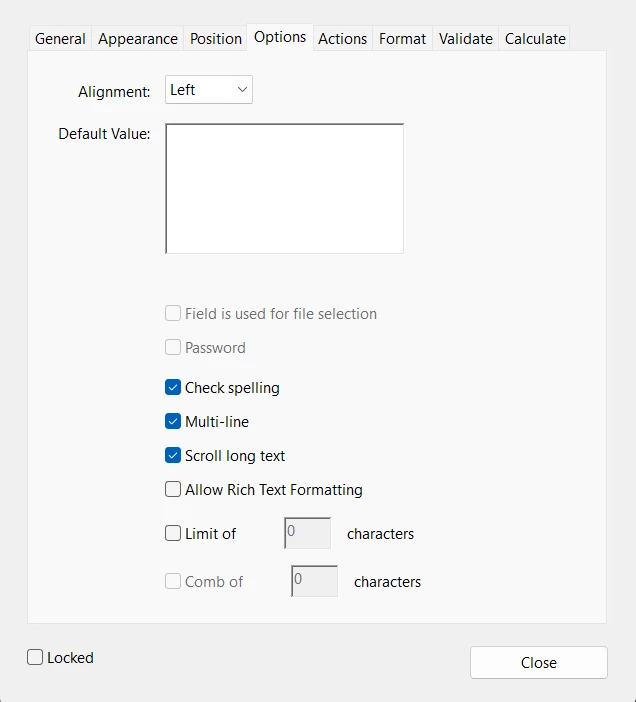
I created a fillable PDF that has comment boxes for the users to enter/type text. If the text box is set to wrap text how can your make the text appear when the document is printed...instead of showing a + sign indicating there is more text.

How can I print all of the text that is in a comment box that is set to multi line and scroll text?

 

    Karl Heinz  Kremer
    Karl Heinz KremerCorrect answer
    Community Expert
    Apr 16, 2026 6:24 PM UTC

    The only option is to use “auto” as the text size, then everything will be squeezed into the field, regardless of how small the font will be. You may still not be able to read the whole field content, but unfortunately, these are the two options you are dealing with. You could limit how much a user can type, but I suspect that defeats the purpose of having the “scroll long text” option. 

    2 replies

    Karl Heinz  Kremer
    Community Expert
    Karl Heinz KremerCommunity ExpertCorrect answer
    Community Expert
    Apr 16, 2026 6:24 PM UTC

    The only option is to use “auto” as the text size, then everything will be squeezed into the field, regardless of how small the font will be. You may still not be able to read the whole field content, but unfortunately, these are the two options you are dealing with. You could limit how much a user can type, but I suspect that defeats the purpose of having the “scroll long text” option. 

    Translate
    tori_5504Author
    Participant
    Apr 16, 2026 6:32 PM UTC

    Thanks for your help

    Translate