


Participant
January 16, 2025
質問

1 radio button group that inserts data into a field that is used in 1 of 3 calculations

  • January 16, 2025
  • 返信数 1.
  • 661 ビュー

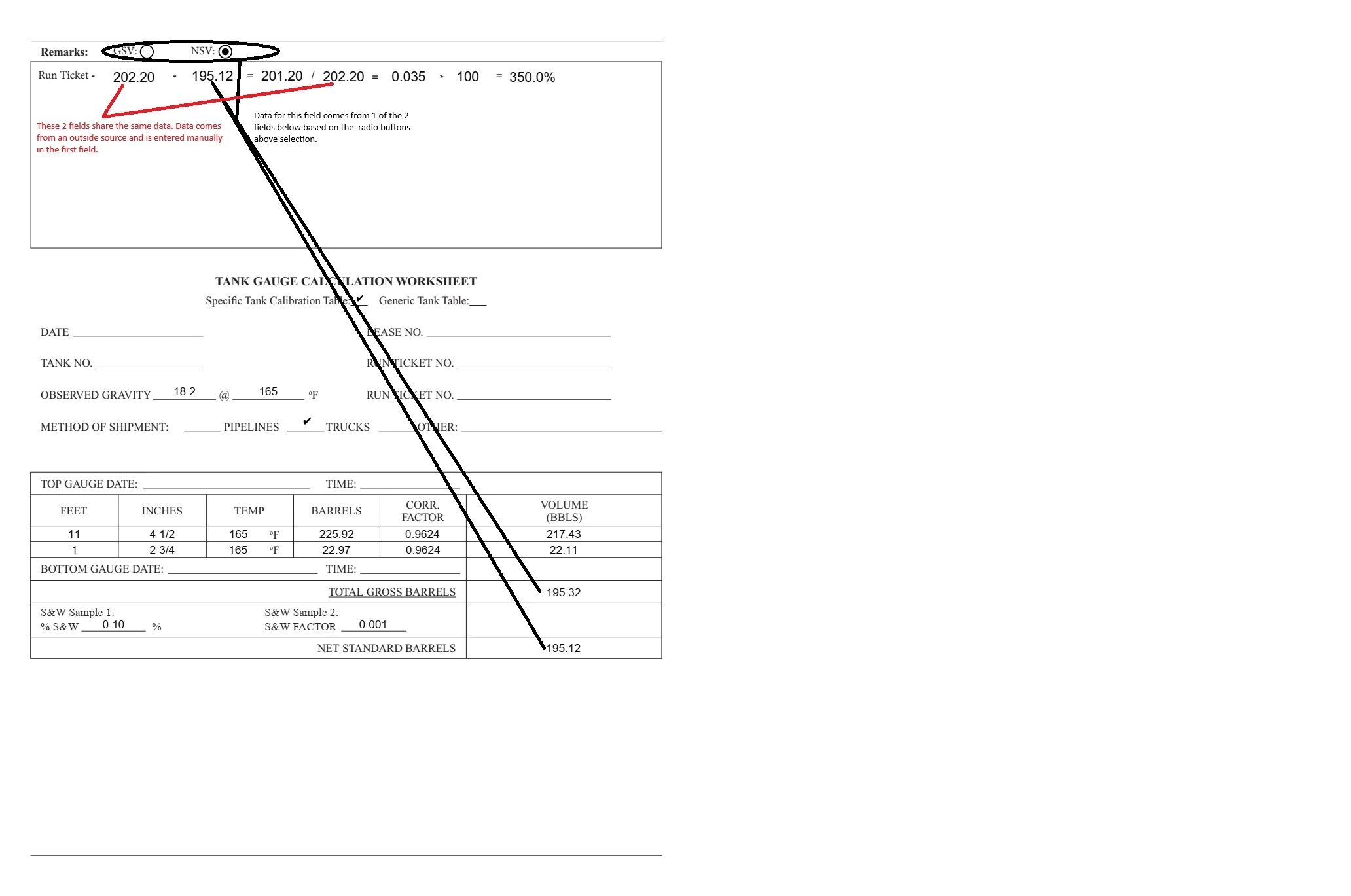
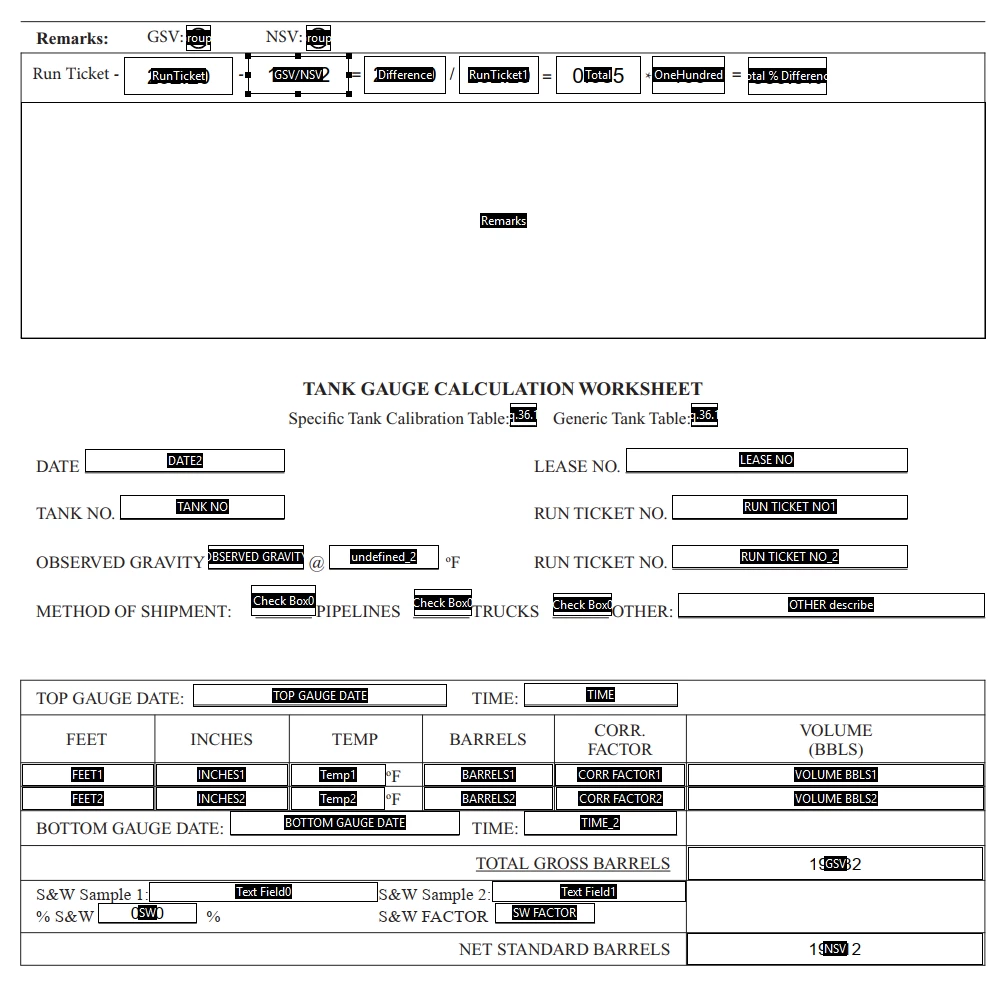
I have 2 radio buttons that are grouped and depending on your selection a data field is auto populated from the data in another field. The field that is auto populated is part of a simple yet complex formula to solve an equation, where some of the data is recycled. I had it working for the most part at some point today, just the last equation was kicking out the wrong answer. For example; the last equation would be something like .035x100=3.5%; but was giving the answer of 350%. I saved my progress even though the equation wasn't correct and when I opened it again to work out the issues, nothing worked anymore. I can get the radio buttons to autofill correctly but, that's it. Please help!?!?!


I attached the form and a couple of screen shots. Right under "Remarks" on Page 2 is the formula. Can someone please tell me what I'm doing wrong??
返信数 1

PDF Automation Station
Community Expert
Community Expert
January 16, 2025

There's an error in your Difference field.  Group1 instead of this.getField("Group1").value, twice.

Participant
January 24, 2025

Thank You for the speedy response!!!! Sorry it took me a minute to respond. Could you please elaborate on that?? I changed it to the script below but, it's still not working and I'm betting it's because I'm not even close. What am I missing here?


var a = this.getField("Group1").valueAsString;
if (Group1=="Choice1")
event.value = ("RunTicket").value -("GSV").value
else if (Group1=="Choice2")
event.value = ("RunTicket").value -("NSV").value

Nesa Nurani
Community Expert
Community Expert
January 24, 2025

You declared variable 'a' and you use Group1 instead of variable name:
if (Group1=="Choice1")

if (Group1=="Choice2")

it should be:

if (a=="Choice1") 

if (a=="Choice2")


Also in percentage field don't multiply by 100 to get 3.5% and pay attention to your field calculation order.

Another tip, since field "RunTicket1" have same value as "RunTicket" just give both fields same name, "RunTicket".