


ALL TOOLS feature not populating with any real tools
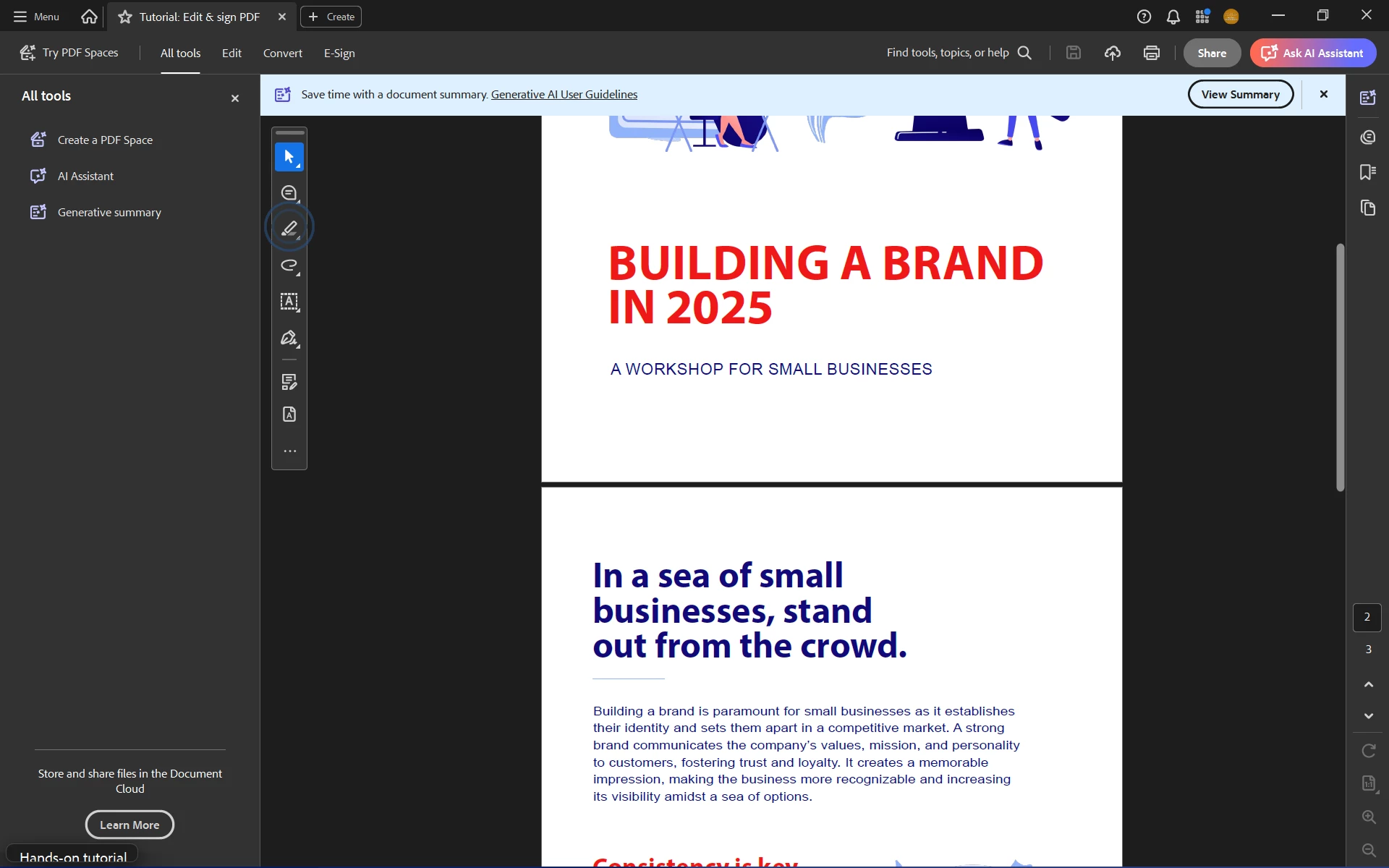
I have uninstalled and reinstalled ACROBAT PRO from Creative Cloud three times in the past week trying to get the ALL TOOLS function to work as it is supposed to (I am in the USA). After I reinstall, Acrobat starts up with "English with Arabic supports" and when I try to add notes/comments, they are typing in Arabic. The ALL TOOLS panel is properly populated with the set of tools. In order to get actual ENGLISH as the language, I have to go into PREFERENCES and select "Choose language at startup" for the language, then close Acrobat and reopen. Upon reopening, I select "ENGLISH" only as the language, and when I do this, the ALL TOOLS panel reverts to a list of three useless items: "Create a PDF Space", "AI Assistant", and "Generative Summary". I don't want any of these things, I need the Forms Design, Editing, and all other standard TOOLS. I can add them to the floating toolbar, but I don't want to have to do that.
What is going on with my Acrobat installation? OS is Windows 11 Pro v. 24H2, OS Build 26100.6584 The AI Chat on the Adobe.com website is crap. I get connected to AI persons with "one year of experience" who can't understand the problem and can't connect me to anyone who is an actual living, breathing human being. I don't know what I'm paying $60/mo for if I can't get the product support I need.
This is what I see after "fixing" the language preference"
 AdChoices