


Participant
January 17, 2020
質問

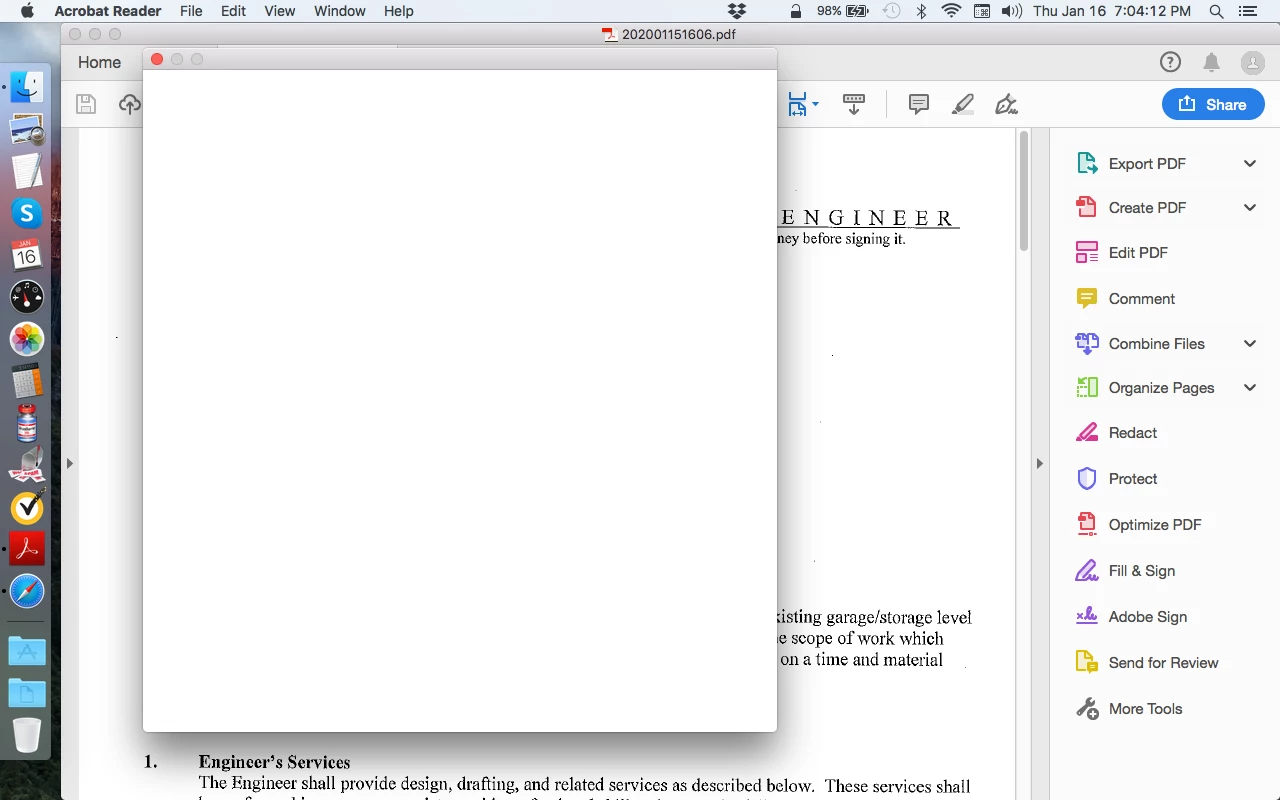
How do I get rid of the big white box in front of my PDF???

  • January 17, 2020
  • 返信数 1.
  • 9818 ビュー

Hello: Why is there a big white box in front of my PDF and, more importantly, how do I get rid of it? (See screenshot below.)

I am using an old MacBook Pro running OS 10.11.6

TIA for any help!
 

このトピックへの返信は締め切られました。

返信数 1

AkanchhaS8194121
Legend
January 17, 2020

Hey there,


Thanks for reaching out.

Can you tell us when exactly do you get this white box? What are the action taken right before this box appears?

Are you trying to save any PDF file or accessing any Tool? It would be more helpful if you can share your workflow.


Thanks, 

Akanchha 

Pangloss作成者
Participant
January 17, 2020

It happens when I simply open the doc (e.g. from the Downloads folder). All the Menu items are "greyed-out" so that I'm prevented from using them (e.g. I cannot print the PDF) nor can I use the Adobe Reader commands on the right. It's awful!

ls_rbls
Community Expert
Community Expert
January 20, 2020

Hi,


It seems like you're  using Dropbox integrated in Adobe Acrobat Reader.


Just for troubleshooting purposes, Try by accessing  your Dropbox user account using a web browser instead of the method you're using; download  the file to a known location in your computer, and try opening it with Adobe Acrobat Reader from there; not  with Acrobat Reader directly using the cloud storage service integration for Dropbox.


If this works, I can think of a few additional suggestions:


Like noted above you're using Dropbox with your PDFs and this looks like you're getting an  blank Adobe Reader end user license agreement screen.


You need to relicense by accepting the EULA see here https://helpx.adobe.com/acrobat/kb/blank-eula-screen-appears-acrobat.html 


If for some reason you can't work around using this issue by opening Adobe Reader, and the Adobe guidance that I've  referenced here for you didn't work, you can manually accept the EULA  without the need of opening a misbehaving Acrobat Reader program.


This is an application preferences setting that you have to set to yes in your macOS.