



flyboykenty
Participating Frequently
October 14, 2020
解決済み

How do I show the selected item name (and not the value) of a dropdown box in another text box

  • October 14, 2020
  • 返信数 1.
  • 2181 ビュー

I'm pretty new to scripting for PDF forms, please could you help me?

I have a dropdown box with 2 items in it 'ITEM A & ITEM B' with values $20 for ITEM A and $30 for ITEM B. I wish to copy the selected ITEM (and not the VALUE) to a new textbox. Is there an easy way to do this, I have seen a couple of scripts online but none seem to work for me or maybe I'm just doing it wrong. If you are kind enough to be able to help could you please refer to where the script should sit in either the Dropdown box or the textbox. Thank you so much.
このトピックへの返信は締め切られました。
解決に役立った回答 ls_rbls

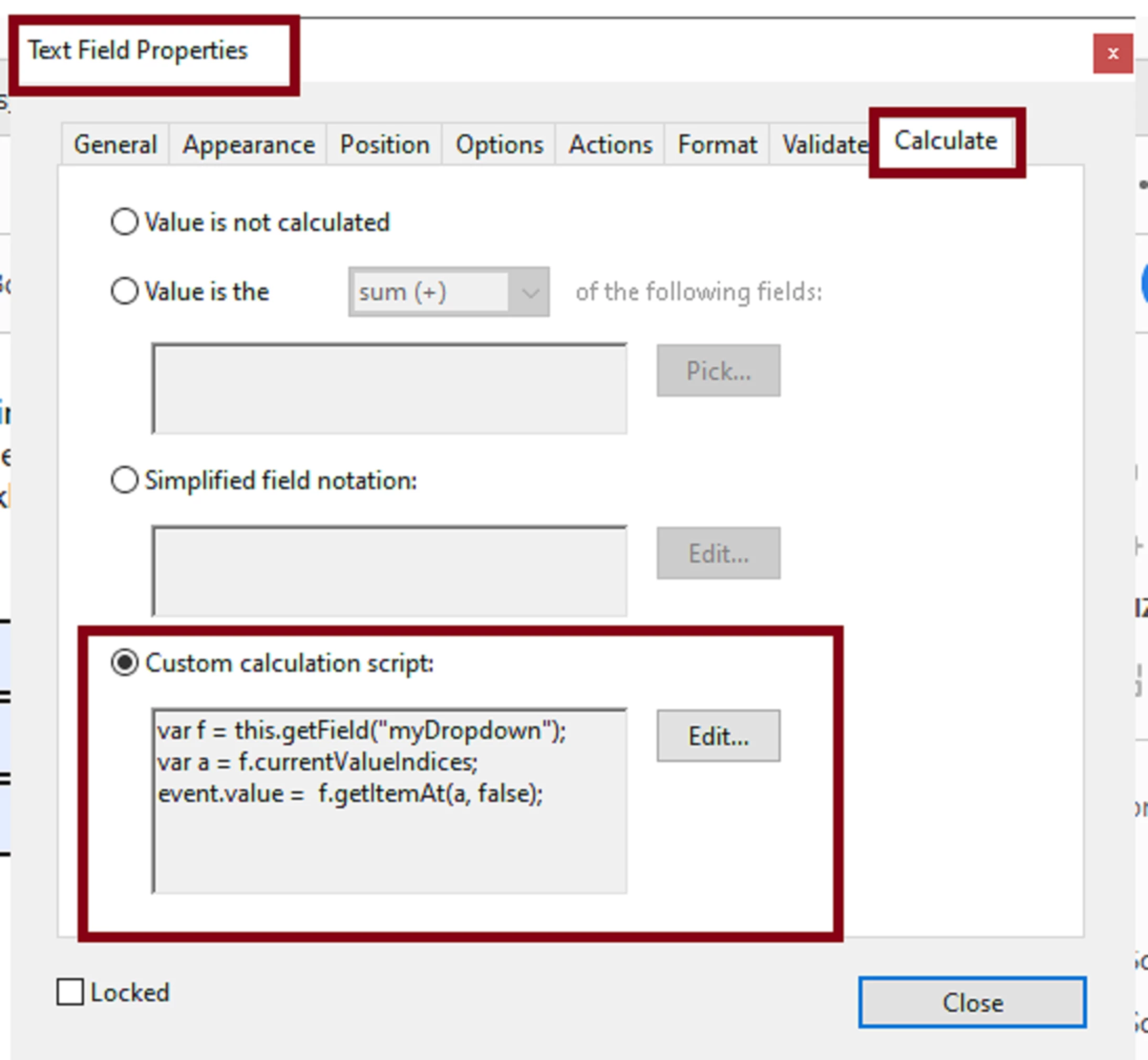
I prefer to run the script from the texfield using a custom calculation script. See the method below:


var f = this.getField("myDropdown");
var a = f.currentValueIndices;
event.value =  f.getItemAt(a, false);


The field method above employ the use of "currentValueIndices" to get the index of the listed items in your dropdown menu which is declared in variable "a" in the script above. Then you use "getItemAt" to get the face value of that indexed item.


According to the Acrobat API reference you cannot get the face value of a combobox using the regular method unless both the face value and the export value are the same. In other words, if you only need to get the export value then just use :


event.value = this.getField("myDropdown").value;


as the custom calculation script in your text field.

返信数 1

ls_rbls
Community Expert
ls_rblsCommunity Expert解決!
Community Expert
October 15, 2020

I prefer to run the script from the texfield using a custom calculation script. See the method below:


var f = this.getField("myDropdown");
var a = f.currentValueIndices;
event.value =  f.getItemAt(a, false);


The field method above employ the use of "currentValueIndices" to get the index of the listed items in your dropdown menu which is declared in variable "a" in the script above. Then you use "getItemAt" to get the face value of that indexed item.


According to the Acrobat API reference you cannot get the face value of a combobox using the regular method unless both the face value and the export value are the same. In other words, if you only need to get the export value then just use :


event.value = this.getField("myDropdown").value;


as the custom calculation script in your text field.

flyboykenty
flyboykenty作成者
Participating Frequently
October 15, 2020

Thank you so much, super quick and worked like a dream. Perfect answer and so informative I feel I've actually learnt something rather than just copying and pasting a snippet. It's a shame this is not a standard in the calculation options (show item selected with a reference) I know you should use the value as the selected item but if that is being used for another calculation then the item is nnext best thing). Thank you again you are a credit to the community.