


質問
Redundant space character in the compare result
Hello!
I have two PDF files generated from .docx (by Save As from Microsoft Word):
- text_22pt.pdf (source .docx: text_22pt.docx);
- text_24pt.pdf (source .docx: text_24pt.docx)
(see in the attachments)
These documents are almost identical, except 24pt font size in the second one.
When I compare them via Acrobat feature Tools->Compare Files, it finds the difference:
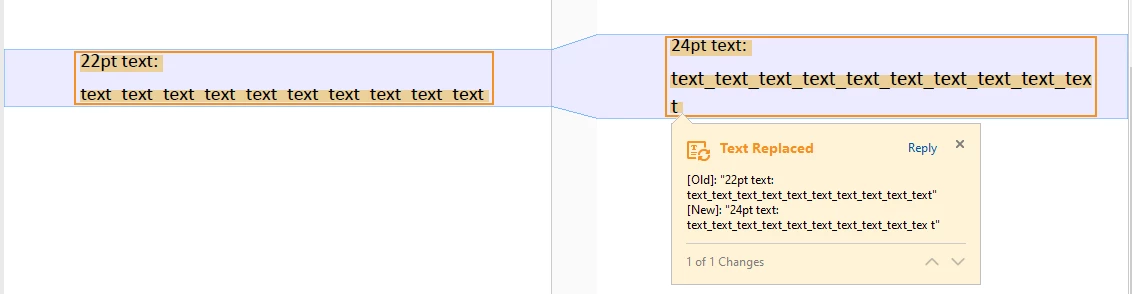
It shows that 2nd document contains 'space' character between 'tex' and 't' on the new line:
[Old]: "22pt text: text_text_text_text_text_text_text_text_text_text"
[New]: "24pt text: text_text_text_text_text_text_text_text_text_tex t"
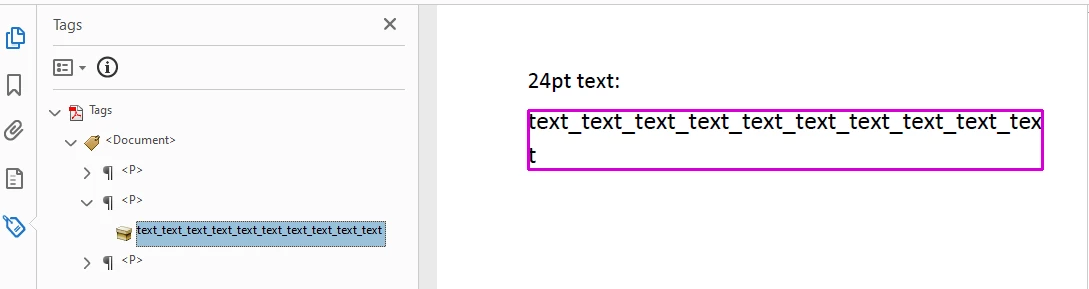
In the PDF Tags Tree there isn't space:
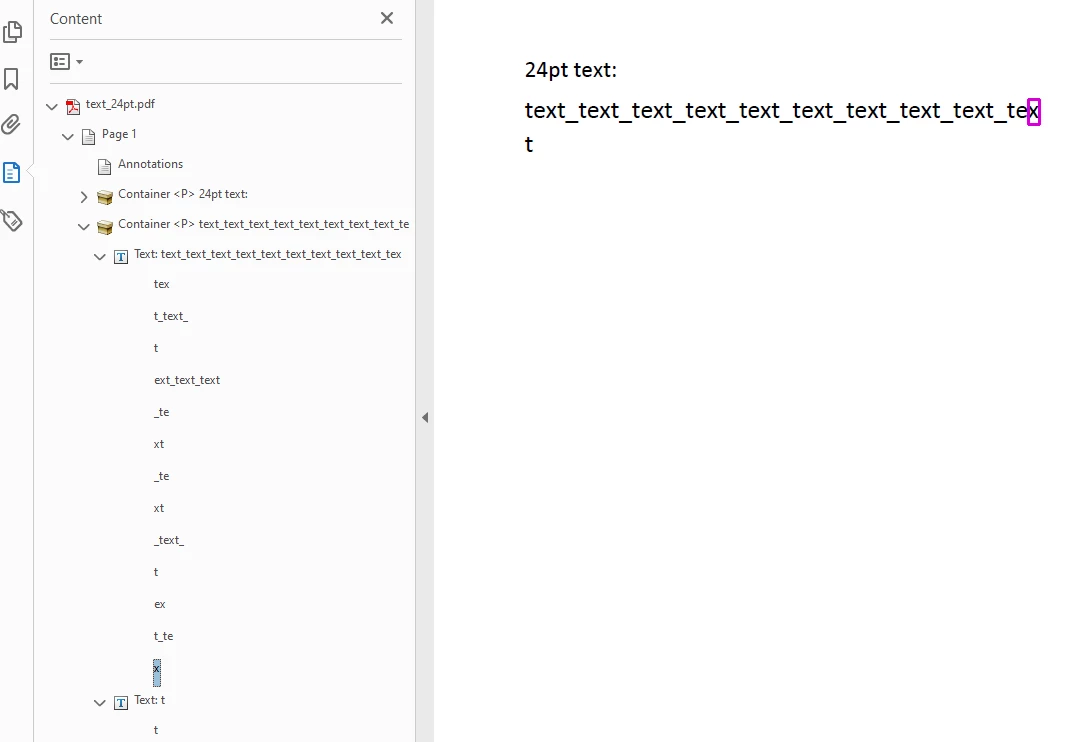
In the PDF Content Tree also there isn't space:
Why this redundant space occurs? Is there a way to ignore it in the Compare Feature?
 AdChoices