

Participant
December 7, 2022
質問

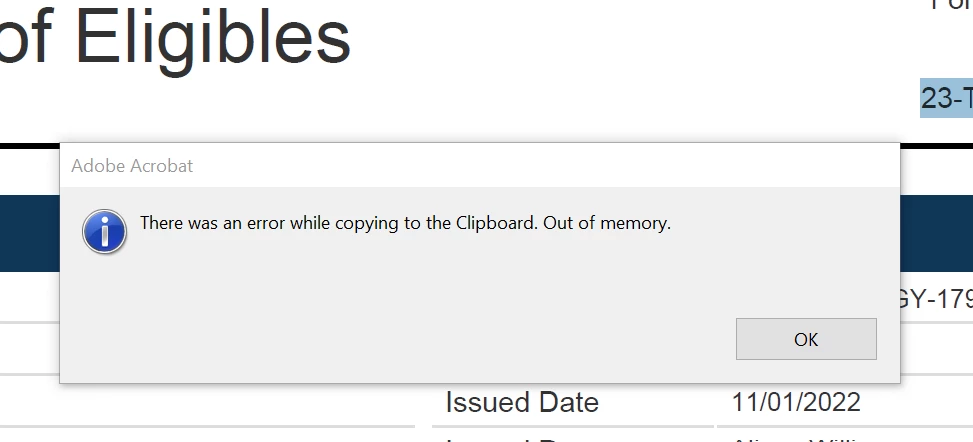
When using Adobe Pro copying function is not working in any capacity!!

  • December 7, 2022
  • 返信数 1.
  • 457 ビュー

I keep getting this error message.... I have closed thumbnails but still nothing. Restart program and still same. 
 

このトピックへの返信は締め切られました。

返信数 1

Amal.
Community Manager
Community Manager
December 8, 2022

Hi @Philip2747935215uz 


Hope you are doing well and sorry to hear that.


Is this an issue with a particular PDF file or all the PDFs? Please try with a different PDF file and check. If its a file-specific issue, please share the file with us for testing.


What is the bit version of the OS and the version of the Acrobat Pro you are using? To check the version of the application, go to Help > About Acrobat and make sure you have the recent version 22. 3.20282 (Win). Go to Help > Check for updates and reboot the computer once.


Most of the “out of memory” issues occur on Windows when opening exceptionally-complex PDF files, primarily those coming out of CAD programs in which a single page may have literally hundreds of thousands of individual line segments defined, often with a line width of 0 and sometimes with unnecessary use of transparency which requires transparency blending for page display and most printing.


Regards

Amal
