


Participant
November 24, 2016
解決済み

Adobe Acrobat Reader PDF square boxes

  • November 24, 2016
  • 返信数 1.
  • 41609 ビュー

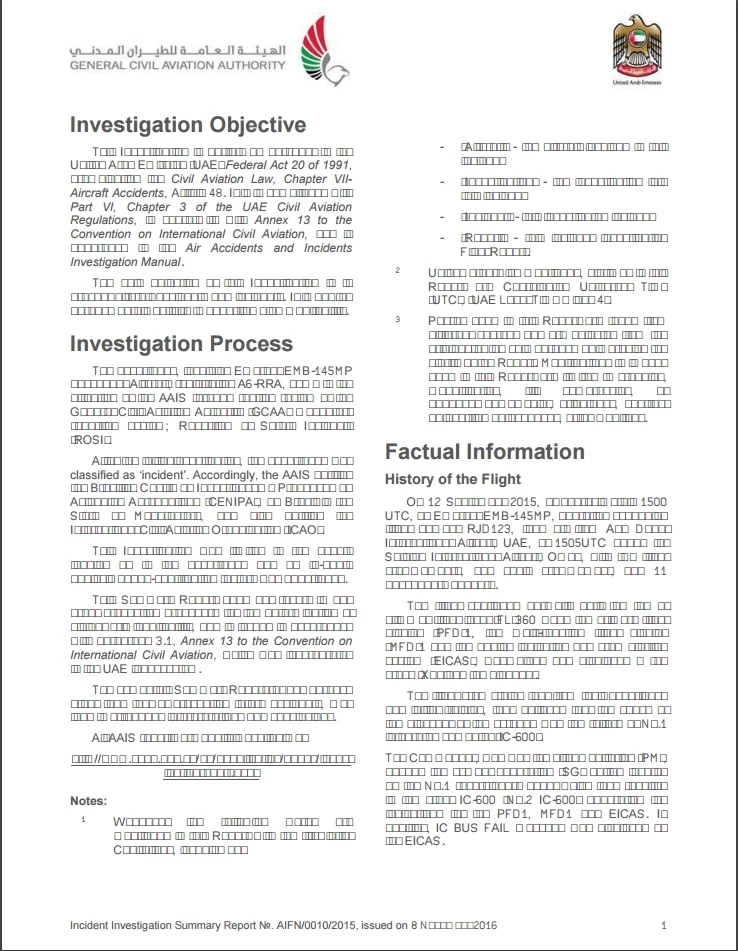
Hi, I am  having problems displaying/viewing some PDF docs. In some documents the Reader will display square boxes instead of a text (as shown in the image below).

Using Windows 10 with the newest version of Adobe Acrobat reader. Any suggestions?

Thank you!
このトピックへの返信は締め切られました。
解決に役立った回答 Adorobat

Thank you for sending the file.

I tried to open the pdf file in Chrome's default pdf viewer and the file was displaying fine. As you suggested, the issue might be related to browser,  you might try updating Chrome to the latest or reset its settings.

返信数 1

Adorobat
Community Manager
Community Manager
November 27, 2016

Hi martin737,

Please refer to the links given below:

text changes to square charaters, how can I correct this? (Edit PDF)

Small square boxes appearing on blank lines (UPDATED) - The question is, how to get rid of them?

Would it be possible for you to share one of the pdf file with us, i have sent you a private message for the same.

Martin737作成者
Participant
November 27, 2016

Thanks again for the reply!

I unchecked and checked again the "use local fonts" option (and restarted PC), it made no difference. The text was readable in either case using Acrobat Reader DC.

It seems like the problem is within my Chrome browser, because opening the same PDF file in Chrome caused square boxes to appear again. As I wrote in the PM, only Chrome PDF Viewer plugin is installed. Any ideas?

Adorobat
Community Manager
AdorobatCommunity Manager解決!
Community Manager
November 27, 2016

Thank you for sending the file.

I tried to open the pdf file in Chrome's default pdf viewer and the file was displaying fine. As you suggested, the issue might be related to browser,  you might try updating Chrome to the latest or reset its settings.