


Exit
  • Global community
    • Language:
      • Deutsch
      • English
      • Español
      • Français
      • Português
  • 日本語コミュニティ
  • 한국 커뮤니티
0

How to Hide Sidebars

New Here ,
Jan 06, 2023 Jan 06, 2023

Before you reply with "Remember current state of the Tool Bars pane", been there - done that.  Everytime I open a doc I get this:
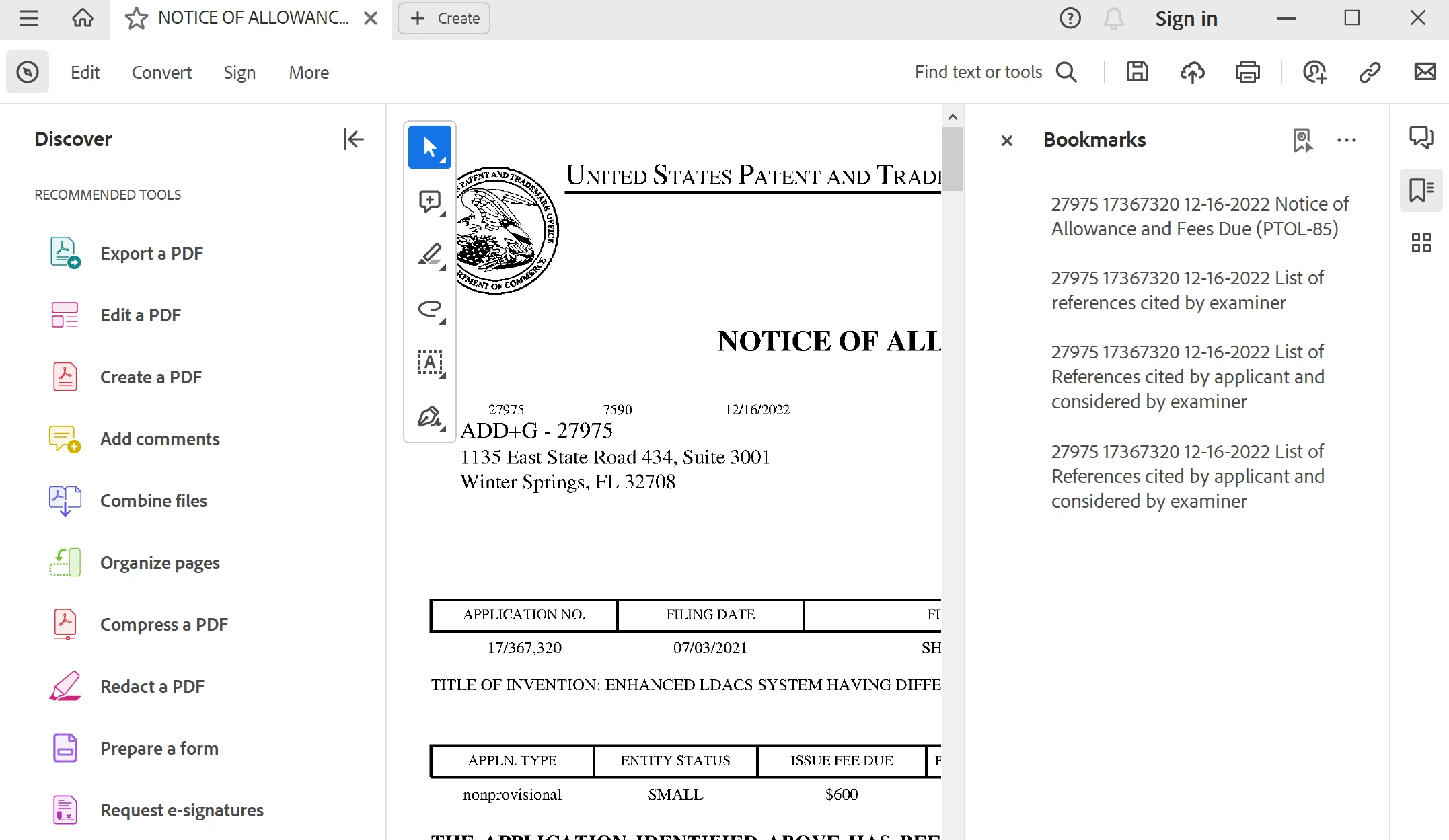
Ed27832949wyqp_0-1673032665555.png


So annoying.  I dont' want to "Discover" anything (read - spend money with Adobe".  And if I want the bookmarks, I will open them myself.  I just want read the document.  This is driving me crazy.  Any ideas on how to permantly hide this crap?  Thanks in advance for any advice.


TOPICS
View PDF
713
Translate
Report
Community guidelines
Be kind and respectful, give credit to the original source of content, and search for duplicates before posting. Learn more
community guidelines
Adobe Employee ,
Jan 09, 2023 Jan 09, 2023

Hi @Ed27832949wyqp 


Sorry to hear about your frustrating experience. 

You have chosen the correct preference setting. Just ensure that you have also followed these steps as well:

1- Acrobat Reader will remember the state of your Tools pane. If it collapsed (or expanded) during the last launch, it remains collapsed (or expanded) when you launch again. That means you must close the tool pane and change the preferences to "Remember the current state of the toolbar."


2- After selecting this, click OK and reboot Acrobat Reader. Close the app completely and re-open it. 

3- If you are experiencing this issue with one specific file, then close the tool pane as suggested above and check the following option under Edit>Documents> Restore Last view settings when reopening documents>OK

AkanchhaS_0-1673298574331.png


Hope this helps!


Thanks,

Akanchha 


Translate
Report
Community guidelines
Be kind and respectful, give credit to the original source of content, and search for duplicates before posting. Learn more
community guidelines
New Here ,
Jan 09, 2023 Jan 09, 2023
LATEST
IT IS NOT THE TOOLS PANE!! Been through this 5 times already. See below. The Tools bar is already collapsed.

[cid:image007.png@01D92446.8F2FB780]

I don't want to DISCOVER more Adobe products. This is not a tool bar. It's a blatant marketing bar. EVERY TIME I OPEN ADOBE READER I have to close this thing. And the books marks bar always opens on the right. This is a document reader and I can't even see the document!!

Seriously, does anyone at Adobe use this app? This is really pathetic. If I need to tweak the registry let me know. But this needs to be fixed.


Ed Paulsen
SVP Business Development
O: +1 (321) 751-8461
M: +1 (774) 217-8303
E: epaulsen@avidyne.com

[signature_559975530]<>
[signature_198036330] <> [signature_1450641196] <> [signature_784526159] <> [signature_707001885] <> [signature_582562946] <>
710 North Drive
Melbourne, FL 32934

Confidentiality Notice: The information included in this email, including any attachments, is for the sole use of the intended recipient and may contain confidential and privileged information. Any unauthorized review, use, disclosure, distribution or similar action is prohibited. If you are not the intended recipient, please contact the sender and delete all copies of the original message immediately.
Translate
Report
Community guidelines
Be kind and respectful, give credit to the original source of content, and search for duplicates before posting. Learn more
community guidelines