


Participant
March 16, 2019
解決済み

Acrobat Reader DC cannot open because it is not a supported file type

  • March 16, 2019
  • 返信数 2.
  • 18790 ビュー

Hello,

I am running Windows 10 and Acrobat Reader DC, latest versions.

I frequently convert documents to pdf by using Microsoft print  to PDF.

There are times where Acrobat Reader DC cannot open the document and states

"Adobe Acrobat Reader could not open xxxxx.pdf because it is either not a supported file type or because the file has been damaged.
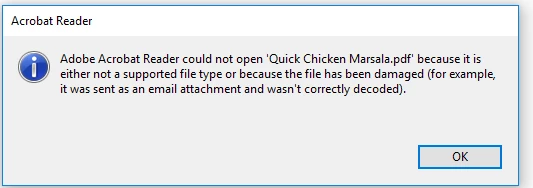
I don't know what I'm doing wrong. The error keep occurring and I am losing documents.

Can anyone assist?

解決に役立った回答 Test Screen Name

Well, you aren't using Acrobat or any other Adobe software to make the file, so you aren't in the right place, but let's see if we can suggest anything anyway.

Here's a couple of things to try.

1. Starting with that same original recipe file, make TWO PDF files (with different names). Reboot. Make TWO MORE files with another two different names. You should have four files. Do they all show the same problem? None? Or just some? The answer doesn't solve it, but it's useful info.

2. Please check the size of a bad file (PDF). What is it? If it isn't zero, please do step 3.

3. Please open a PDF in Notepad, or Word (File > Open). Look at the FIRST FIVE LINES and copy/paste them here unedited.

返信数 2

Participant
October 12, 2020

I am having this same issue.  I used AAR DC to fill a pdf and then saved it like I always do via control print and save as pdf.  When I got to open, I get the same error message.  I spent several hours type filling this document and really need to figure out how to open it.  Any help greatly appreciated.

try67
Community Expert
Community Expert
October 13, 2020

This is a very bad way of doing things. Why are you printing a PDF to another PDF (AKA "re-frying") in order to save it? Just hit File - Save.

What you're doing is using a third-party software (since Reader can't create PDF files) to generate a new file, and it seems this software is not very reliable. It's likely the information you entered is gone, if the file is corrupt.

Legend
March 16, 2019

Well, you aren't using Acrobat or any other Adobe software to make the file, so you aren't in the right place, but let's see if we can suggest anything anyway.

Here's a couple of things to try.

1. Starting with that same original recipe file, make TWO PDF files (with different names). Reboot. Make TWO MORE files with another two different names. You should have four files. Do they all show the same problem? None? Or just some? The answer doesn't solve it, but it's useful info.

2. Please check the size of a bad file (PDF). What is it? If it isn't zero, please do step 3.

3. Please open a PDF in Notepad, or Word (File > Open). Look at the FIRST FIVE LINES and copy/paste them here unedited.

ArtM202E作成者
Participant
March 17, 2019

Hello,

Thanks for your response and suggestions.

You are correct, I was creating the PDF files using Microsoft print to

pdf. That got me thinking and I searched how to reinstall microsoft

print to pdf before following your suggestion.

I looked at the original file and the file size is 0.

I also followed step 1 and created two PDF files. Neither is zero

length. It could mean the issue was print to pdf.

I do appreciate the response.

Art

AkanchhaS8194121
Legend
June 13, 2019

Art, Thanks for following the suggestion given by our community expert. The result gives a better picture and clear understanding of whats causing this trouble.

Let us know if there's any further assistance is required.

Thanks,

Akanchha