

Participant
January 17, 2019
質問

Installation issues
  • January 17, 2019
  • 返信数 2.
  • 6259 ビュー

Hello

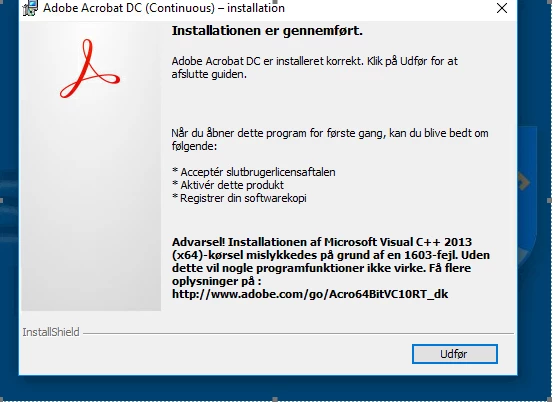
After installation of Acrobat DC I get a warning that installation of Microsoft Visual C++2013(x64) failed because of a 1603 failure.

What do I do?

このトピックへの返信は締め切られました。

返信数 2

AkanchhaS8194121
Legend
March 6, 2019

Hi Sundhedscenter

Edited:

Have you managed to get this issue resolved by following the suggestion provided by "kglad" or still experiencing the same problem?

Acrobat DC installer tries to install the Microsoft Visual C++ (x64) runtime if it doesn't find it on the system. If the installation of this runtime fails, the following warning message (as shown in screenshot shared above) appears in the installation complete screen:

Warning! Installation of Microsoft Visual C++ 2013(x64) runtime failed due to error <code>. Without it, some application functionality doesn't work. For details...“

Download and install Microsoft Visual C++ 2013 (x64) runtime from Microsoft Download Center. You can download vcredist_x64.exe and install it by double-clicking it.

Please refer to the help article for more details: Visual C++ runtime error when installing Acrobat XI or Acrobat DC on Windows

Thanks,

Akanchha

kglad
Community Expert
Community Expert
January 17, 2019

ignore the warning for now and test your acrobat.  any problems?