


melissav15699928
Inspiring
February 25, 2018
質問

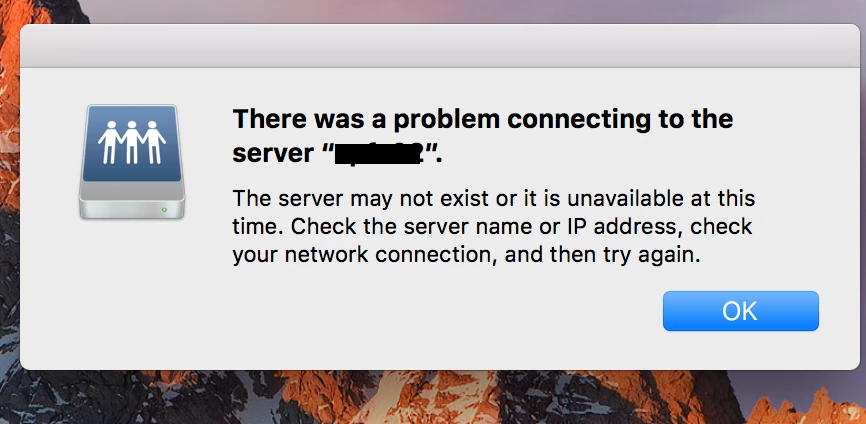
"There was a problem connecting to the server "xxx"." appears EVERY HOUR!

  • February 25, 2018
  • 返信数 2.
  • 5319 ビュー

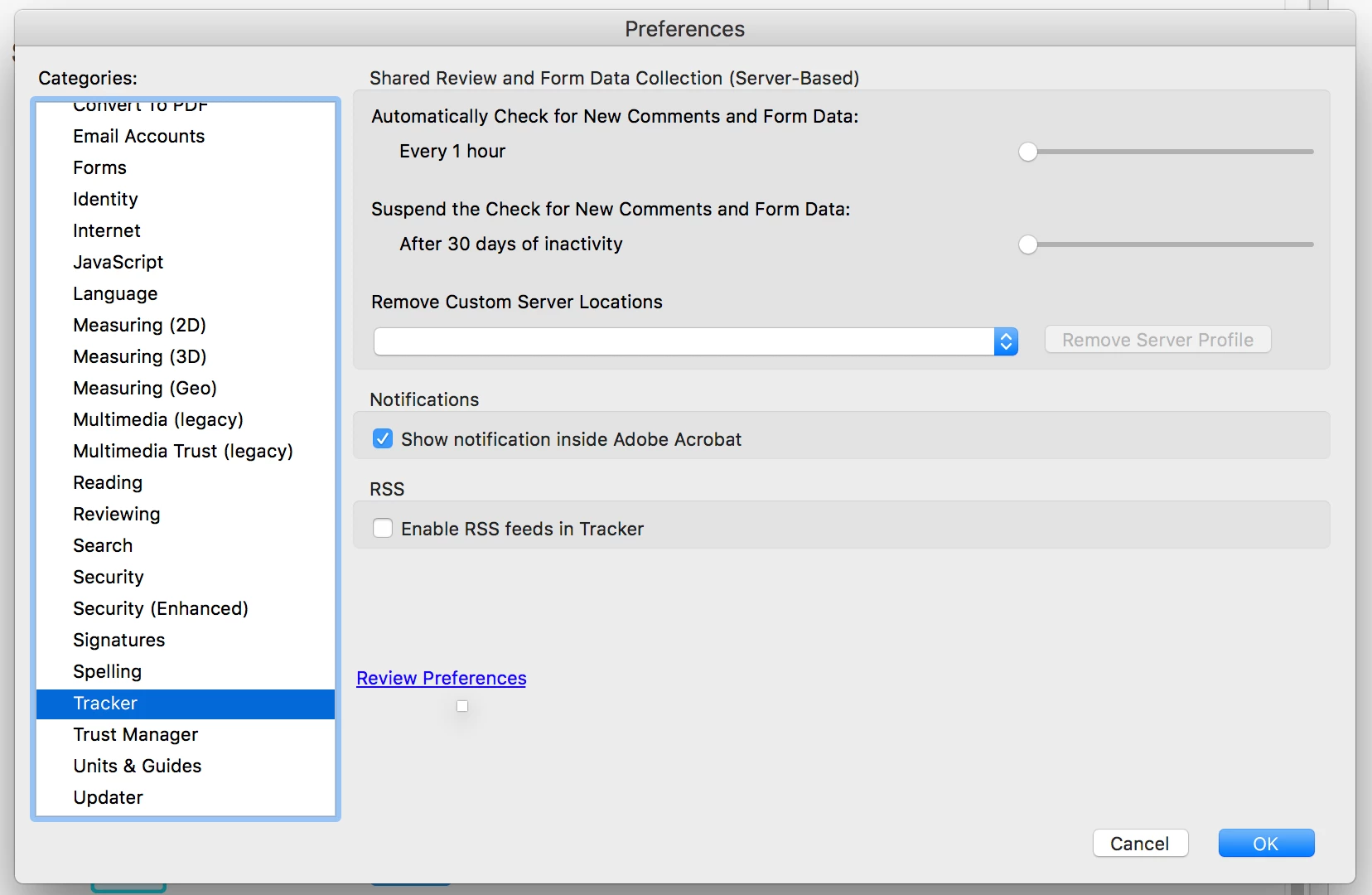
I get a warning every HOUR that I need to connect to an outside server. I have trouble shot with the Apple tech support as well as my office tech support. The problem goes away when I uninstall Acrobat. (I have a CC subscription, so it's the most recent version) I had done a shared review a while ago, but have since deleted all files related to that review off my computer as well as icloud. I need Acrobat and would like to have it installed. HOW do I remove this problem? There is no server listed in the tracker preferences. (see attached files)

Help!

Melissa

EVERY HOUR I get this warning.  IT goes away when acrobat is uninstalled.
In Acrobat Preferences, the tracker says to check every hour! The file that I was tracking has been deleted from my drive and now custom servers are listed.
返信数 2

Participant
June 1, 2023

A long while after this was originally posted, I might have figured something out for some of you! This helped me get rid of the pop-up. See the info at https://helpx.adobe.com/acrobat/using/tracking-pdf-reviews.html#tracker_overview. You can click on the Tracker Overview dropdown to see the screenshot.

Using a Mac, I had Acrobat open, went to View > Tracker. Under the "Received" section, I saw the form and server that prompted this mess were listed, so I right clicked on the form name and was able to remove it. As a result, the server was removed as well! Hope this helps you 1 million years later. 

Participant
November 27, 2023

This solution helped me get rid of this crazy pop-up! Thank you so much! 

Adorobat
Community Manager
Community Manager
May 2, 2018

Hi Melissa,

Sorry for the delayed response.

Are you still facing this issue? If yes, you may try changing settings for shared review and form data collection to every 24 hours or Never and check if that works for you.

Below is the screenshot:

Thank You,

Shivam

Participant
December 29, 2020

Hello.

I am now experiencing this same problem.  It started when I clicked on a link within what I later learned was an outdated Acrobat document.  Now I get this pop-up message below multiple times per day, only when Adobe Acrobat is open:

I agree that changing the Shared Review settings has improved it, and thank you to Shivam for offering that solution.  Is there a potential downside if I set the 'Automatically Check for New Comments and Form Data' to 'Never'?  


Since Melissa first posted this problem in 2018, has there been a more definitve fix identified?  As djazceash asked, is there a way to get Acrobat to "forget" that server it keeps trying to reach?


Thanks very much!

Bob

Participating Frequently
March 1, 2021

Note that every time Acrobat is updated on your Mac, that AdobeResourceSynchronizer app will return, and so will the error messages.

I've still not seen a way to fix it other than my workaround above.