
gingera14003373
Participant
August 31, 2023

New Adobe Express Webpage Embed Code Does Not Work

  • August 31, 2023
  • 29 replies
  • 3246 views

I've used the older version of Adobe Express and embedded many webpages into our company intranet. When I try to embed the new version, I get an image with a 404 error.
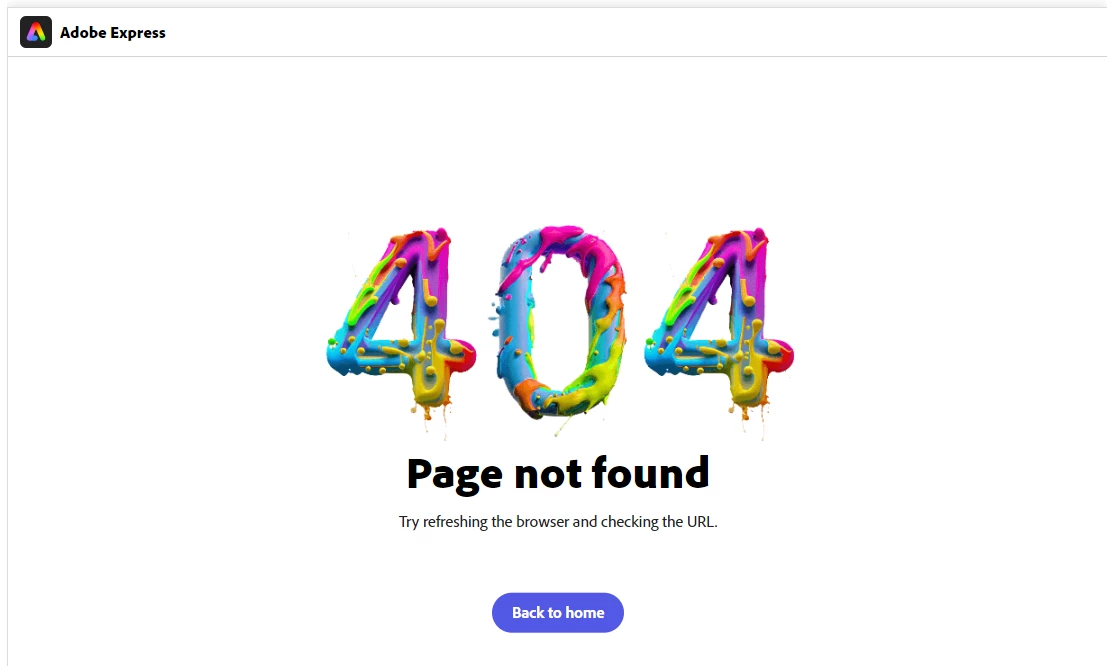
 

When I looked at the new code compared to the old, I noticed it's exactly the same, except for an added "new.". To figure out the problem, I tried to open this javascript file: "https://new.express.adobe.com/page-embed.js" and got a 404 error. When I remove the "new." it's the old embed version of javascript. The same thing is happening with the img src link, which is why nothing is working.


Is there a quick fix to updating this embed code working?

29 replies

Participant
August 29, 2024

I am still unable to embed my Adobe Express webpages into Blackboard - I get a 404 error code. This means I cannot deliver my course content as my entire course is taught online through these webpages. I do not have time to create a screenshot for each page and make the image clickable - why is it not possible to embed a page as I could previously? I had the same problem this time last year, took ages using a workaround which looked awful, and then it was fixed so I had to go through and embed each page again. Please can you fix it again? My university IT support say this is an Adobe issue and not a security feature / content being blocked by them.

Nancy OShea
Community Expert
Community Expert
August 8, 2024

"I used to be able to embed a nice image of our Adobe Express Webpage on our Wordpress website, and now I just get a photo with no text. "

===========

@terrifictomato 

Many browsers and CMS sites block cross-origin content for security reasons. 


Please refer to the MDN documentation below about embedded <iframe> content.

https://developer.mozilla.org/en-US/docs/Web/HTML/Element/iframe


Failing that, take a screenshot of your Adobe Express webpage to upload to your WordPress site.


Hope that helps.


Nancy O'Shea— Product User & Community Expert
Participant
August 8, 2024

Adobe developers: is there any update on when this issue will be fixed? I used to be able to embed a nice image of our Adobe Express Webpage on our Wordpress website, and now I just get a photo with no text. You had a useful product feature that worked, and now it doesn't.


As an Adobe customer/user, it's seems like all Adobe is concerned with is pushing AI features that no one wants, rather than making their core products actually work.

Participant
July 4, 2024

Soon as possible? September 2023. Are you having a laugh

Participant
July 4, 2024

Can someone explain why this has STILL not been addressed? You are not offering the service you have said you are. 


Luckily updating the old 'Adobe Spark webpages still work for me as it uses the older URL. But any new webpages simply will not work and come back the error message orignally posted in August 2023


Nearly a year and still nothing? What do you people do in your time? 


Get it sorted

Participant
July 2, 2024

So, this a months-long problem that is still being worked out? I made a slight edit to a Spark page published in 2021 and now I got the "404" message and/or a prompt to sign in after I've generated a new published link with "express" in the URL. I've found threads that are over a year old detailing this same problem. Quite remarkable this bug hasn't been worked out.

Participant
June 14, 2024

Hi, I see that I can embed the webpage and it pulls in the image, but there is no longer a title, read more button, or hover effect. Is that the expected new behavior, or should we still be seeing title/button/hover? 

Thank you

Participant
May 9, 2024

I am also having trouble today for the first time in months - 404 error code when I embed a webpage in Adobe Express. Is anyone else?

Tarun Saini
Community Manager
Community Manager
May 24, 2024

Hi 

@Katherine31888851bk2g


Our product team is working on this issue. Once we hear anything from you we will keep you posted. Meanwhile, could you please share the the URL of your webpage to investigate further?


Regards,

Tarun

Participant
May 7, 2024

Another commenter said this was fixed, but I'm still getting the 404 error when I try to embed. Any tips on what I need to do to address?

Participant
February 28, 2024

It is fixed!