



質問
How do you bypass the extra step in saving files added to Audition after V 3.0
How do you bypass the extra step in saving files added to Audition after V3.0?
When saving a single file in Audition 3, the browser window opened automatically, like when you save any file.
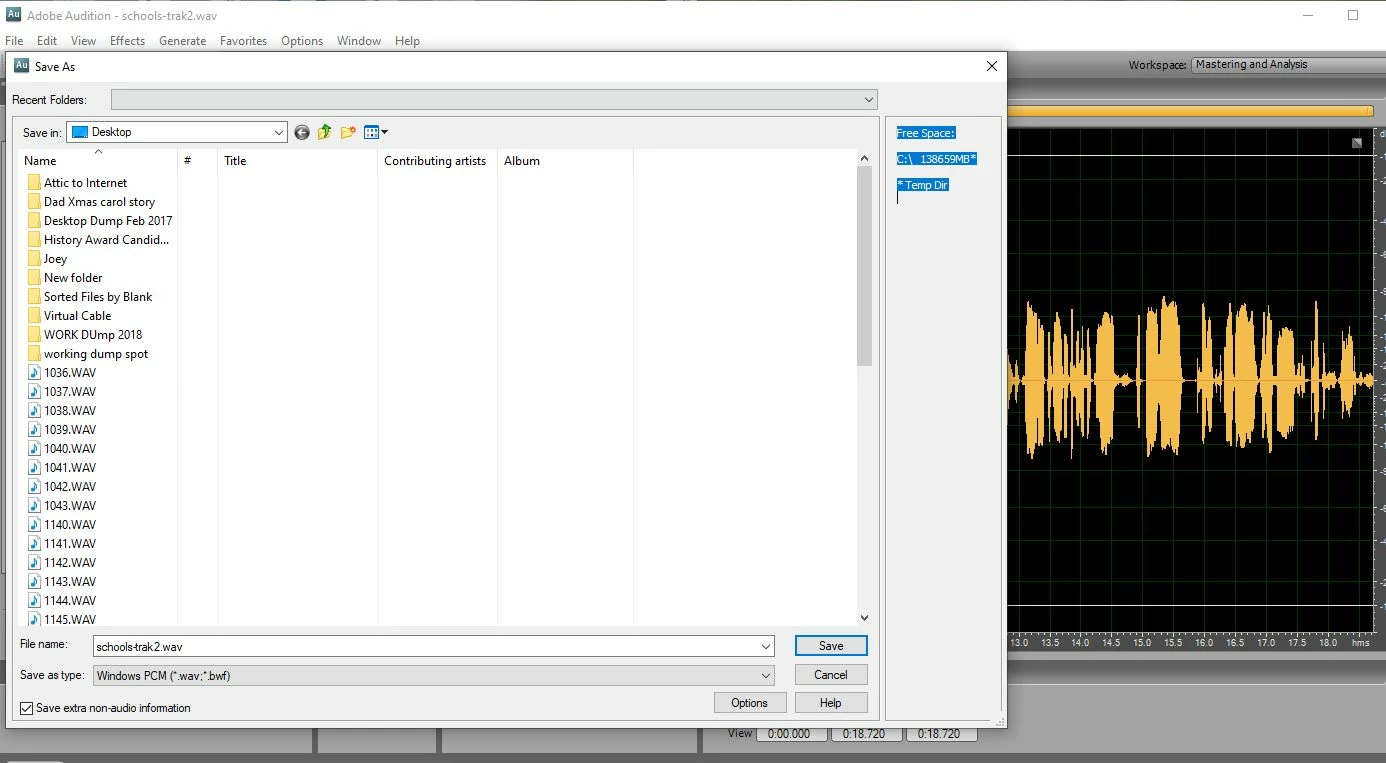
However, in "updated" version, an extra step was inserted. As a broadcast radio producer who pulls bites for immediate use on air, this extra step is soul crushing and doubles the amount of time it takes to save a file.
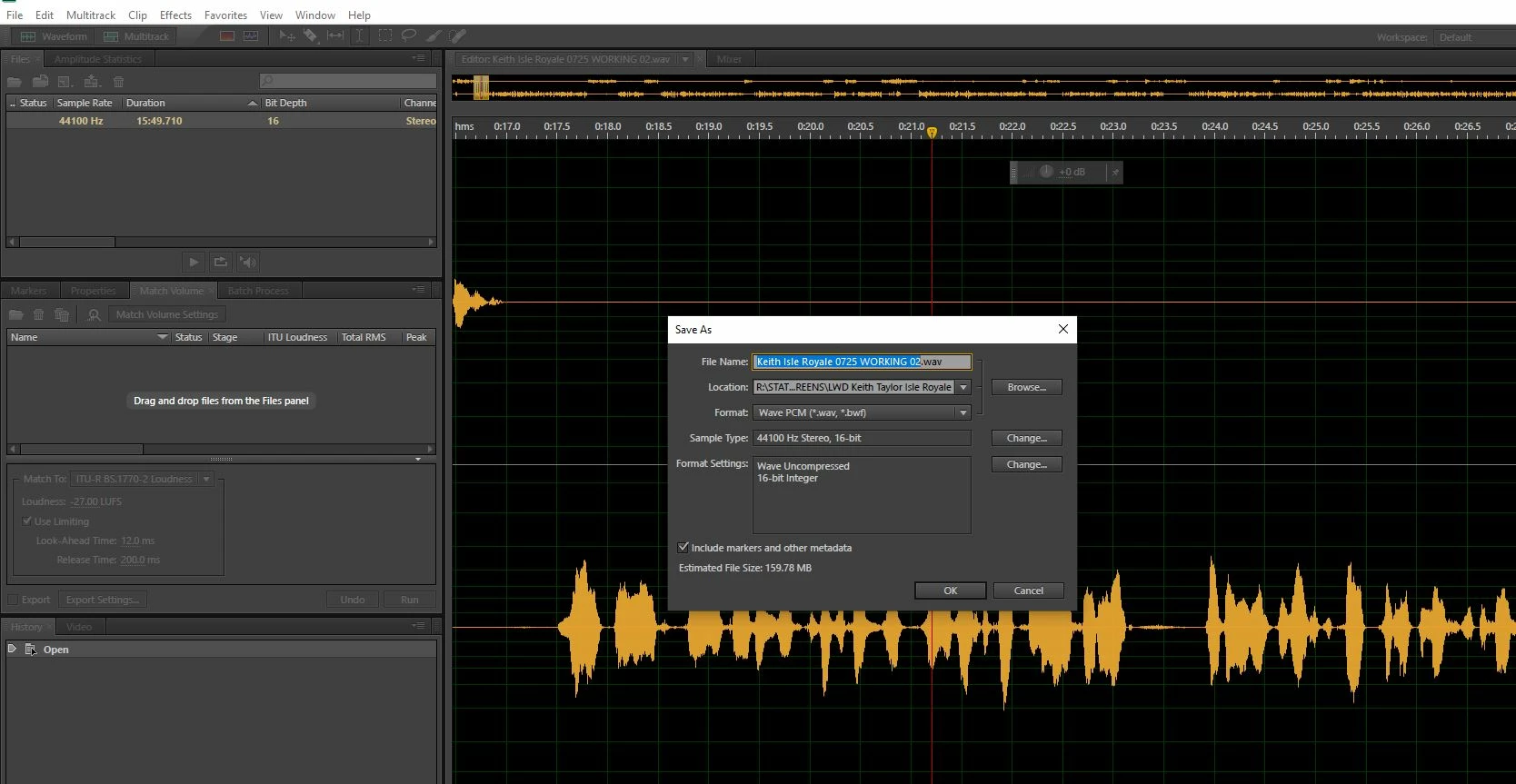
So, in the name of efficiency, how do you bypass the extra step in saving files added to later versions of Audition?
 AdChoices