


Known Participant
October 25, 2025

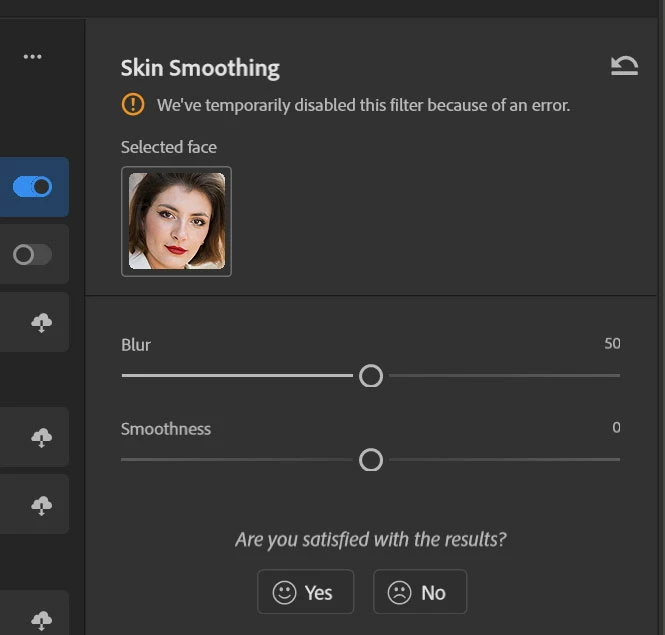
P: Photoshop 27 neural filter skin smoothing We've temporarily disable this feature because of error

  • October 25, 2025
  • 返信数 54.
  • 4635 ビュー

Tried to use this feature today (worked fin in previous version of PS) and today, after upgrading to ver 27, I get the "We've temporarily disable this feature because of an error" message. Of course I don't know what that error is, but pretty sure it's an error. 
 

Running Windows 11 25H2 build 26200.7019

AMD Ryzen 7 7000
AMD 6600X 8G (latest drivers)

返信数 54

Participant
November 16, 2025

As of today, November 16th, both the version released with an automatic, unrequested update to v.27, which already had the same problem in its beta version, and the latest version before v.27, the filters don't work. I wonder, as a user of a paid service, how can it be possible to cause damage and inconvenience, even at work, to people who, once again, emphasize that they pay for a COMPLETE and FUNCTIONAL service, after two weeks? I understand there may be bugs, errors, and oversights, but we're talking about a problem that has been going on for over two weeks, as this and other forums attest. Looking forward to your feedback and updates, so we can work and do what we love: be creative!

PS: I use an iMac m1 and a MacBook Air m2, both of which are currently not working. I'll be sure to edit this comment/complaint if a fix is ​​found.

Thank you and keep up the good work everyone.

Nihal356806295xcc
Participant
November 15, 2025

when it will get fixed its been more than 2 weeks

Participant
November 14, 2025

Hello Sir my name is Anuradha Kumar. In my Photoshop 2026 some filters are not working like skin softening and smart portrait act in neural filter.

Known Participant
November 14, 2025

If you´re finally fixing Skin Smoothing, you should also adress the problem that "skin" is not only in the face, but also the rest of the body. Skin doesn´t end at the blue box in my screenshot! For this kind of image, which is not something uncommon, you just cannot use the filter.

And btw. if both sliders are set to have the least possible effect, the filter should not smooth anything at all. It´s really bad that it always smoothes, not matter, how low you set the sliders. And that also not in line with how actually every other PS filter works.

Participant
November 14, 2025

It works on version 26.11. 😉

Participant
November 13, 2025

It is very dissapointing that skin smoothing still dont work already two weeks Im waiting... 

It is a very useful tool and its a shame we cannot use it...

Please Adobe try to make something !

Participating Frequently
November 13, 2025

What is blocking point here? Any update?

Known Participant
November 13, 2025

I tried using the Smart Portrait Neural Filter to change the angle of a face (see image 3) in order to recreate the look of the Chicago Blackhawks' 2000-01 player portraits (see image 4), but the first time around, I get this error (see image 1):

"We've temporarily disabled this filter because of an error"


This message is not helpful because it doesn't tell me what went wrong. The second time, the face moves, but on top of that, some hair is automatically created around the head. (see image 2)


The intended result is simply for the angle of the head to move. This issue exists on Photoshop 27.0.0 for Windows 11 25H2. All you need to do is change the angle of the head in Smart Portrait for both of these bugs to occur.

Participant
November 13, 2025

for me also  photoshop 27.0 especially skin smoothing filter is not working

Participant
November 13, 2025

We've temporarily disabled this filter because of an error.