


ruthg84
Known Participant
May 8, 2016
解決済み

Is there any way to link shape buttons to a score?

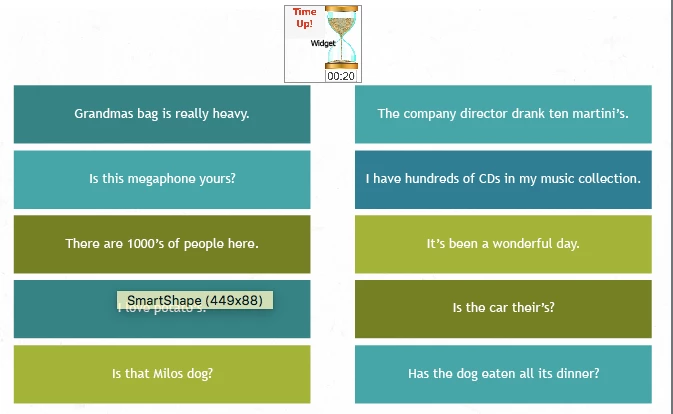
I am creating a game. The idea is that the user clicks on shape buttons with incorrect apostrophe use. I have indicated whether they are right or wrong with a sound, and by the shape button changing colour, but it would be great to also display a score which would increase or decrease depending on how many they get right. I don't want this score to affect the overall lesson score. I just want to use it to give an indication to the user of how many they got right or wrong. Is this possible? Here is a screen shot of the start screen of the game:
このトピックへの返信は締め切られました。
解決に役立った回答 Lilybiri

You cannot use the score that can be attached directly to the shape button in that case. You need to create a user variable v_score for the score.

For the shape buttons I would create two shared actions: one for the correct shape buttons, which I will label SB_Correct1.... and one for the incorrect shape buttons (SB_Wrong1,....). That action will need several commands:

  1. Play audio clip1                     first parameter
  2. Change State of SB_Correc​t1 to Done   second and third parameter
  3. Disable SB_Correct
  4. Increment v_score by x             (I don't know which score you want for a correct answer, hence the 'x, if all have same amount, no parameters here

A similar one needed for the Wrong shape buttons, but with decrement instead of increment.

返信数 2

Lilybiri
Legend
May 8, 2016

What do you want to show exactly: a score that is the sum of all correct answers minus the penalty of all incorrect answers? Or do you want to show the number of correct and the number of incorrect answers. Something to consider as well: will you allow multiple clicks on the same shape button?  You don't tell if you disable the shape button after it has been clicked. If you do not disable it, they can increase their score without limit by clicking several times on the same shape button.

ruthg84
ruthg84作成者
Known Participant
May 8, 2016

Good clarification. Yes, I'd like to show the sum of correct answers minus the penalty of incorrect answers. How would I disable the shape button after 1 click? Is this just by altering the 'number of attempts' to 1 in the action panel?

Lilybiri
Lilybiri解決!
Legend
May 8, 2016

You cannot use the score that can be attached directly to the shape button in that case. You need to create a user variable v_score for the score.

For the shape buttons I would create two shared actions: one for the correct shape buttons, which I will label SB_Correct1.... and one for the incorrect shape buttons (SB_Wrong1,....). That action will need several commands:

  1. Play audio clip1                     first parameter
  2. Change State of SB_Correc​t1 to Done   second and third parameter
  3. Disable SB_Correct
  4. Increment v_score by x             (I don't know which score you want for a correct answer, hence the 'x, if all have same amount, no parameters here

A similar one needed for the Wrong shape buttons, but with decrement instead of increment.

TLCMediaDesign
Inspiring
May 8, 2016

That should be easy to implement since you are already choosing which sound to play. Create a custom variable, create a text caption wit the variable and select the action 'increment' and increment by some value.

ruthg84
ruthg84作成者
Known Participant
May 8, 2016

And how would I create a text caption with a variable?

Lilybiri
Legend
May 8, 2016

Once you have created the user variable, you can insert it just like any system variable, using the X button in the Character part of the Properties panel of the text container (can be a shape or a caption). You have to be in Text Edit mode (like when you type a text in the shape or caption).