


sportmgt56
Inspiring
June 13, 2017
解決済み

Trying to use my own graphic for Quiz Default success and failure result

  • June 13, 2017
  • 返信数 1.
  • 476 ビュー

I'm trying to use my own graphic for the Quiz Default success and failure result.  Does anyone know how to do that or can you point me to a tutorial? Thanks.

    このトピックへの返信は締め切られました。
    解決に役立った回答 Lilybiri

    I'm using Captivate 2017


    I wrote what you have to do. Fill the Failure message on the quiz master slide with your graphic, take out the text. This is only possible if you use shapes, not captions. But that is the default choice for all Captivate themes in the last versions. Here is a screenshot of a filled shape:
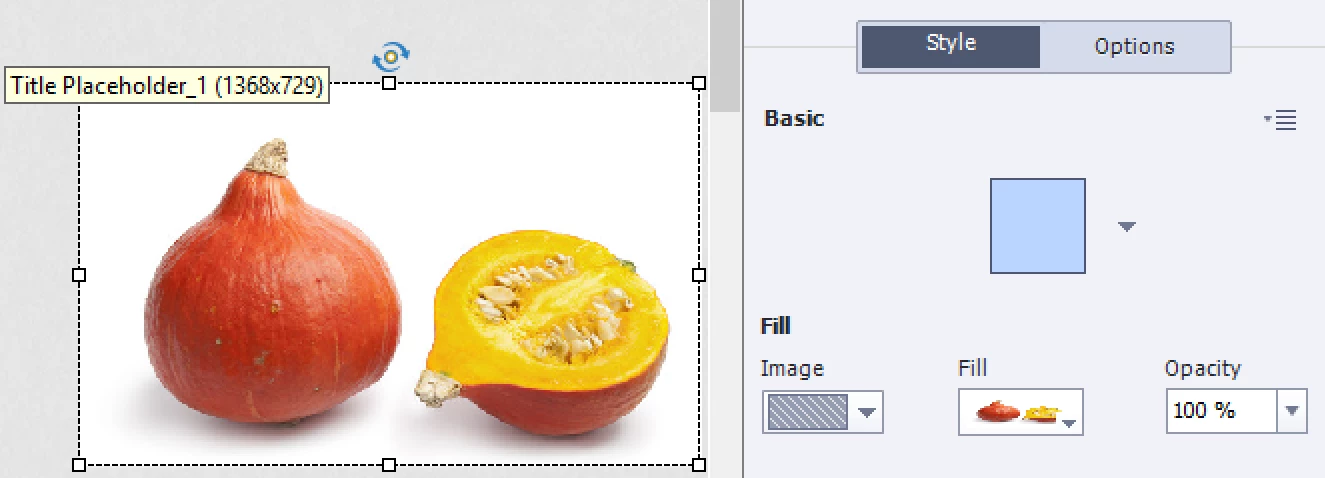
    返信数 1

    Lilybiri
    Legend
    June 13, 2017

    What do you mean exactly? Are you talking about the messages or about something else? If you want to replace the messages by a graphic, choose to show shapes instead of captions and fill the shape with that graphic instead of text.

    Which version do you use, please?

    Maybe you'll find some tweaking ideas in: Question Question Slides in Captivate - Captivate blog

    sportmgt56
    sportmgt56作成者
    Inspiring
    June 13, 2017

    I want to replace the generic, Incorrect - Click anywhere or press ‘y’ to continue.​ with my own Incorrect graphic. 

    sportmgt56
    sportmgt56作成者
    Inspiring
    June 13, 2017

    You could delete those labels under Quiz Preferences, Default labels but that will only be efficient for quiz slides that are not yet created.  You cannot take out the text in the Quiz master slides, but it can be done on the quiz slides themselves, one by one.


    Awesome.  Thank you so much for your help.