

解決済み
fireflyのお気に入りが見れません
Adobe fireflyで生成した画像は、☆マークを押したものはお気に入りとして後から見返せると思うのですが、☆を押したときに出てくる「お気に入りを表示」を推して確認しようとすると「ページが見つかりません」と書かれたページに飛んでしまいます。(その時のリンク:https://firefly.adobe.com/faborites)
知らないうちにお気に入り機能はなくなってしまったのですか??

Adobe fireflyで生成した画像は、☆マークを押したものはお気に入りとして後から見返せると思うのですが、☆を押したときに出てくる「お気に入りを表示」を推して確認しようとすると「ページが見つかりません」と書かれたページに飛んでしまいます。(その時のリンク:https://firefly.adobe.com/faborites)
知らないうちにお気に入り機能はなくなってしまったのですか??
oooooh my gosh, I didn't realize that!
This is me trying to restore the situation from my pc history to take a screenshot. So this is just my mistake 😂😂 very embarrassing ......😂
However, I properly followed the steps as this:
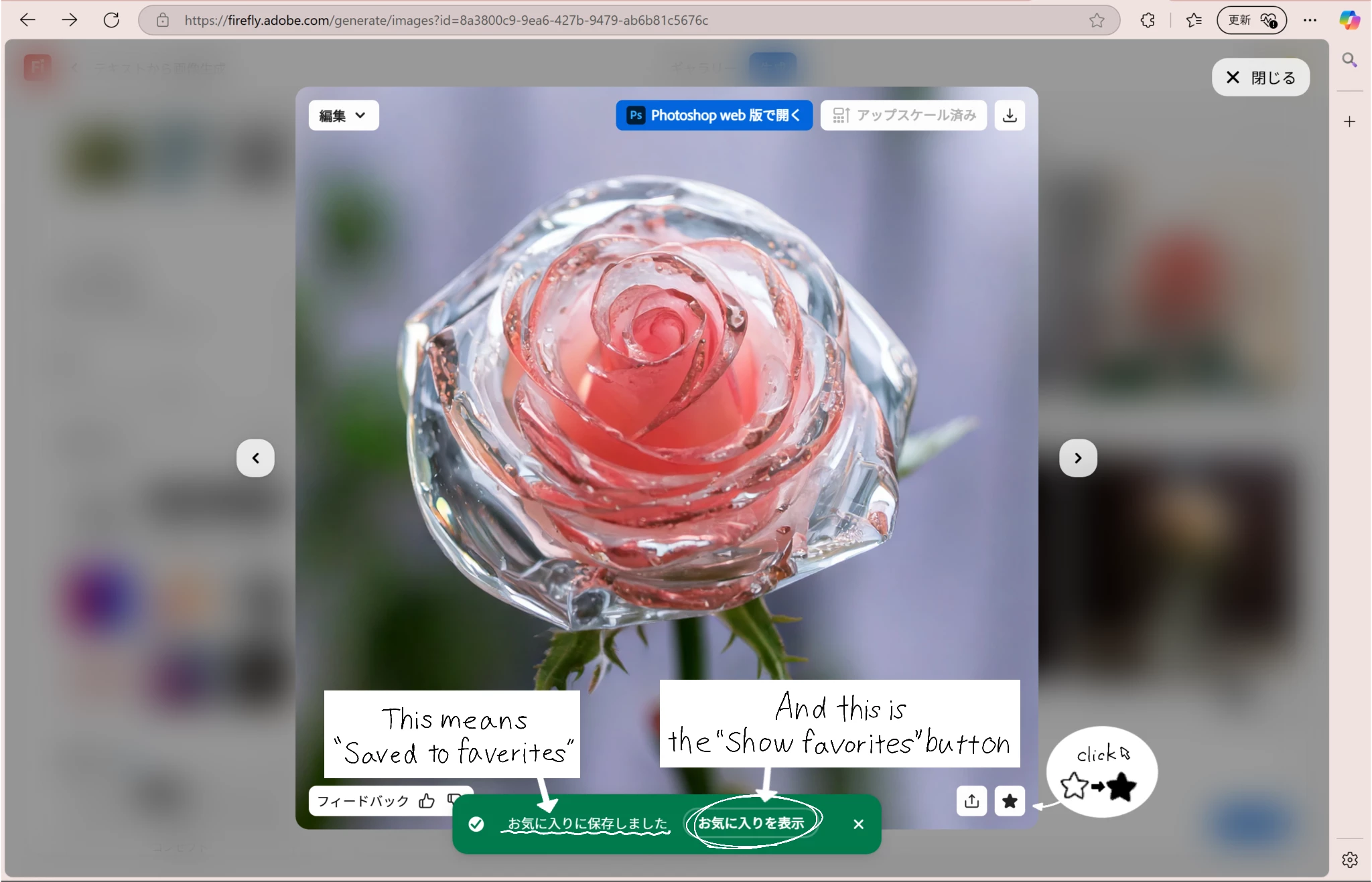
But I clicked on “Show Favorites” and it still shows up like this:
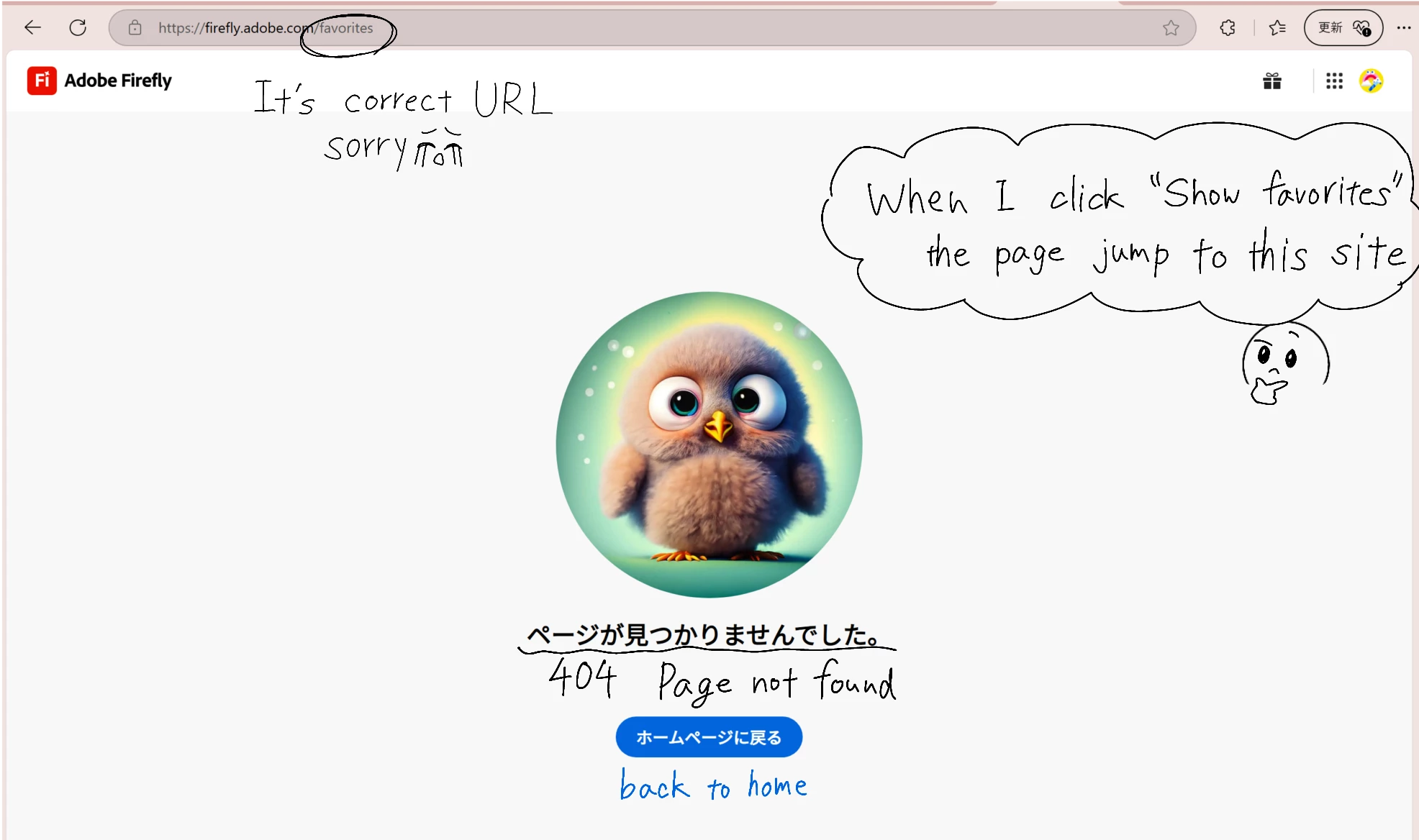
These are the images that the issues at hand. I would be glad if you could take a look at this and give me some solutions.
I did a final check using a translation site, but my sentences might be strange. I am still learning English to study abroad someday, so please tolerate me 🥹.
Thanks
Try this link: https://firefly.adobe.com/files?tab=favorites
Enter your E-mail address. We'll send you an e-mail with instructions to reset your password.
 AdChoices