このトピックへの返信は締め切られました。
解決に役立った回答 barbara_a7746676

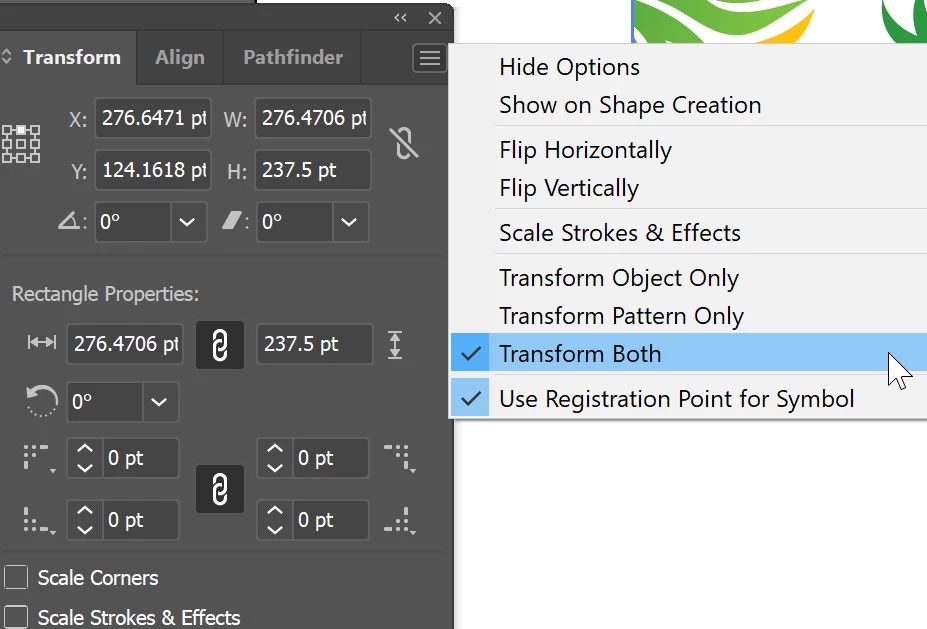
You can select the object and in the Transform panel, choose Transform Both.


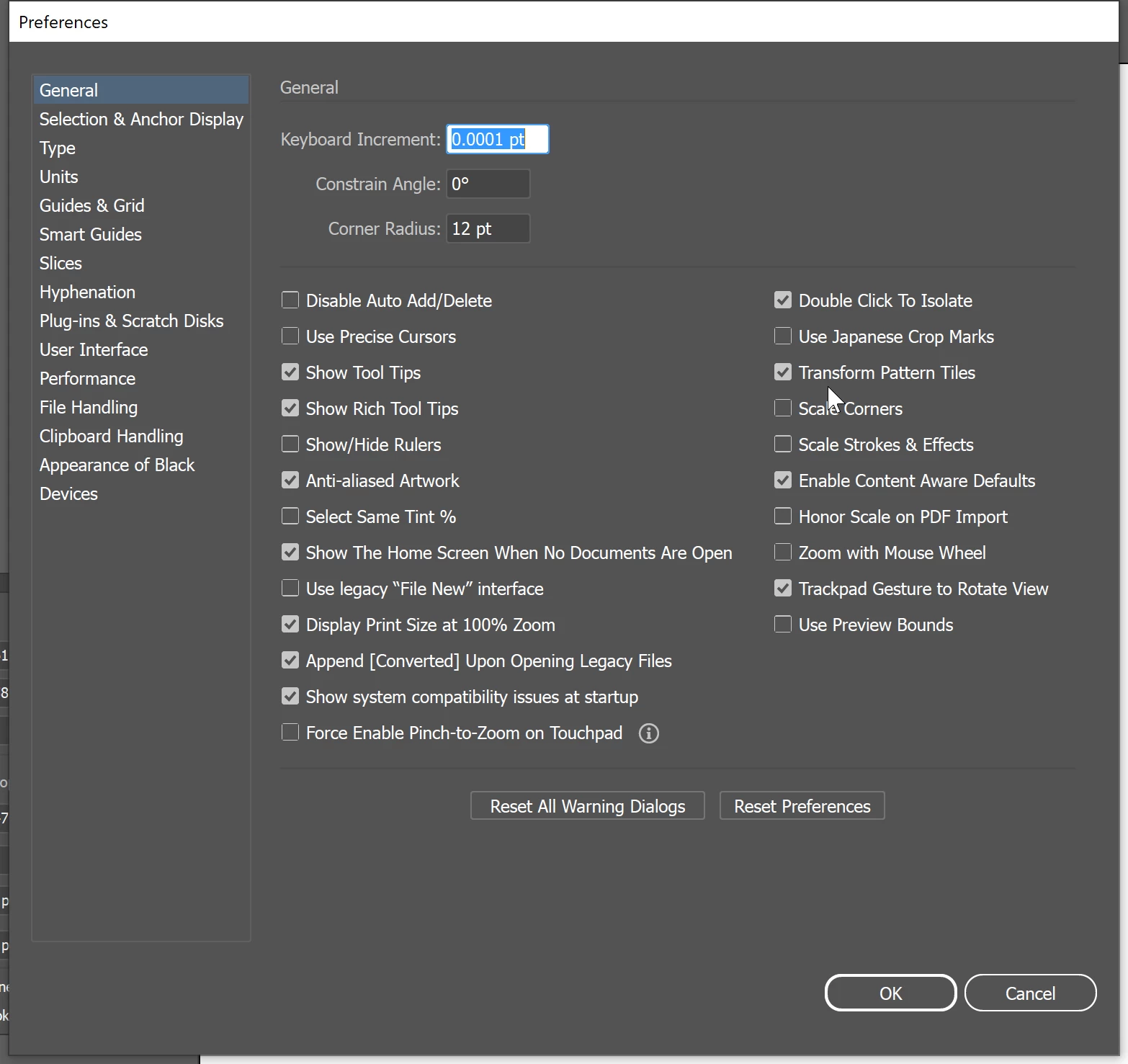
If you want ALL of your objects with pattern fills to work that way, in Preferences > General, you can enable Transform Pattern Tiles.

返信数 1

Anubhav M
Community Manager
Community Manager
August 30, 2022

Hello Yoo25870791vkqj,


Thanks for reaching out. I would request you try selecting the object using the Selection Tool (V), Hold Down the grave accent (backtick) key ( ` ), and click and drag on your pattern to move it inside the object to check if it works.


Looking forward to your response.


Thanks,

Anubhav

barbara_a7746676
Community Expert
Community Expert
August 31, 2022

You can select the object and in the Transform panel, choose Transform Both.


If you want ALL of your objects with pattern fills to work that way, in Preferences > General, you can enable Transform Pattern Tiles.

Participant
August 31, 2022

thankyou!