


elizabeths61297746
Inspiring
February 1, 2024
解決済み

AI file looks and exports as if it's blank - but it isn't

  • February 1, 2024
  • 返信数 1.
  • 1975 ビュー

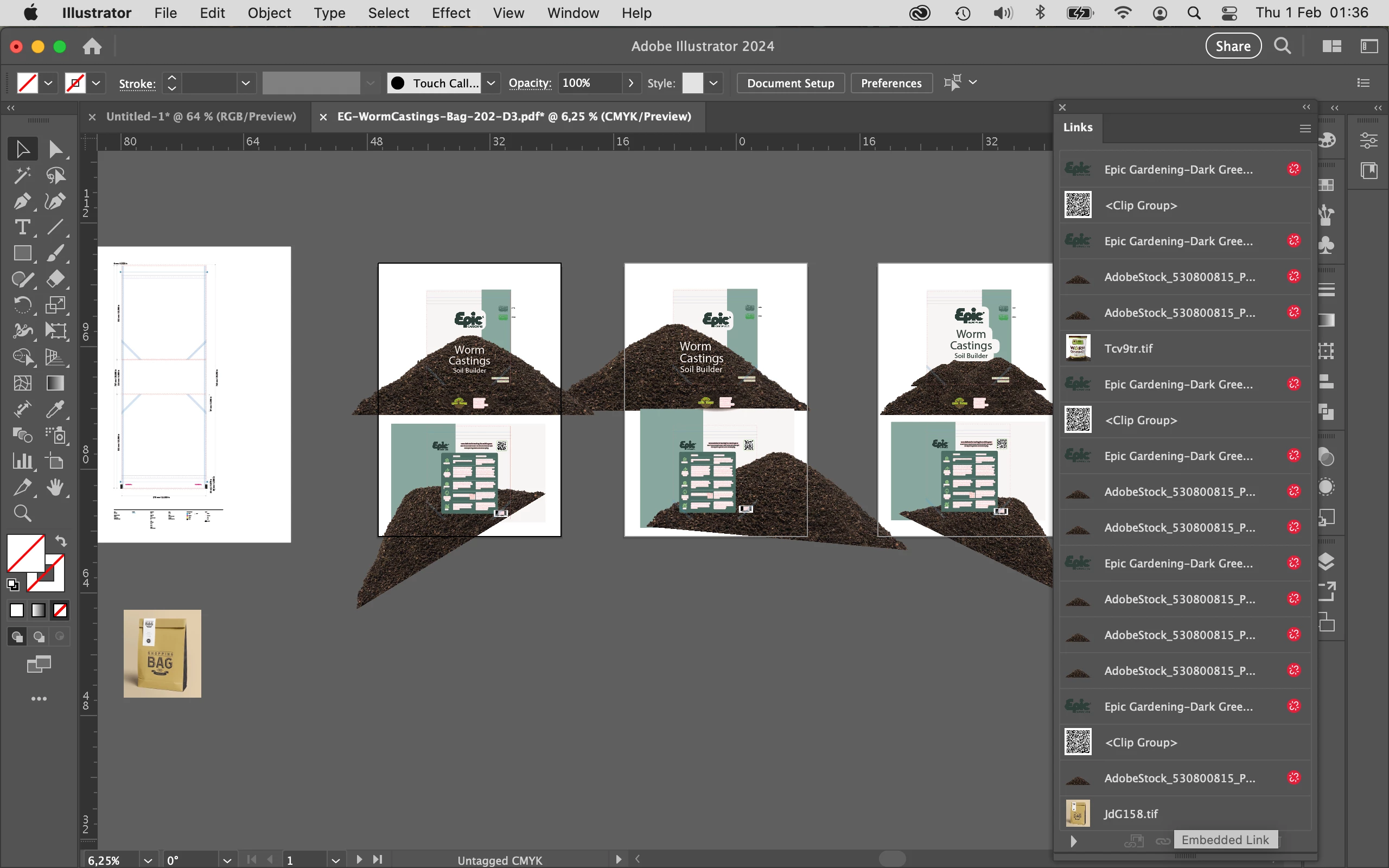
I have been working on this file for a few weeks, and just finished the project. I went to package the file to send to the client, and when I open it, it looks blank except for one small section which shows. When I click on the objects and open them in isolation mode, they show, but when I de-select them, they disappear again. Toggling eyeball icons in layers does nothing. I can work with the file if I select the objects before I work with them but it was a big pain. I tried re-linking some things, that didn't fix it. I tried exporting to PDF and it came out blank too. The layers look populated. I restarted my computer, that didn't help. I haven't uninstalled and reinstalled Ai but I may do that next unless someone has an idea what could be going on. It's just this file, I was working with another file at the same time and it was fine. I am attaching the PDF (couldn't attach the AI file?) because I'm at a loss right now.
このトピックへの返信は締め切られました。
解決に役立った回答 Ton Frederiks

Looks like you have a lot of missing links to fix first.

I removed some clipping paths using the crude method: nothing selected, set fill and stroke to none >Select > Same > Fill and Stroke and deleted the result.

返信数 1

Ton Frederiks
Community Expert
Ton FrederiksCommunity Expert解決!
Community Expert
February 1, 2024

Looks like you have a lot of missing links to fix first.

I removed some clipping paths using the crude method: nothing selected, set fill and stroke to none >Select > Same > Fill and Stroke and deleted the result.

elizabeths61297746
Inspiring
February 1, 2024

Thank you for this! Yeah, the links aren't broken on my end, I just didn't give you a packaged version. I had already made sure links were fixed. The bit about deleting clipping masks was brilliant - I deleted them just like you did and that did just what you showed; it made everything visible again. I was able to recreate the clipping masks and everything is visible now. Thank you!! Life saver. What a bizarre problem, I hadn't considered the clipping masks. What made you think to try that?

Ton Frederiks
Community Expert
Community Expert
February 1, 2024

Good to hear that helped, Elizabeth.

I saw many content in outline view and many clipping (groups) in the layers panel and wondered what the result would be without them.