


Participant
January 23, 2020
解決済み

Can't draw on top of a photo in Illustrator 2020

  • January 23, 2020
  • 返信数 2.
  • 30785 ビュー

Hello dear community,

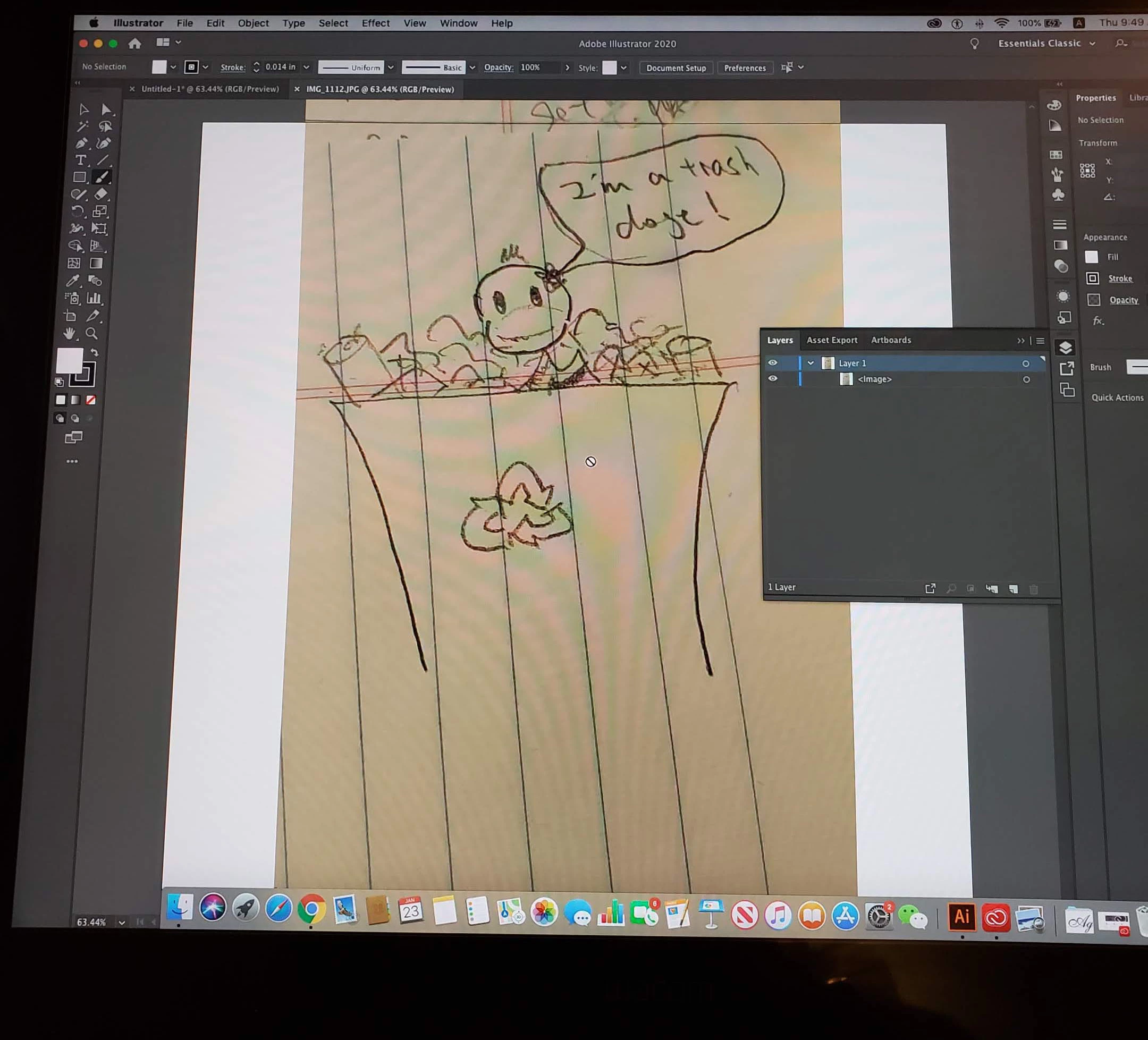
I am having an issue not being able to draw on top of any photo in Illustrator 2020. I've tried It on both my mac and my windows 10 pc. When I attempt to draw with the brush tool, the little "not" symbol hovers above the canvas. The layer is unlocked. The photo is a regular .jpg. I have also tried to create a separate layer on top of the photo and draw on that. The same "no you can't" symbol appears. I am admittedly a newbie. Any suggestions? Thank you!
 

解決に役立った回答 Doug A Roberts

Illustrator files are created from template files called Document Profiles that already contain swatches, brushes, graphic styles and other things you might want to use in an Illustrator document.

When you open an image file directly in Illustrator, it contains none of those. The brush tool needs a brush to be defined to work, and there are none in the document.

You have several options:

1. You can use the pencil tool, which just uses your Stroke settings to draw.

2. You can open the brushes panel (Window > Brushes) and create a new brush to draw with.

3. You can set up a new document, use File > Place to add your image, then use a brush from there.

返信数 2

Doug A Roberts
Community Expert
Community Expert
January 23, 2020

Illustrator files are created from template files called Document Profiles that already contain swatches, brushes, graphic styles and other things you might want to use in an Illustrator document.

When you open an image file directly in Illustrator, it contains none of those. The brush tool needs a brush to be defined to work, and there are none in the document.

You have several options:

1. You can use the pencil tool, which just uses your Stroke settings to draw.

2. You can open the brushes panel (Window > Brushes) and create a new brush to draw with.

3. You can set up a new document, use File > Place to add your image, then use a brush from there.

maryw27325097作成者
Participant
January 23, 2020

This is enormously helpful, thank you so much for explaining it and with a quick reply!

Rishabh_Tiwari
Legend
January 23, 2020

Hi Mary,


Thanks for reaching out. I tried the same on my end on Windows 10 and Illustrator 2020 and was able to use the Brush Tool on the Pic. I'd recommend placing the file by clicking on File > Place on a new document and then try again.


Regards

Rishabh

maryw27325097作成者
Participant
January 23, 2020
Oh, I see! So I should place the file on a new document. Before, I just
directly opened the photo file and tried to draw on it.