


Participant
July 10, 2022
質問

Can't save my files

  • July 10, 2022
  • 返信数 4.
  • 472 ビュー

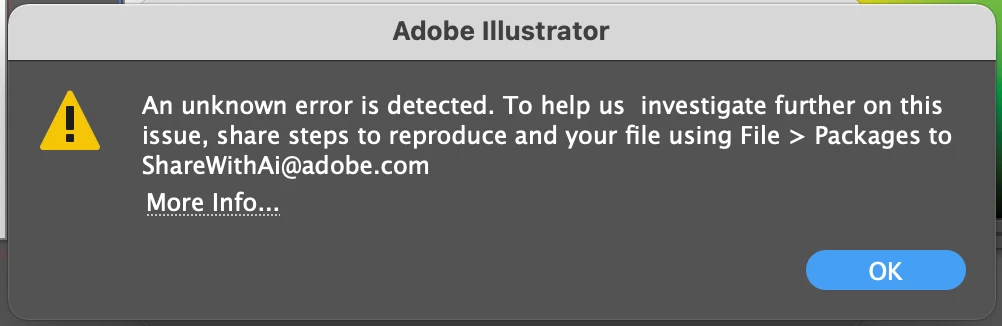
I can't save my files. Not even as a pdf or ai file. I can't export anythign either. i saw another post with the same error message saying they had too many tabs open, I only have one. i have followed all the trouble shooting steps but still can't seem to fix it.
 

このトピックへの返信は締め切られました。

返信数 4

Participant
September 27, 2022

Hello! I'm experiencing the same, Can't save my files, unable to save or export. Only to close without saving. Can you help me please? Thank you. The app is already updated to last version.

Monika Gause
Community Expert
Community Expert
September 27, 2022

Did you check all your fonts for corruption?

Do you use font management?

Did you already reset the preferences?

What's in the files?

Which system and Illustrator version is it? We need version numbers.

Anshul_Saini
Community Manager
Community Manager
July 18, 2022

Hi @Lucca1101,


We are sorry for the trouble. This was a known issue on v26.1 which later got fixed in v26.2.1, released in April. Please update the app to the latest to resolve the issue.


Please feel free to reach out If the issue persists. We'll try our best to help you out.


Thanks & Regards,

Anshul Saini

Participant
August 30, 2022

It is not fixed. I didn't have any problems with it until the latest update. 
It shows up almost every day. I have to close everything without saving (as it doesn't let me) and quit Illustrator. Then open it again. It is making me work double. As most of the time I lose my progress. Please fix it ! 

Anshul_Saini
Community Manager
Community Manager
September 8, 2022

Hi @Leslie24412384pqur,


Sorry for the trouble & delayed response. Would you mind trying saving the file as an Illustrator Cloud document and seeing if that helps?

Also, you may try "Expand Appearance" the objects, changing fonts, or saving to PDF file format with the "Preserve Illustrator Editing capabilities" option checked.


If nothing works, you may revert to the previous version of Illustrator. If that doesn't help either, please share your email ID & contact details with me over the DM only.


We'll try our best to help you out.


Thanks & Regards,

Anshul Saini

Monika Gause
Community Expert
Community Expert
July 10, 2022

What kid of file are you trying to save?

And where are you trying to save?


You could try if turniong off "Save in background" helps you.

lambiloon
Community Expert
Community Expert
July 10, 2022

Hi, one way is if it is allowing you to copy the files then copy them and paste them in photoshop as a smart object then it will reopen if you want to restart Ai...regards

Ali Sajjad / Graphic Design Trainer / Freelancer / Adobe Certified Professional