


Participant
April 23, 2020
質問

Hello! I am having a problem with one font that doesn't seem to outline insides of certain letters

  • April 23, 2020
  • 返信数 3.
  • 620 ビュー

Hello All!


I am not advanced with illustrator but can find my way around for everyday tasks.


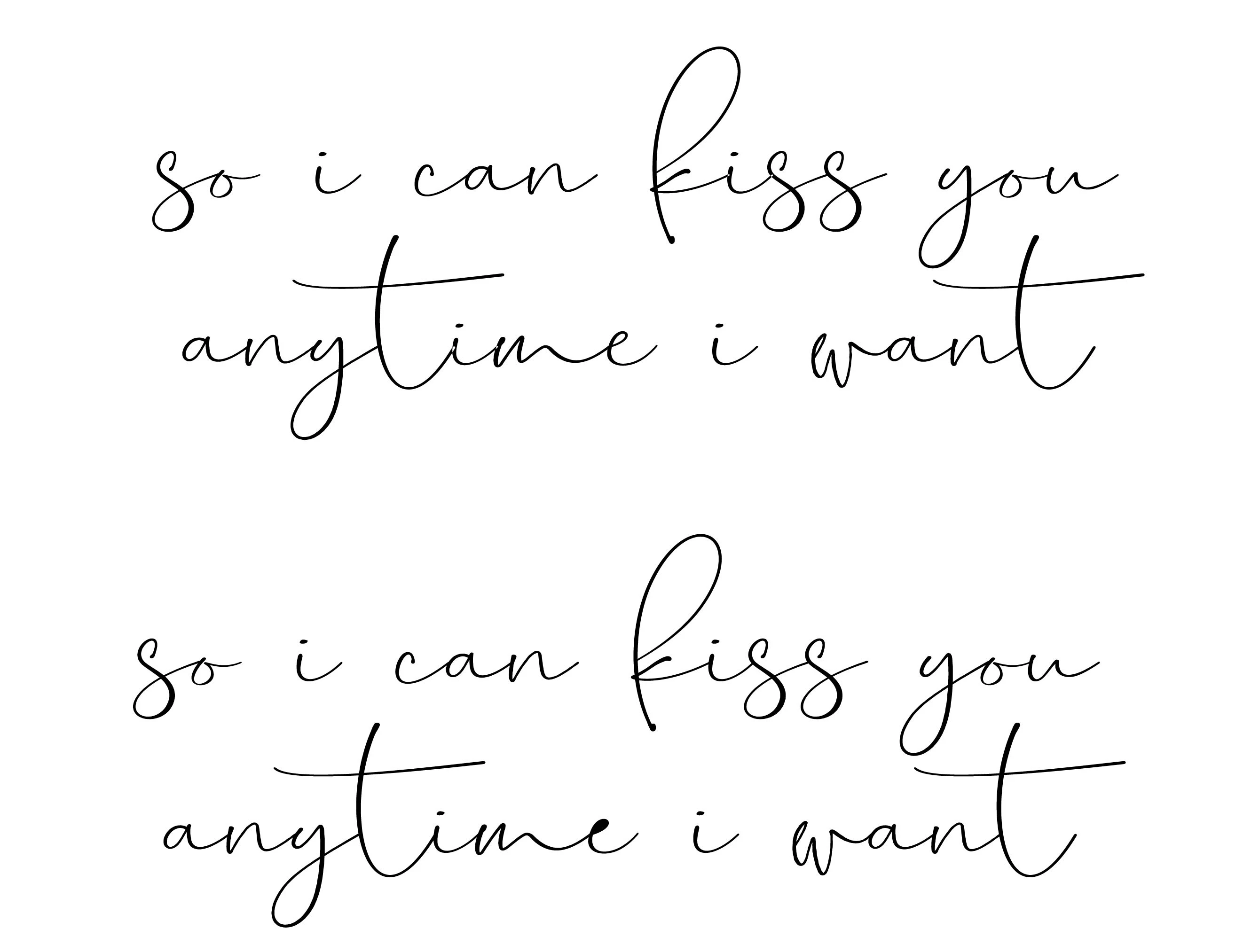
I use hundreds of fonts and create outlines of them to be cut on a CNC or graphtec vinyl cutter and this is the first font that i've come across that won't trace the insides of certain letters (like insides of "e" etc).


I'm attaching a photo here - can anyone help me with how to fix this so that when I go to "Type" "Create Outlines", it will outline every letter correctly? The first image is the text as written, not yet outlined and the second image is the outlined image - notice the inside of the "e" is not outlined and is filled in black?


Thank you in advance!


Tracey


このトピックへの返信は締め切られました。

返信数 3

jane-e
Community Expert
Community Expert
April 23, 2020

Hi Tracy,


Can you select the text with your Direct Selection tool and zoom in on that "e" so we can see the anchor points? You may have to ungroup or go into isolation mode first. Can the counter* be selected and deleted?


~ Jane


* Counter is the correct term for the inside part of a letter.


Doug A Roberts
Community Expert
Community Expert
April 23, 2020

Is the path still there? If so, select the lot. Open the Attributes window, select the Even-Odd Fill Rule button.

Mylenium
Legend
April 23, 2020

As long as the shape is there, it won't matter for cutting. chances simply are that the font isn't designed ideally and there may be issues with the underlying paths, stuff you will have to fix, anyway. there could be overlapping anchor points, open paths and whatnot. Other than that simply setting the fill to paper/ white for preview purposes should suffice.


Mylenium