


解決済み
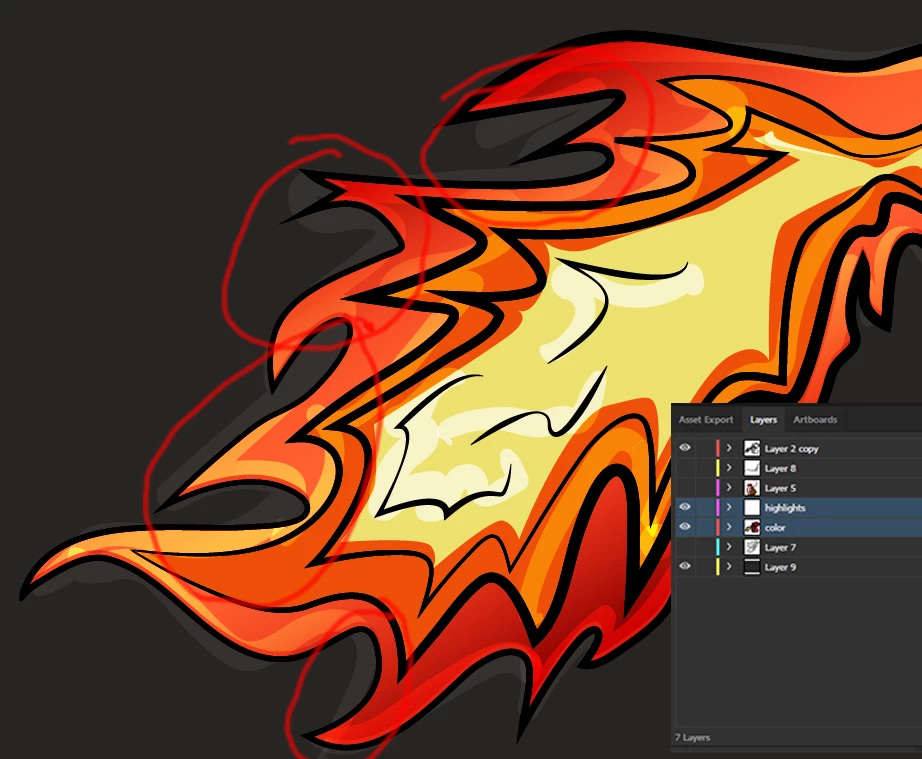
How do I remove the overlapping of lines used for highlighting in shading?
So I loosely drew these lines over my image and I need to trim them to sit only on top of the flame. I'm sure there is an easy answer out there but I'm new to illustrator and can't figure it out. You can see my layers in the bottom right the two layers I need to use to merge are highlighted. I tried selecting both and clicking merge using pathfinder but it merges the color layer into the highlights instead of the other way around. I circled some of the most noticeable problem areas. Hopefully this question makes sense... Thanks!
 AdChoices