

Participating Frequently
December 19, 2023
質問

Imagens ficando azuladas

  • December 19, 2023
  • 返信数 2.
  • 1149 ビュー

Boa noite.

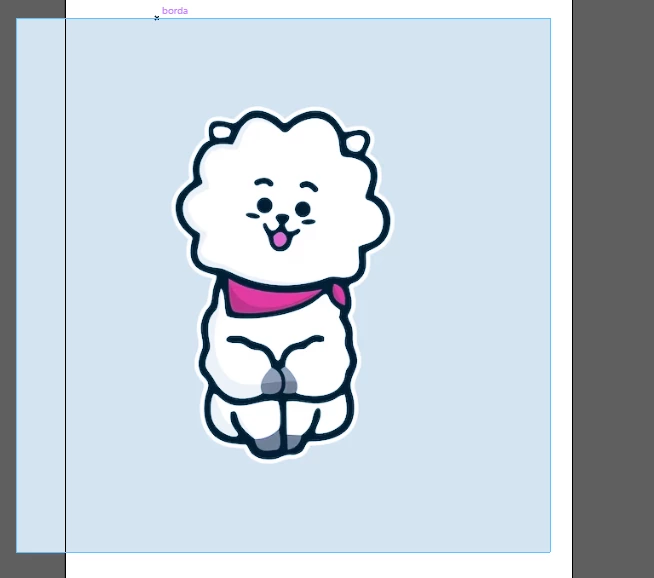
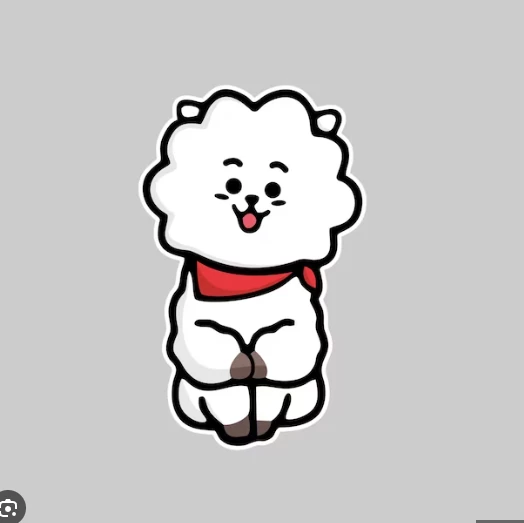
Estou com problema no Illustrator, ele abre todas as artes e imagens meio azuladas. Como posso desfazer isso?


このトピックへの返信は締め切られました。

返信数 2

Mike_Gondek10189183
Community Expert
Community Expert
December 19, 2023

Are you using the .png format to place images? There have been issues in the past.  Save them as .psd instead or 

https://community.adobe.com/t5/illustrator-discussions/png-images-are-inverted-colors-when-opening-saved-file/m-p/12981938#M323941

Participating Frequently
December 19, 2023

Isso acontece em qualquer arquivo que eu abro no Illustrator, não apenas com imagens. Os vetores que eu fiz estão todos com as cores alteradas, como se tivesse uma película azul em cima de todas as artes.

Ton Frederiks
Community Expert
Community Expert
December 19, 2023

Did you try things like restarting your machine and checking color profiles/settings?

Bill Silbert
Community Expert
Community Expert
December 19, 2023

Presumably the original PNG was saved in Photoshop. Go into Edit>Color Settings in both Photoshop and Illustrator and make sure that all of the color settings match. Then resave the image in Photoshop and try reimporting it into Illustrator using File>Place.

Participating Frequently
December 19, 2023

Isso acontece em qualquer arquivo que eu abro no Illustrator, não apenas com imagens. Os vetores ficam assim também. É como se tivesse uma película azul em cima de todas as artes.
