


Participant
July 29, 2020
解決済み

Avenir Next Bold .ttf font style showing as missing Windows 10

  • July 29, 2020
  • 返信数 4.
  • 25024 ビュー

This font issue seems to be originating in Adobe programs on Windows 10. I was given a file from a Mac version of Adobe Illustrator. I have worked between Windows and Mac and back again on a weekly basis at my previous job and font recognition has not been an issue.


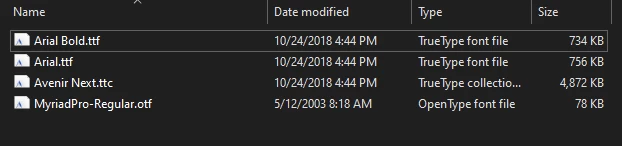
The file that was given to me was a packaged file with a "Fonts" folder containing multiple .ttf and .otf fonts which I installed on my Windows 10 PC. The Avenir Next font family was packaged in a .ttc file which I have never seen before.
 

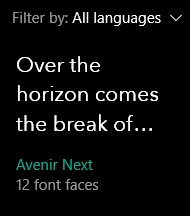
After installation on my PC it says that there are 12 font faces and it shows up when I go in the folder in Settings and in Control Panel.
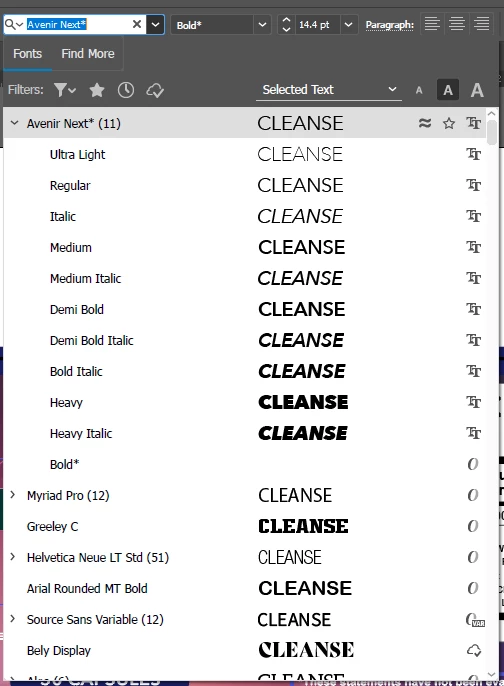
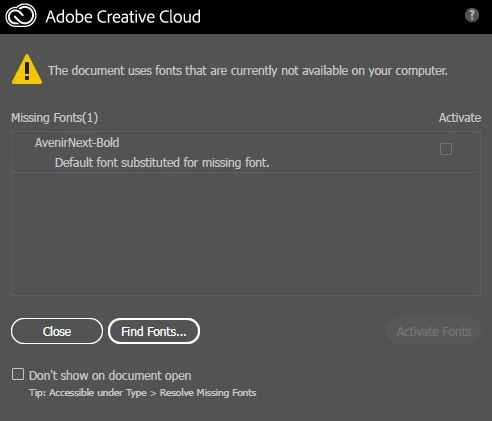
But when I go into the AI file I was given, all of the font family shows up except for Avenir Next Bold, which it shows as missing. This is true in every Adobe program I have tried ie. Photoshop, and InDesign so far.
This is incredibly frustrating and upsetting especially because I emailed the person who sent me the file and they said that they sent me all the fonts I would need.


I would appreciate some help as this job is incredibly important to me if I am going to be able to work from home on a Windows PC.


Thank you in advance.

解決に役立った回答 Ton Frederiks

Thx @Ton Frederiks , I wish I found this answer a lot sooner. This also worked for me and its great to know that is how I can get Illustrator to find a font. Does this also work for other Adobe products?


As far as I know, it also work in InDesign.

返信数 4

Ashutosh_Mishra
Inspiring
September 8, 2020

Hi there,


Thanks for reaching out. In addition to good information shared above, I'd request checking out this help article as well to know more about how to remove corrupt fonts. Hope it helps.


Regards,

Ashutosh

Ton Frederiks
Community Expert
Community Expert
July 30, 2020

Good to hear that worked for you.

A Fonts folder inside the application folder is the first place where Illustrator will look for fonts, but these are only usable in Illustrator.

Ton Frederiks
Community Expert
Community Expert
July 29, 2020

You could try to create a folder named Fonts in the Illustrator application folder and put the font file in that folder.

I don't have access to a Win PC, so I cannot check it.

KT Cowher作成者
Participant
July 29, 2020

Hi, I put it in the C:\Users\<user>\AppData\Roaming\Adobe\Adobe Illustrator 24 Settings\en_US\x64 folder, is this what you meant? It does not seem to have changed anything. Thank you for the reply though

Ton Frederiks
Community Expert
Ton FrederiksCommunity Expert解決!
Community Expert
March 31, 2021

Thx @Ton Frederiks , I wish I found this answer a lot sooner. This also worked for me and its great to know that is how I can get Illustrator to find a font. Does this also work for other Adobe products?


As far as I know, it also work in InDesign.

Monika Gause
Community Expert
Community Expert
July 29, 2020

True type comes in different flavors. And there is a flavor which is Mac only.

You need to get the font as an OTF or a Windows compatible TTF version.

KT Cowher作成者
Participant
July 29, 2020

Thank you! I have looked very hard for an OTF version and it seems that every single TTF version I find is the Mac only version. Do you know how to convert between the types of fonts?