


Participant
November 7, 2016
解決済み

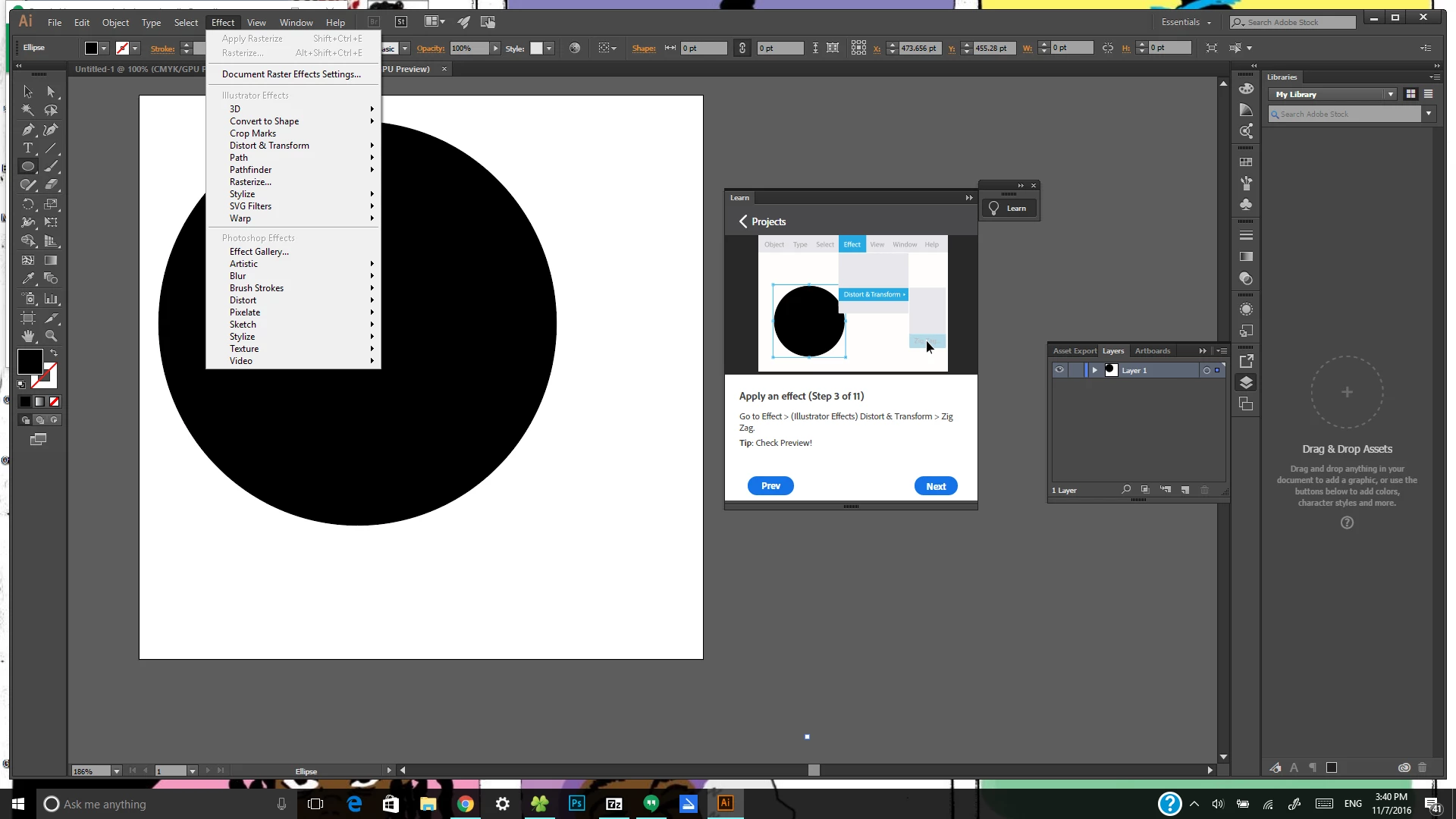
Illustrator Effects Grayed out

  • November 7, 2016
  • 返信数 4.
  • 5224 ビュー

I am new to Ai and I am following the tutorial that adobe supplied on how to create a logo. I am stuck on step 3 because when I go to the Effect menu to select Illustrator effects I am unable to select it. I want to know how can I make that option available for me to select. I tried googling and youtube with no help. If you could please help I would greatly appreciate it.
このトピックへの返信は締め切られました。
解決に役立った回答 MichaelStephens

You don't have to click or select the menu item that says "illustrator effects." That's only there to let you know that the Distort & Transform is located under the Illustrator Effects and not the Photoshop Effects.

返信数 4

MichaelStephens
Legend
November 7, 2016

You're welcome.

Participant
November 7, 2016

Thank you

MichaelStephens
Legend
November 7, 2016

You don't have to click or select the menu item that says "illustrator effects." That's only there to let you know that the Distort & Transform is located under the Illustrator Effects and not the Photoshop Effects.

PrepressPro1
Legend
November 7, 2016

The screen shot is not showing me what tutorial you're trying to complete. Put a link to the tutorial in this thread and this way we can all see what step three is. You may need to read up on making selections to better understand how this is done in Illustrator. Here is a link. Make sure you're using the Selection tool when attempting to select an object.

How to make selections in Illustrator