Cross-issue with SVGs between Illustrator and InDesign
Dear all,
I am having a hair-tearing issue which is involving both InDesign and Illustrator. Posting to the Illustrator community got zero answers in about three weeks, so I hope someone will be able to help me here. I will try to describe the issue to my best.
- Start from a PDF exported from a non-Adobe app (I used Sibelius, Dorico, and others, with the same result)
- Open the PDF in Illustrator 26.3.1 (the issue reproduces partially in the latest version from 2021, will mark precisely what and where). In the opening dialog, check All for Select Page and check the box to import links. Result: both versions of Illustrator will import the file perfectly, with 9x12in artboards corresponding beautifully to the PDF page size.
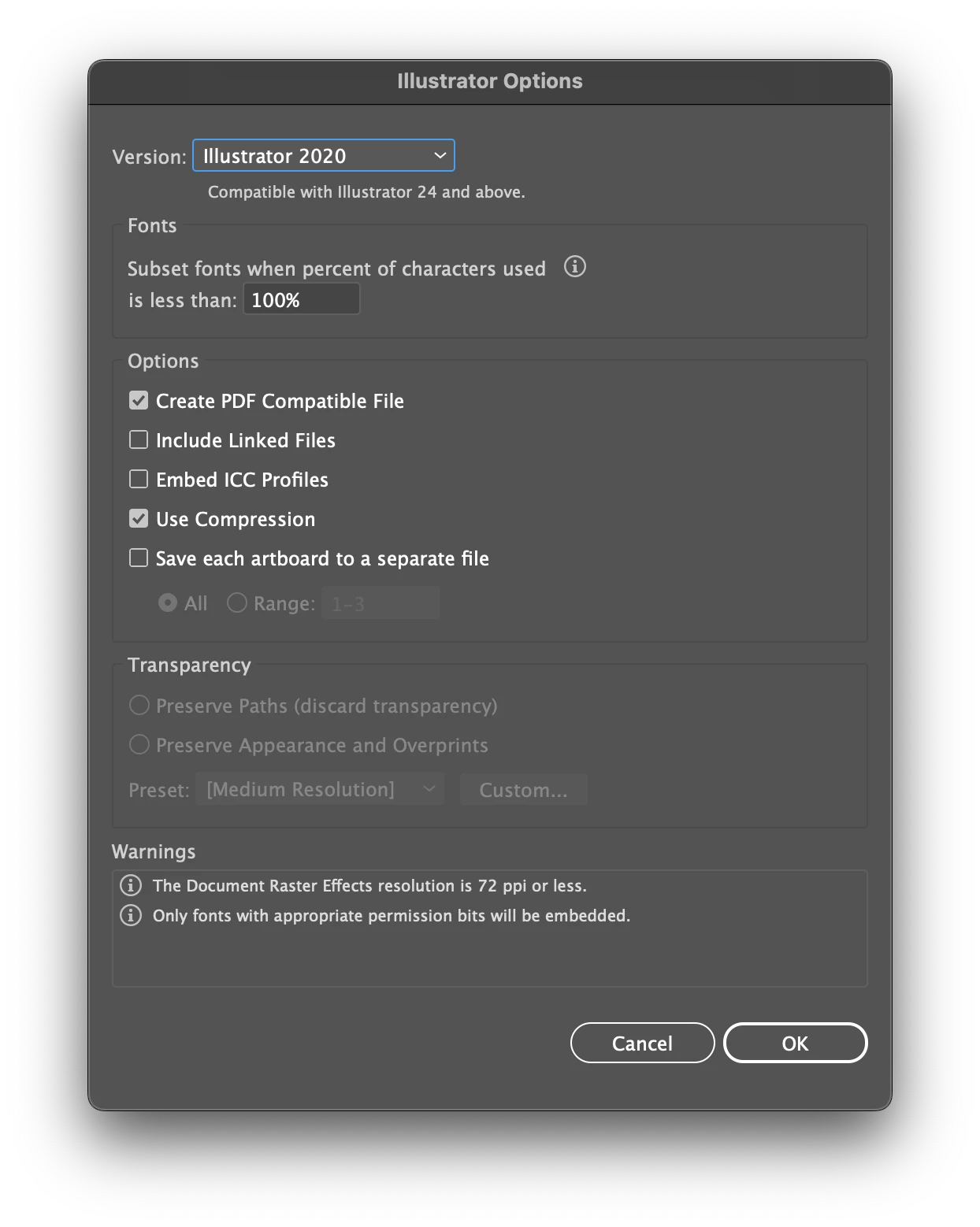
- Save both files as AI documents. The default options I see are as follows (this is from 26.3.1 where there is a warning about raster effects which is not clear to me. Such warning is not present in v2021)
- Now, close both files and reopen them, possibly from Finder, but it should work the same from Illustrator's home page. In 26.3.1 it will open completely deformed, as this:
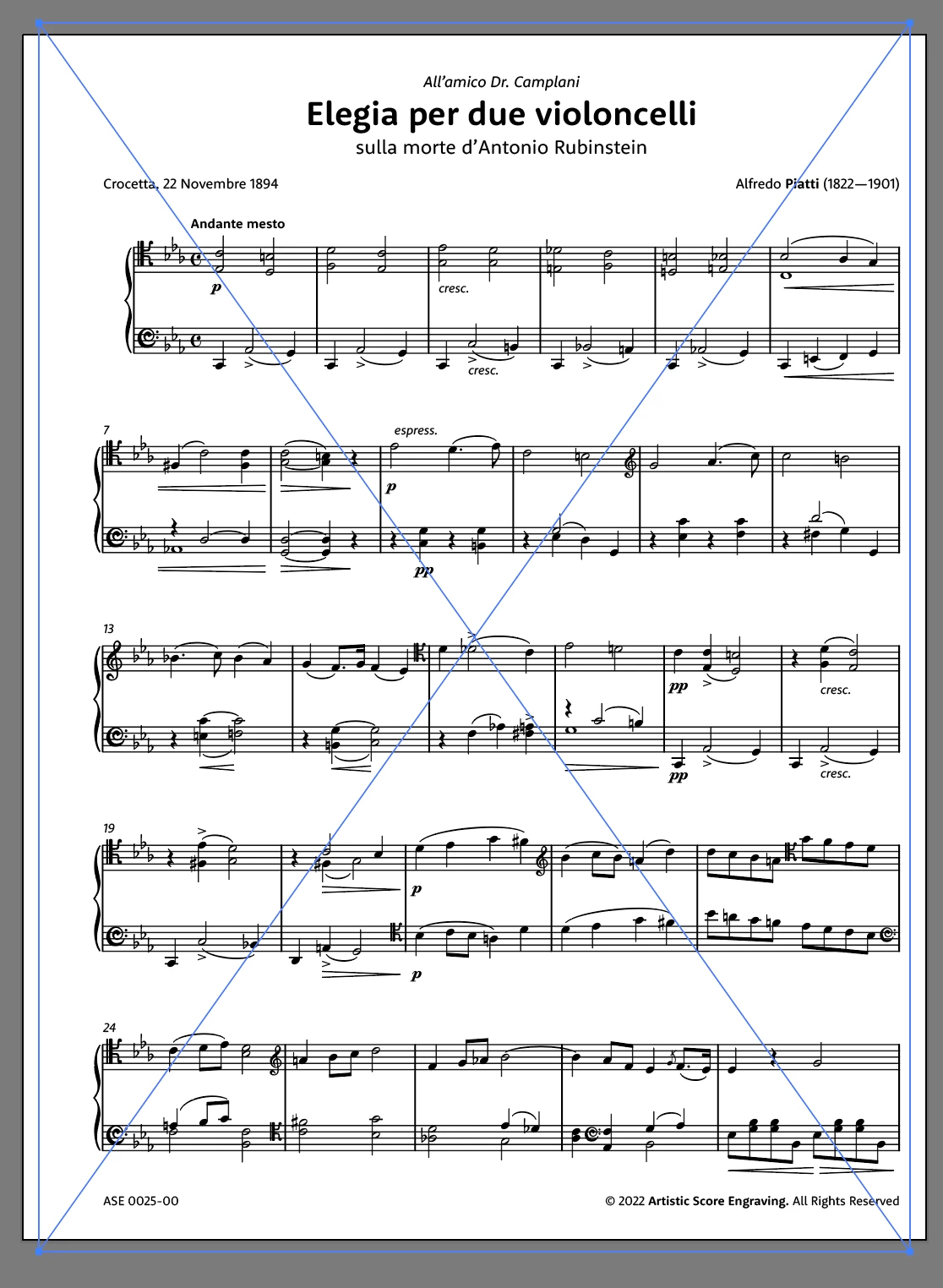
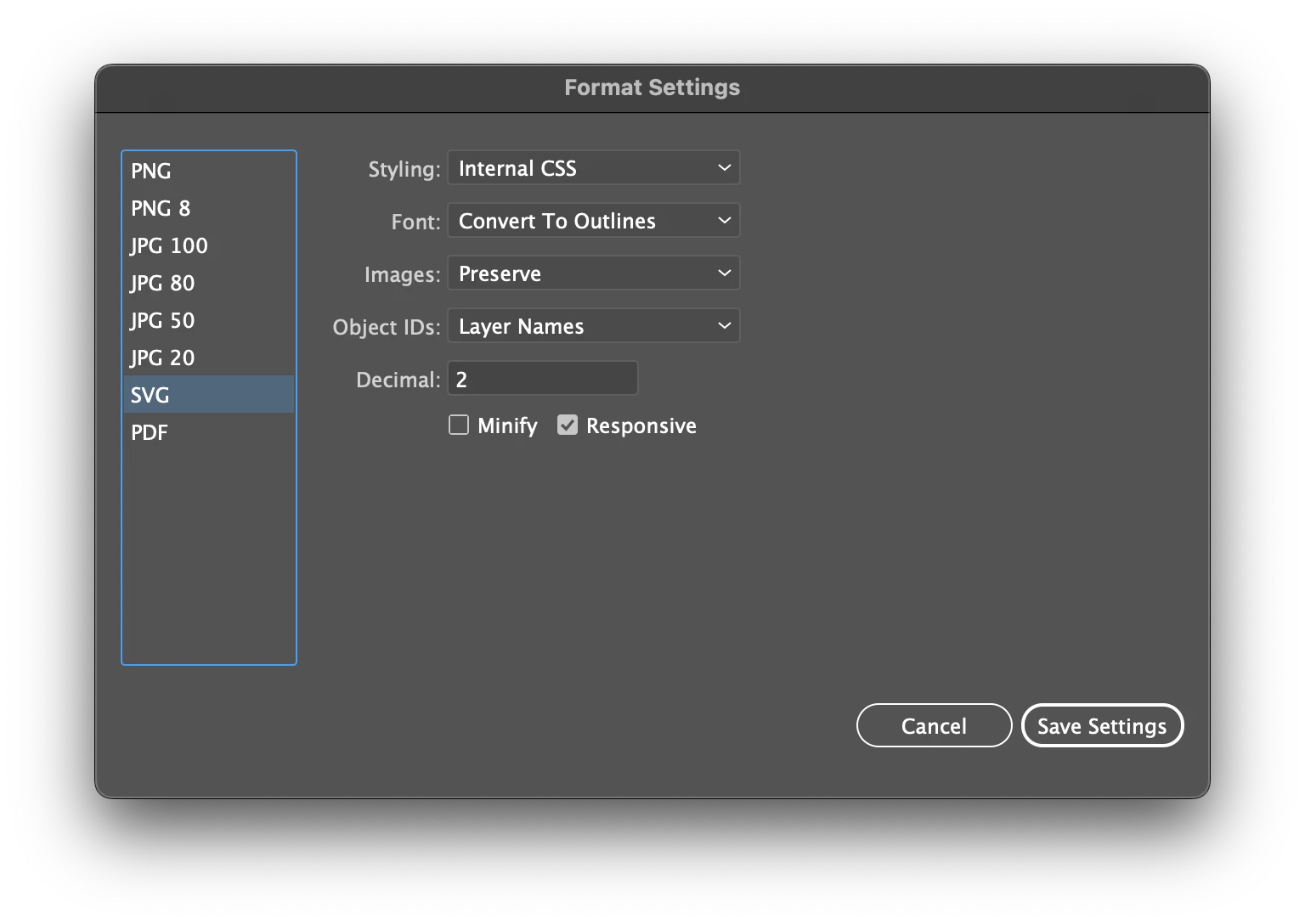
In 2021 version it will open normally. Doing a clean reinstall of 26.3.1 doesn't show the deformation but the issues do not end here. - Now go to File > Export > Export for Screens, then set it to export all artboards to SVG with these settings (which I think are good because without converting to outlines InDesign will complain about missing fonts)
- Now, place these SVGs into page-size graphic frames carefully set up in advance into the destination InDesign document (page size 9x12 in). This will be the result (screenshot taken from InDesign 17.3):
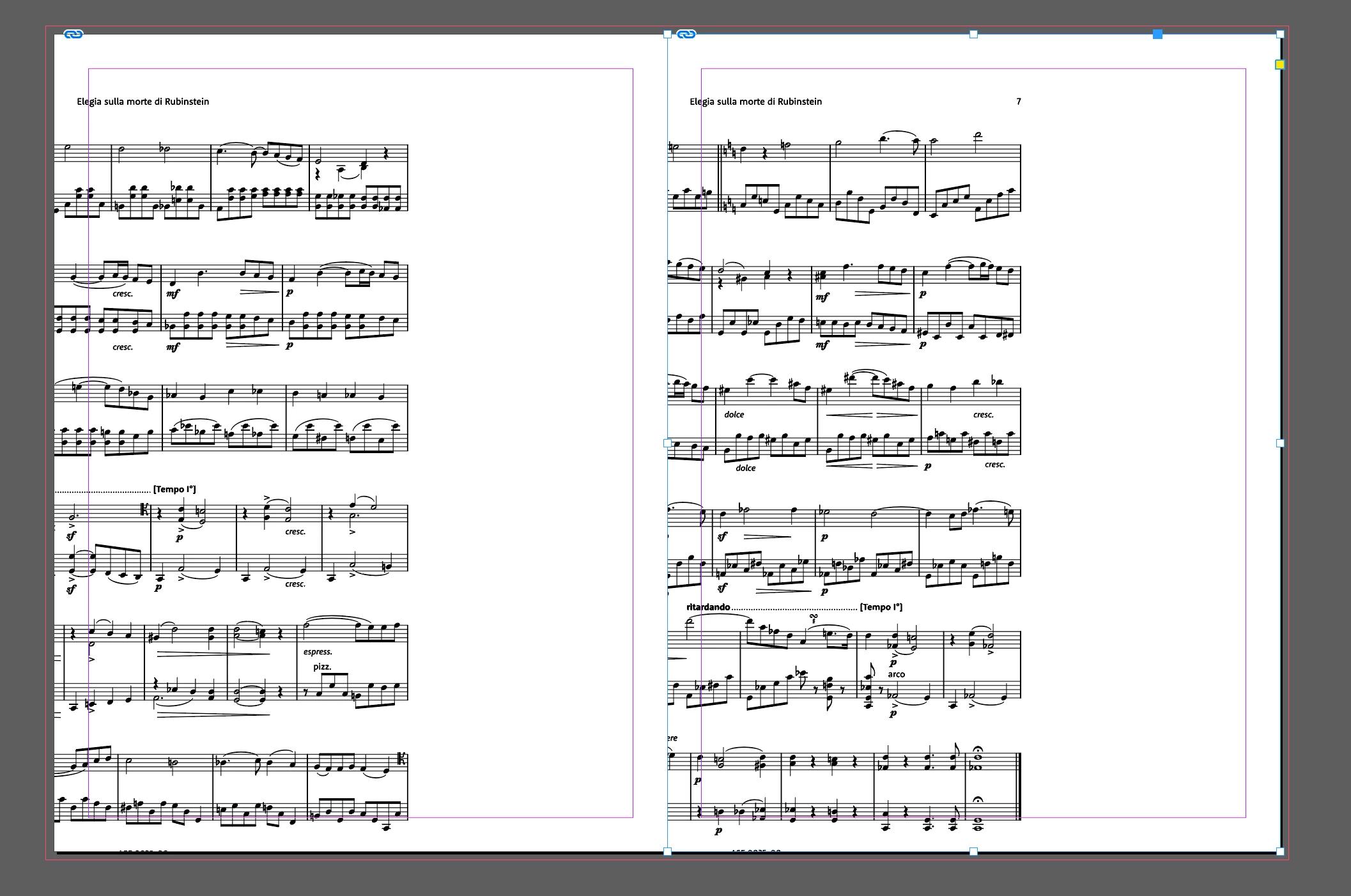
Selecting the graphic handle shows a possible issue with the exported SVG: look at the horizontal size of it:
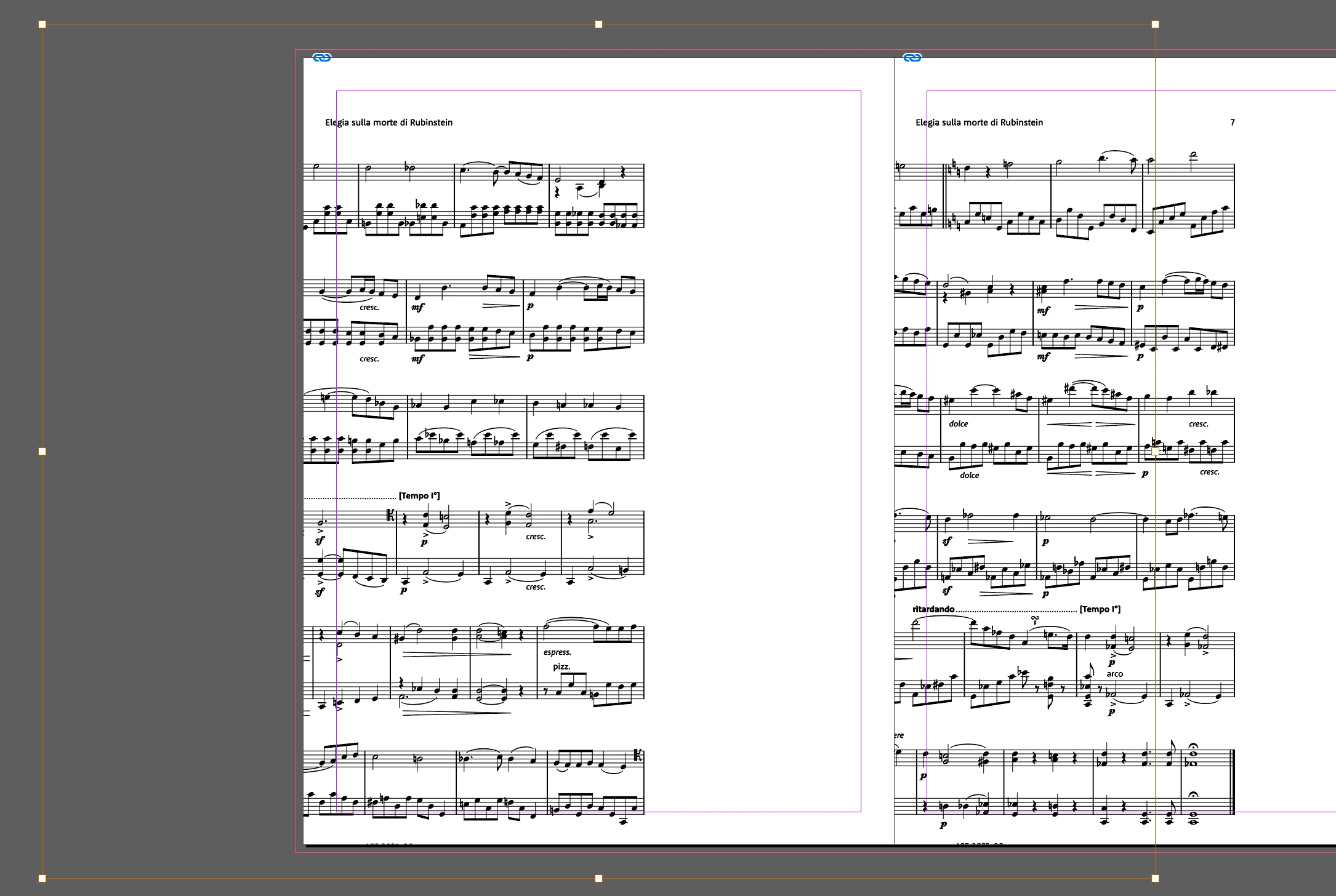
At this point I am completely stuck as this is possibly the 20th musical score I repeat this process in the last year or so, and never it has given me these results. Settings are the same as always and I cannot understand what is going on.
I am attaching a PDF from the offending batch that you can use (only for testing) to reproduce all these steps with the same file that started it all.
I truly, and deeply, appreciate any droplet of help you will be able to give to me.
Thank you in advance so much
P.S.: I even tried to "fix potential font issues" with Acrobat's Print Production Postflight automation, then opened the PDF in AI, saved as .ai, then exported to SVG with convert to outlines chosen. I will let the attached SVG speak for itself...
 AdChoices