














Get the most out of Lightroom with our community.
Recently active
Help us shape this community: What content do you want to see? Whether you're a longtime community member or just found this space, your input will directly shape what we publish here. We want this to be a place you return to, not just when something breaks, but when you want to learn, get inspired, or connect with other creatives. What we’re considering:🚀 Feature Highlights: What’s new in Photoshop, explained with real workflows.📖 How-to Guides: Step-by-step tutorials for common tasks, errors, and workflows.💬 Community Discussions: Polls, questions, and conversations about how you work.🌟 Community Highlights: Spotlighting community members, standout work, and creative journeys.👉 Other: What other type of content would you like to see? We’d love to hear your thoughts:What type of content do you find most useful when you visit this forum? Is there a Lightroom topic you keep looking up but never find a great answer for here? Would you want to share your own creative workflow or be f
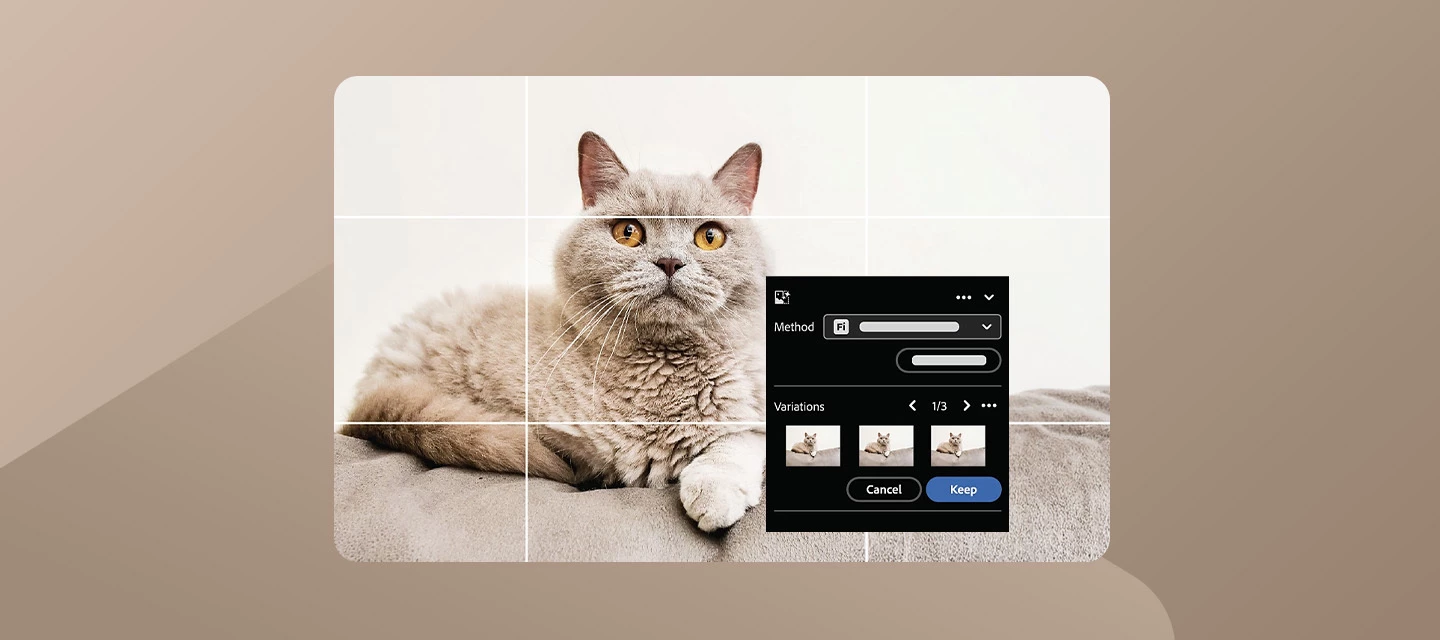
Lightroom v9.5 Is Live! Extend Photos with Generative Expand, Refine Masks with Precision, and Edit More Smoothly The August 2026 update to Adobe Lightroom (version 9.5) introduces AI-powered photo expansion, more precise masking controls, and performance enhancements to help photographers and creators work more efficiently and stay in flow. What’s New:Lightroom (version 9.5) brings more control and flexibility to everyday creative workflows with the introduction of Generative Expand, one of the release's most significant additions. This new Firefly-powered feature lets you extend photos beyond their original borders and intelligently generate content that blends naturally with the existing image, making it easier to recover poorly framed shots, create new aspect ratios for social media and marketing formats, reconstruct missing edges, or fill transparent gaps left behind after perspective corrections. Photographers can choose between Firefly Fill & Expand, which generates multiple
Adobe is excited to receive requests for additional features you need to enhance your workflow. What can you do to increase the chances of being heard? Don't use the words "Feature Request" in your post's title. Search for and add to existing feature requests rather than creating duplicates. There is no advantage to creating a second request for any existing feature request. One request per thread! When creating an Idea or Feature Request thread, please keep requests for features to ONE request per thread. Doing this will allow others to vote on a single, specific feature and not confuse Upvotes amongst a list of feature requests. If an Idea thread has multiple requests in it, a moderator may ask you to split the multiple requests up into multiple threads so others can vote. In the event there remain multiple requests on a thread, the first item requested will be the arbiter of where the thread will be cross-referenced or merged. Describe how the feature will help your workflow. Des
In the Presets panel, under Recommended, I do not see the preset categories (Warm, Dark, Bright, Cinematic, HDR, etc.) that appear in Adobe's documentation and other users' screenshots. The app is fully updated, I've already compared it with Lightroom on my phone, and the feature is missing only on my iPad. I'd like to know if this is a bug, a staged rollout, or an account-specific issue.
Following the recommended procedure of working any of my PI raw images to a finished state then rendering a DNG copy ready for expansion. Increase the areas to be generated via Firefly and they get created but are not in any way matching the desired/expected colouration. Screen grabs show the issue. Strangely a raw file from the Reeflex Pro camera app behaves as expected so this is included too for completeness.
I am using Lightroom (Cloud) on a Windows 11 PC with plenty of ram etc. I have noticed that since the last update (9.4.1) that when I am in the Masking tools that if I create a mask (any style of mask) and make any changes to any of the sliders if I then create another mask of any style it automatically applies all the slider changes to the next mask I create. I have tried to use “Reset Sliders Automatically” setting that doesn’t make any difference. I have also noticed that once this happens that it will not allow me to right click (PC Version) on the new mask just created to delete it. I have to go up to the EDIT on the main menu and then click “Undo New Mask”. This is very frustrating and time consuming to have to manually reset all sliders. I have been using this Lightroom (Cloud) a few years now and have never had any of these types of issues with the masking tool. Am I doing something wrong or am I correct in thinking the controls of the masking tools have changed?
Using Lightroom version 9.5 on Windows 11, when in the Edit view, with multiple RAW files selected from Local storage, selecting from the menu “File::Edit In Photoshop::Open As Layers In Photoshop” throws this error:unexpected error performing command: AgCommand.performCommandID could not perform command: ag.file.editinPsAsLayers (Command was disabled)This only happens in Edit view and only from the menu. I can right click on the selected RAW files in the filmstrip and select “Edit In Photoshop::Open As Layers In Photoshop” and it performs as expected with no error.Other views don’t throw that error; for instance, if I’m in the Photos view to browse photos, the menu item (from the File menu) works without error. If I’m in the grid view it works without error as well. It only fails when in the Edit view and selecting from the menu “File::Edit In Photoshop::Open As Layers In Photoshop”.I uninstalled Lightroom and reinstalled it. Problem persists.The installed Photoshop version is 27.9.1
After the update, during a cropping process there will be a red vertical and horisontal line forcing the image to be centered. We dont want to be forced to crop in the center, we want to crop the image freely like before. Thanks
Please allow for image "stacks" or "groups" on Lightroom for iPad. This would be relevant for (at least) the following workflow: * Maintaining copies of both Raw and JPG images alongside each other, without seeing the images twice in the catalog; also, allows you to reject/accept both Raw and JPG forms in a single step. * Collecting in-camera bracketed images into a single group. Even with this, you'll still need Lightroom Classic to do any sort of stitching (HDR, Pano, etc), but this would at least allow my iPad catalog to stay organized until I can make it back to a computer with LrC. Thank you.
It is not yet clear whether the data entry issue in the "Masks" section has been fixed, as a new problem has already appeared. It causes even more inconvenience, because it cannot be solved by switching from photo to photo and back.It is impossible to manually enter values in the "Exposure" field. Both on the main panel in general settings and in the "Masks" section. Using the mouse cursor or the up/down arrows on the keyboard, everything works correctly. But doing it manually is impossible. For example, when you need to enter exact values, such as +0.05 and the like. And this wouldn't be a big problem and could be done with the slider using the mouse, BUT there is an important catch. In the "Masks" section, when moving the slider with the mouse, it jumps only and immediately by 4 points, not by 1, as required for fine-tuning. For example, its values can only be 4, 8, 12 (and not 1, 2, 3), and so on. When I want to enter +0.06, an error message appears and the value increases straight
HI,I have LR classic and LR web, On LR classic I want to synchro somes photo and video, but the program stay blocked, i try to take off the synchro but it stay the same!!Can you help me?Antoine
Since last couple of months whenever I try to edit the photos on my phone (Lightroom) It's very squareish and pixelated.All the photos are fine but when I try to edit it goes In o this(screenshot attached)I'm not sure what's the issue. Looking forward to the help.
This is in the wrong section, please ignore.
In mask, the 'select background' option is highlighting my white background with a white table that I want to separate from the background. I have run out of ideas on how to achieve this. It keeps seeing the table as a background.
There’s a glitch in the lightroom when exporting photos where AI update is required. Long story short I have been fixing some photos with AI tools (removing people) and now when I want to export photos I get a message that AI update is required for some photos. If I select the checkbox and press ‘export’ nothing happens. I tried restarting lightroom and my Macbook but problem wasn’t resolved. if I try to export photos without AI update then export I can export photos immediately without any issues.
There is only one color-based Adaptive profile. The Adaptive Color profile is quite good overall and works well on most images I take. It saves a significant amount of time.Occasionally, it will not do a good job. This is often when making a picture too bright when it’s not needed. I would like to see more adaptive profiles to handle more situations or provide more options. It is clearly better than those which do not change based on the image.
Photographe de mariage, j’ai pour habitude d’effectuer mon tri directement sur lightroom via le système de notation par étoile. Or depuis 3 jours, celui-ci bug et est obsolète. Lorsque je met une étoile, celle-ci disparait instantanément et n’est pas sélectionnée. Parfois lorsque je met une étoile sur UNE photo, toutes les autres photos possèdent une étoile également mais ne sont pas sélectionnées malgré tout. Le seul moyen pour que ma notation soit pas obsolète, je suis obligé de faire clic-droit sur la photo, définir la note, une étoile. Sauf que cette manière me fait perdre un temps considérable !! Faire un clic-droit sur chaque photo que je souhaite noter sur un tri de +6000 photos c’est pas possible…. J’ai constaté ce bug depuis la dernière MAJ. J’ai quitté le logiciel +5 fois, j’ai redémarré mon PC mais SURTOUT j’ai désinstallé l’application et rien n’y fait.
Please change Lightroom so it JUST OPENS THE FILE if you previously worked with it in Lightroom.It is not helpful that if you try to open a previously worked file all that happens is a message: Previously Added. Fantastic! How about OPENING THE FILE?Instead the user has to go hunt for the image in the Lightroom Library. Lightroom of course knows where it is ,,, it found it and said: Previously Added instead of JIST OPENING THE FILE.The user has to determine the date. Now navigated into the Lightroom Library where there may be hundreds of images to sift through for a particular day.It is a five minute waste of User time to hunt for the image and then open it in from the Library. When all Lightroom has to do is OPEN THE FILE that it already located in the Library.I have this waste of time and efficiency over and over and over. I regularly need to re-crop photos for other needs, or adjust color, or simply opened it in Lightroom days, weeks, ago and decided not to use it then and now nee
The notification always shows when I open crop feature and it's annoying, better version before
After the Lightroom 11.5 update on Android 16 (Samsung S24 Ultra, OneUI 8.5), we can not any longer make minor adjustments when cropping and moving an image, as it jumps back and forth due to the guidelines "guiding" the photo. Before the guidelines were introduced yesterday, everything worked flawlessly. We really need to be able to make minor adjustments without these restrictions, just like we used to!Thank you.
When using Lightroom, I right click on my raw file and selelct "Edit in Photoshop". I do my edits in photohop and the file comes back as a "-Edit.tif" file. If I come back later and right click on the .TIFF file and selcet "Edit in Photoshop", the resulting changtes will be a new "-Edit-Eidit.tif" file.Is it possible for Lightoom to update the oringal "-Edit.tif" file instead of creating a new file? I can do this in Lightroom Classic, but I do not see a way to do it in Lightroom. I've tried searching thorugh the internet, but all of the feedback is related to Lightroom Classic.
I'm having trouble getting the face detection to work on Lightroom, I've restarted Lightroom, disabled and enabled face detection, again still nothing, and I tried updating lightroom. I still can't edit faces seperately using the masking tool.
Generative AI remove function doesn’t reproduce any of the original textures anymore and leaves a nasty, obvious result where the removed spot stands out from the rest of the picture. This leaves the AI generated remove function unusable and very unreliable compared to just regular remove function.Fix this - the AI remove function was good for removing complex objects and did an okay job before. Now I have to fix the gen AI remove’s job just so it blends in with the rest of the picture, or just not use it at all. Thanks.
The new alignment lines in Lightroom mobile is absolutely useless and is way too strong. I can’t fine-tune my crop anymore and move it slightly left or right, because it’ll just get dragged to the middle again. Absolutely stupid function.Also, while I’m complaining about the crop function - can the crop ratio be locked by default? I’m sick of having to second guess whether my photo is correctly 3:2 ratio or did I just free crop it because I forgot to lock the ratio. Make default setting an option and don’t just assume all users want the same.Thanks for developing the app, but it still needs a lot of work fixing things that were never an issue years prior.
Na comunidade na hora de postar e selecionar as categorias esta dando erro, voce clica para selecionar e nao abre a seleção das categorias! Dai não consigo postar!
Remix with Firefly Community Gallery
Thousands of free creations to fall in love with and remix in Firefly.
Already have an account? Login
No account yet? Create an account
Enter your E-mail address. We'll send you an e-mail with instructions to reset your password.