

Participant
June 15, 2021
質問

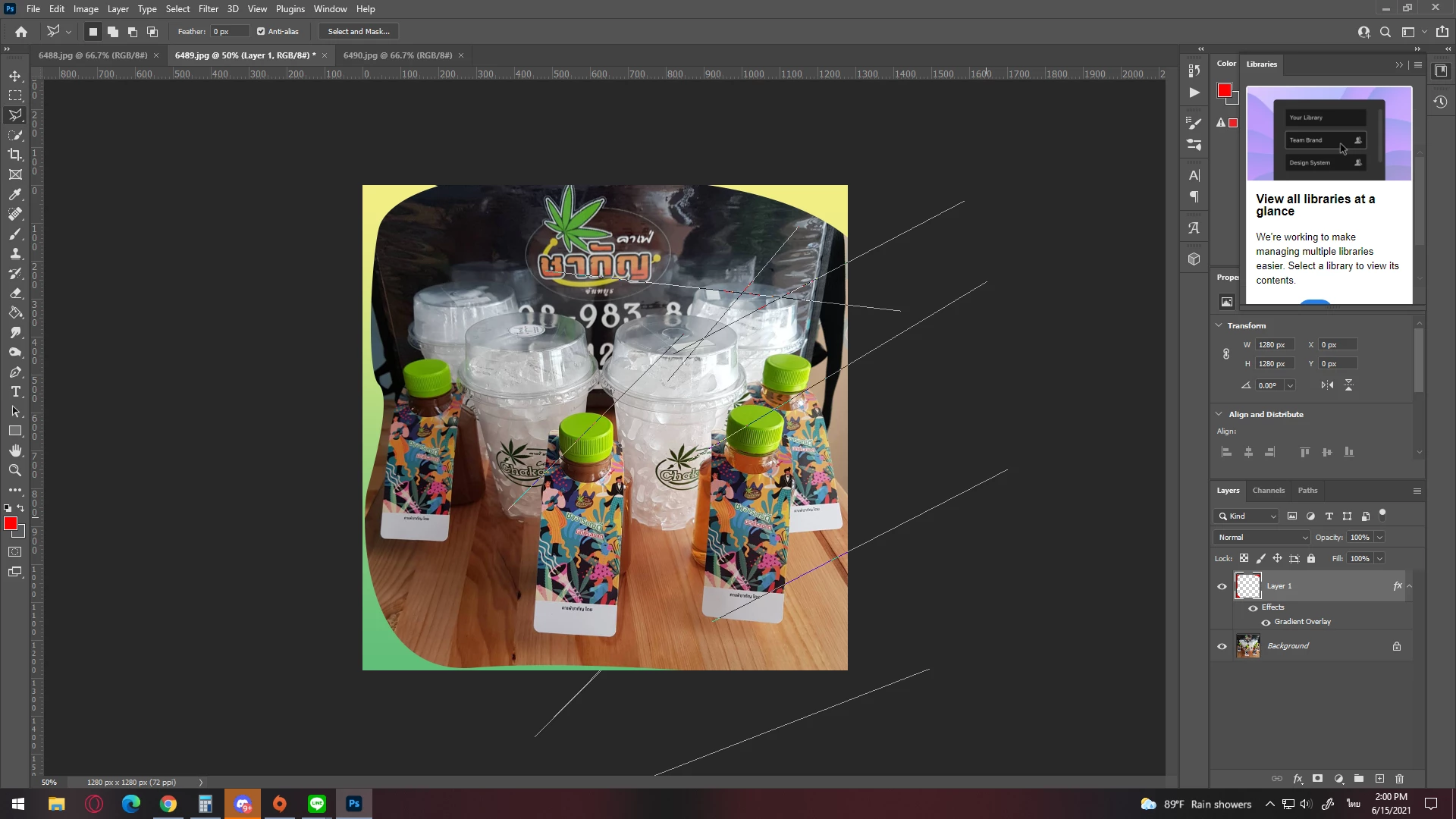
สวัสดีครับ วันนี้ผมเจอปัญหา เครื่องมือค้าง V22.4.2
  • June 15, 2021
  • 返信数 1.
  • 1148 ビュー

หลังจากเปลี่ยน hardware ในเครื่องเป็นสเปคใหม่
R7 5800x
กับ การ์ดจอ HD7750 
ทำให้การทำการเป็นดั่งภาพที่ขึ้นครับ
ส่วนตัวตอนแรกใช้ R5 2400g ซึ่งไม่พบปัญหาดั่งภาพ
เลยอยากมาทราบเพื่อน ๆ นะครับ

このトピックへの返信は締め切られました。

返信数 1

Akash Sharma
Legend
June 15, 2021

Hi there,


Sorry that Photoshop is not working as expected on your computer. 


Which version of Photoshop are you using and does the app freezes unexpectedly?


Please explain the issue you're facing in more detail with a brief description of your workflow. Which version of Photoshop are you using?


To get started, would you mind checking the steps mentioned in this article https://helpx.adobe.com/photoshop/kb/basic-troubleshooting.html and let us know if that helps?


Thanks,

Akash

MiTOSAN作成者
Participant
June 26, 2021

Can't help it
But it's not a problem that I can use it.
It only resulted in a display error.

The problem I think is probably my hardware.
GPU is too old So there is a support problem. which I'm not sure but is about displaying path stuck on screen
Spec
PhotoShop 2021 - v22.4.2
cpu ryzen7 5800x
M/B gigabyte b450mds3h
GPU HD7750 1 GB
RAM kingston red & black 8GB*2
SSDsata apaser 480GB  HDD WD 1 tb 5400  HDD toshiba 1 TB 7200
monitor  AOC  IPS 21.5  22V2Q/67 - Black


Thank you for your help.