Participating Frequently
June 26, 2023
解決済み

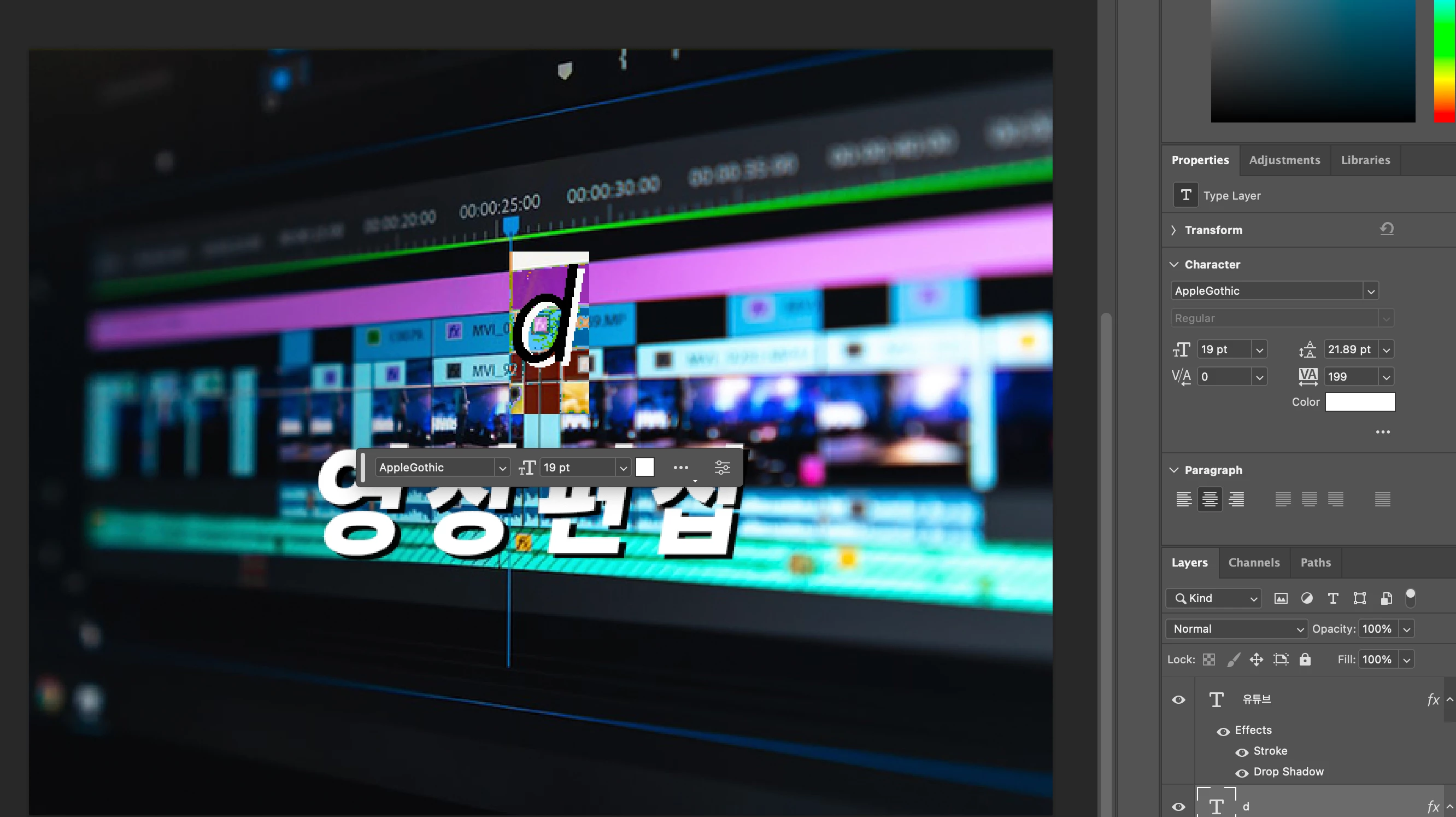
All fonts are slanted.
  • June 26, 2023
  • 返信数 3.
  • 1435 ビュー

Searched for similar problem, but all of them are before 2020, so cant' solve it.


My all fonts are slanted, but it doesn't has italic option.

Please help me someone knows why.

このトピックへの返信は締め切られました。
解決に役立った回答 Trevor.Dennis

Check the Character panel


返信数 3

mglush
Community Expert
Community Expert
June 26, 2023

In the flyout menu of the Character panel, there is an option called Faux Italic:

If it is checked, select it again to uncheck it.

Let us know if that fixes the issue or if you are still having the problem.

Michelle


c.pfaffenbichler
Community Expert
Community Expert
June 26, 2023

Could you please post screenshots with the pertinent Panels (Toolbar, Layers, Options Bar, Character, …) visible? 

Participating Frequently
June 26, 2023

Solved it with shortcut, but can't find 

Participating Frequently
June 26, 2023

oops, wrong option.

Trevor.Dennis
Community Expert
Trevor.DennisCommunity Expert解決!
Community Expert
June 26, 2023

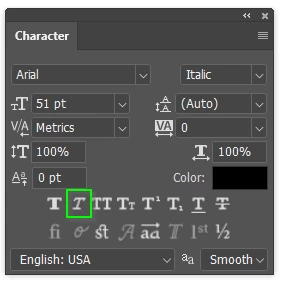
Check the Character panel


Participating Frequently
June 26, 2023

Can't find this option...

As you can see, I've uploaded character option, but couldn't find it.

Need your help.

jane-e
Community Expert
Community Expert
June 26, 2023


@Jumo30275586xq70 


Trevor is correct. It the fake (faux) italic that is found in the Character panel (Window menu), not in the Character section of the Properties panel.


Jane