Participating Frequently
August 22, 2024
解決済み

animated GIF is cropped (see image) after export, 1080x810 instead of 1080x1080

  • August 22, 2024
  • 返信数 2.
  • 1296 ビュー

Hi there, does anybody have an idea how I can solve this problem? Its really weird, pre-settings in photoshop seem all ok, so definitively 1080x1080. When opening the properties of the exportet GIF it shows 1080x810 (see image). Only when exporting for web with format HTML the result is perfect,. but I want to send it as a gif-file.


would appreciate if anybody is keen on finding a solution with me, thanks a lot
このトピックへの返信は締め切られました。
解決に役立った回答 Spas K.

I've sent you a PM and I'm happy to wait for news


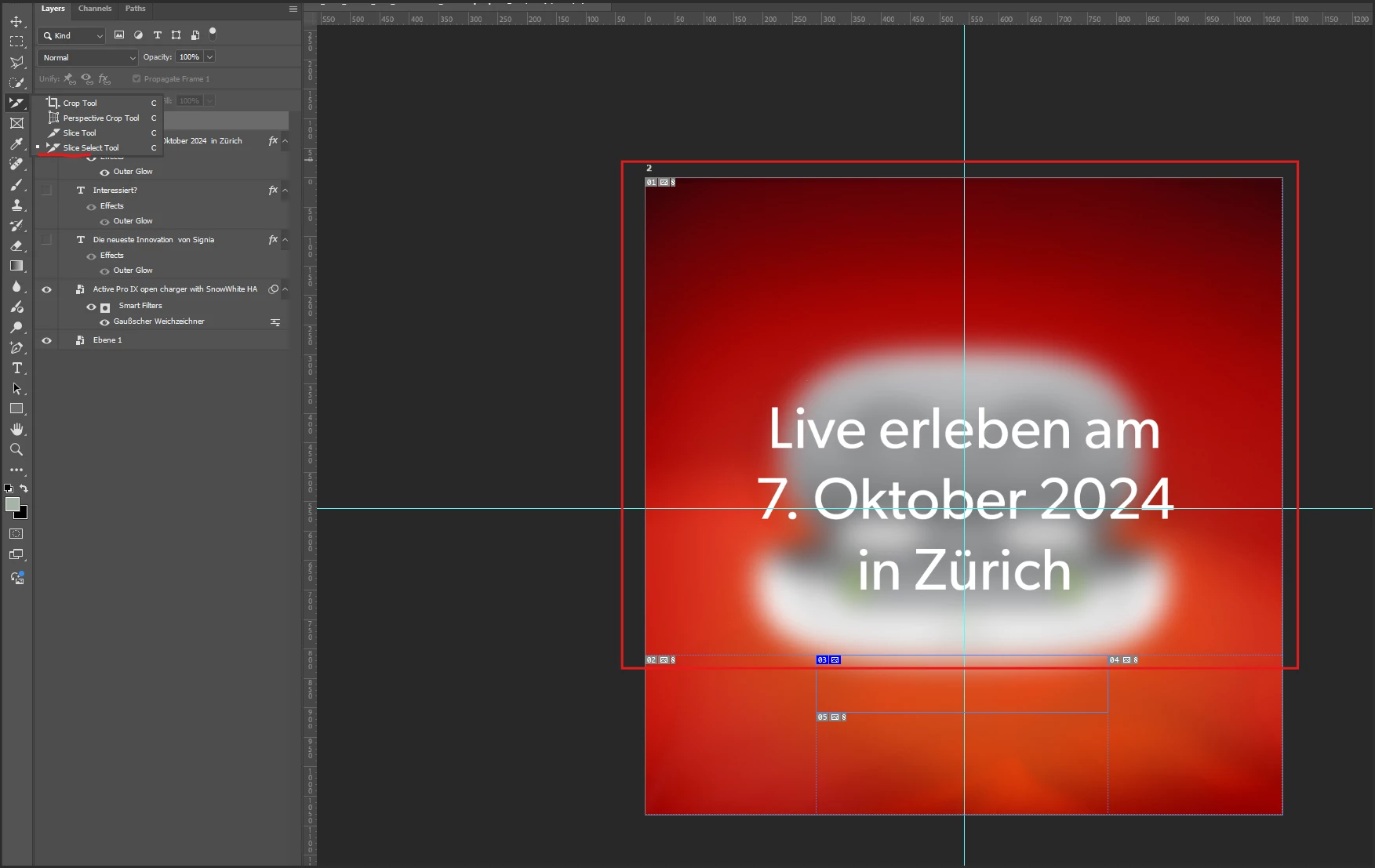
Okay, so I identified the issue. You created a slice (probably by accident), which further divides the image into more slices. When you export for web, only one of the slices is getting exported as a single GIF. If you export HTML, all the slices are included and assembled, so the image seems whole.


You can see the slices by using the Slice Select tool (it's with the Crop tool in the toolbar). So that's how it looks like, and the blue slice in the bottom is the one that's added. The top slice I've marked with a red rectangle is the one getting exported:


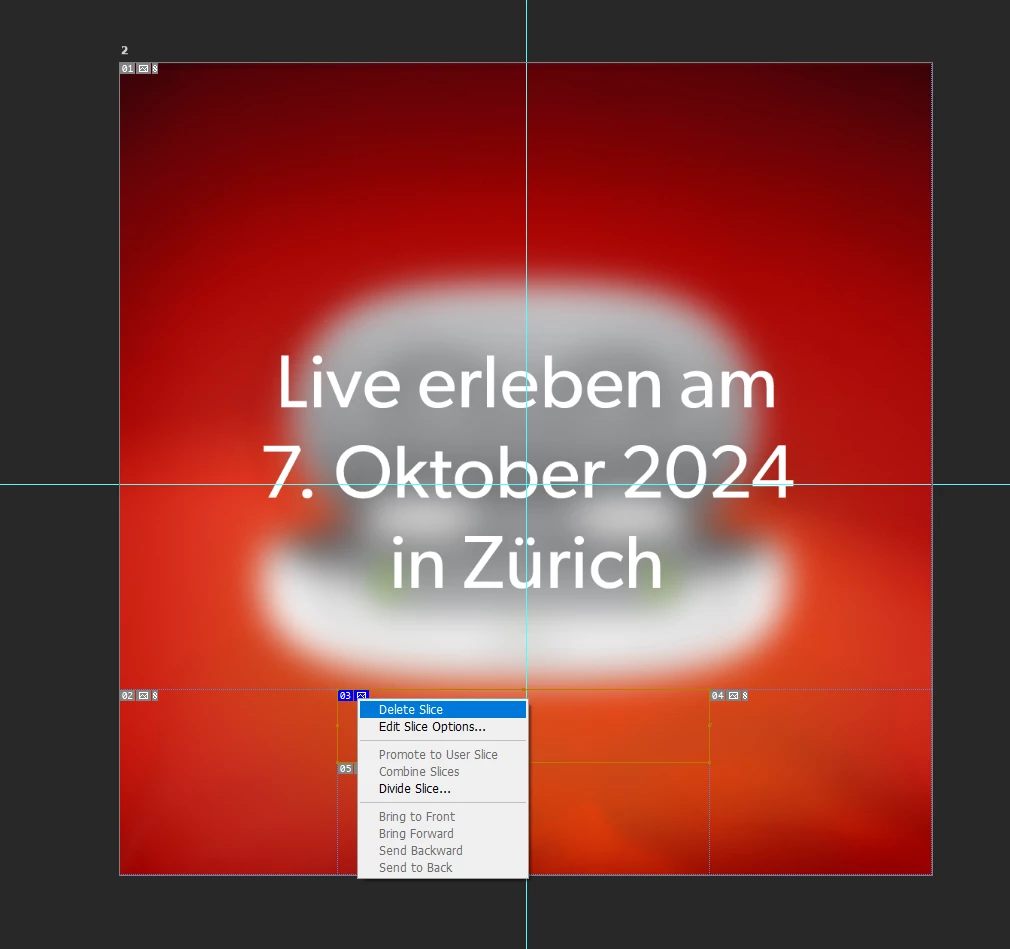
To make the image whole again, while using the Slice Select tool, right click on the slice at the bottom (03), and delete it.


Now the image is whole again, and you can export the whole thing through Save for Web.


返信数 2

Spas K.
Community Expert
Community Expert
August 22, 2024

Hey there, can you post a screenshot with your export settings in Ps?

Participating Frequently
August 22, 2024

Hi, of course. I don't know if it makes sense, but first I do "save for web" and then I do export as GIF


Participating Frequently
August 22, 2024

or did you mean the pre-settings in PS?

Participating Frequently
August 22, 2024

when I save the html as an image, the animated GIF works perfectly, but it is cropped again.