Participant
January 25, 2025
解決済み

Automating CG elements into Photoshop and then exporting as .PSD for a large number of files

  • January 25, 2025
  • 返信数 3.
  • 337 ビュー

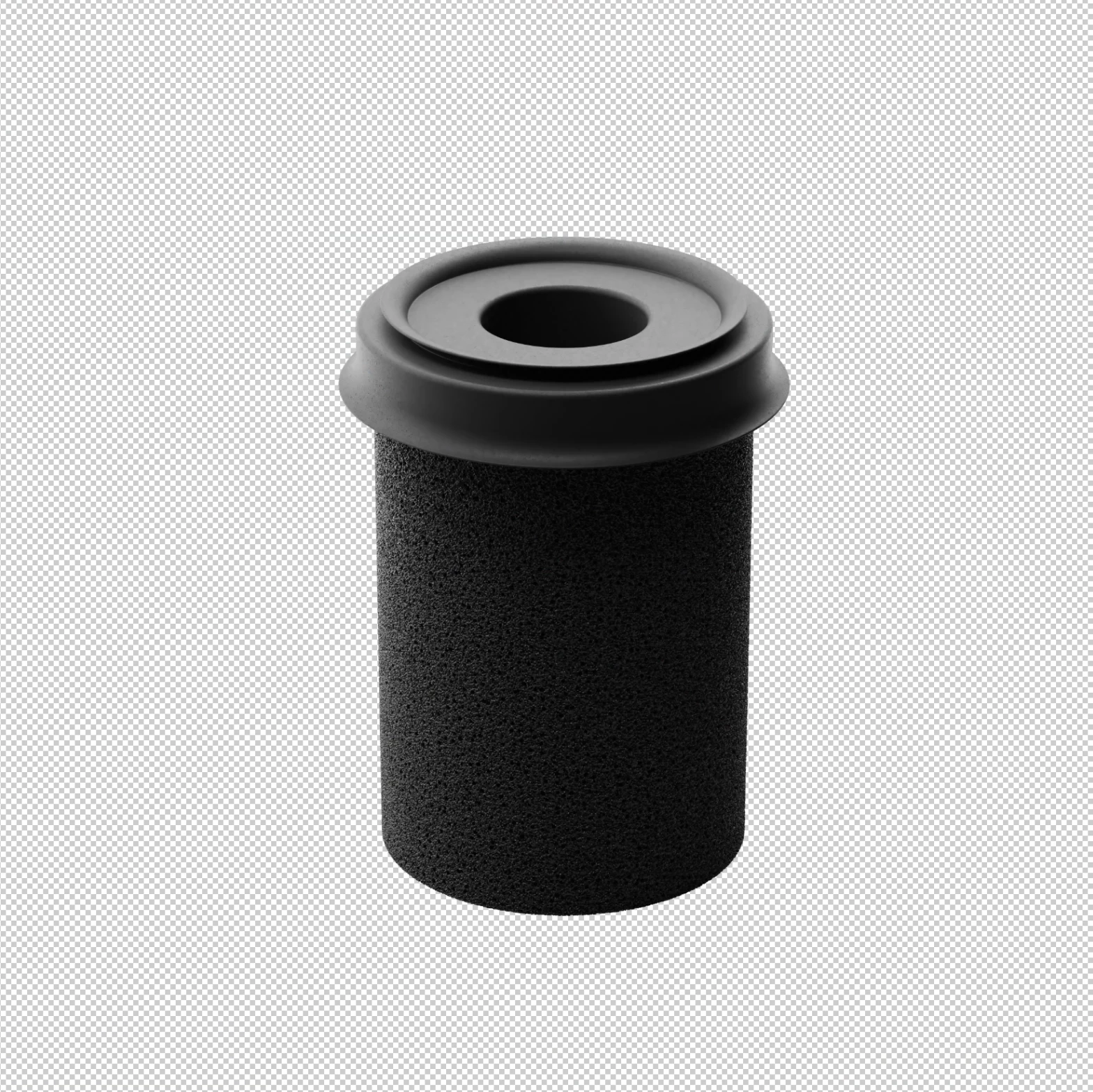
I have a large number of product images that have their shadows as a seperate image as can be seen here: 

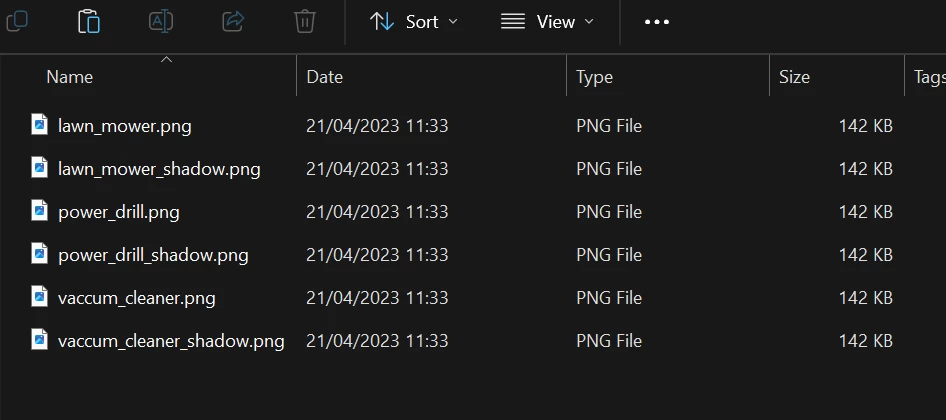
Each of these images follow the same naming conventions with a "_shadow" suffix at the end of the shadow images. Here's a quick screengrab of an example on how they look: 


The main goal is to open up the non shadow images in photoshop, for example "lawn_mower.png" and then place the shadow image in the same file but below the main image layer. Once that is done, for it to export a .PSD of the resulting documnt with whilist inheriting the name of the original image which in this case would be "lawn_mower.psd" into a desination folder. 


As I have over a 100 of these images that follow the same naming conventions. Is there a way to automate the above process in a single click so it searches the whole folder and performs the tasks similar to how the Image Processor works in photoshop?


I've tried going down the scripting route but have hit a wall as i'm not a programmer. but I think scripting would be the way to achieve this. If any further information is needed i'd be more than happy to provide it. Any help would be greatly, greatly appreciated 😊

解決に役立った回答 c.pfaffenbichler


// place "_shadow.png" in png and save psd;
// 2025, use it at your own risk;
var theFolder = Folder.selectDialog ("select folder");
if (theFolder) {
// psd options;
saveOpts = new PhotoshopSaveOptions();
saveOpts.embedColorProfile = true;
saveOpts.alphaChannels = false;
saveOpts.layers = true;
saveOpts.spotColors = true;
var theRegExp =/_shadow.png/i;
var theFiles = theFolder.getFiles(/\.(png)$/i)
for (var m = 0; m < theFiles.length; m++) {
var thisOne = theFiles[m];
if (String(thisOne).match(theRegExp) == null) {
var theShadow = String(thisOne).replace(/_*.png/, "_shadow.png");
if (File(theShadow).exists == true) {
var myImage = app.open(thisOne);
placeScaleRotateFile(theShadow, 0, 0, 100, 100, 0, false);
rasterizeSmartObject ();
moveLayerDown();
myImage.saveAs(new File(String(thisOne).replace(".png", ".psd")), saveOpts, true);
myImage.close(SaveOptions.DONOTSAVECHANGES)
}
}
}
};
////// place //////
function placeScaleRotateFile (file, xOffset, yOffset, theXScale, theYScale, theAngle, linked) {
var idPxl = charIDToTypeID( "#Pxl" );
var idPrc = charIDToTypeID( "#Prc" );
var idPlc = charIDToTypeID( "Plc " );
var desc5 = new ActionDescriptor();
var idnull = charIDToTypeID( "null" );
desc5.putPath( idnull, new File( file ) );
var idFTcs = charIDToTypeID( "FTcs" );
var idQCSt = charIDToTypeID( "QCSt" );
var idQcsa = charIDToTypeID( "Qcsa" );
desc5.putEnumerated( idFTcs, idQCSt, idQcsa );
var idOfst = charIDToTypeID( "Ofst" );
var desc6 = new ActionDescriptor();
var idHrzn = charIDToTypeID( "Hrzn" );
desc6.putUnitDouble( idHrzn, idPxl, xOffset );
var idVrtc = charIDToTypeID( "Vrtc" );
desc6.putUnitDouble( idVrtc, idPxl, yOffset );
var idOfst = charIDToTypeID( "Ofst" );
desc5.putObject( idOfst, idOfst, desc6 );
var idWdth = charIDToTypeID( "Wdth" );
desc5.putUnitDouble( idWdth, idPrc, theYScale );
var idHght = charIDToTypeID( "Hght" );
desc5.putUnitDouble( idHght, idPrc, theXScale );
var idAngl = charIDToTypeID( "Angl" );
var idAng = charIDToTypeID( "#Ang" );
desc5.putUnitDouble( idAngl, idAng,theAngle );	
if (linked == true) {
var idLnkd = charIDToTypeID( "Lnkd" );
desc5.putBoolean( idLnkd, true );
};
executeAction( idPlc, desc5, DialogModes.NO );
// get layerid;
var ref = new ActionReference();
ref.putProperty (stringIDToTypeID ("property"), stringIDToTypeID ("layerID"));
ref.putEnumerated( charIDToTypeID("Lyr "), charIDToTypeID("Ordn"), charIDToTypeID("Trgt") ); 
var layerDesc = executeActionGet(ref);
var layerID = layerDesc.getInteger (stringIDToTypeID ("layerID"));
return layerID;
};
////// move layer down //////
function moveLayerDown () {
var desc5 = new ActionDescriptor();
var ref3 = new ActionReference();
ref3.putEnumerated( charIDToTypeID( "Lyr " ), charIDToTypeID( "Ordn" ), charIDToTypeID( "Trgt" ) );
desc5.putReference( charIDToTypeID( "null" ), ref3 );
var ref4 = new ActionReference();
ref4.putEnumerated( charIDToTypeID( "Lyr " ), charIDToTypeID( "Ordn" ), charIDToTypeID( "Prvs" ) );
desc5.putReference( charIDToTypeID( "T   " ), ref4 );
executeAction( charIDToTypeID( "move" ), desc5, DialogModes.NO );
};
////// rasterize the so //////
function rasterizeSmartObject () {
try {
var desc125 = new ActionDescriptor(); 
var ref83 = new ActionReference(); 
ref83.putEnumerated( charIDToTypeID( "Mn  " ), charIDToTypeID( "MnIt" ), stringIDToTypeID( "rasterizePlaced" ) );
desc125.putReference( charIDToTypeID( "null" ), ref83 ); 
executeAction( charIDToTypeID( "slct" ), desc125, DialogModes.NO );
} catch (e) {}
};

edited 2025-01-26



返信数 3

Stephen Marsh
Community Expert
Community Expert
January 25, 2025

@Shaderss 


You have some specific requirements, which the following generic script may or may not cover. The script can run an action to perform additional processing as required. File naming can be changed in the script code or in post using Bridge Batch Rename or other file renaming software.


This one works with 2 input folders:
 
 I hope this helps.
 
EDIT: I have just updated the first script to a 1.4 version with a checkbox to control the the processing/stacking order. You will need to uncheck the default on state for "Reverse File Stacking Order" so that the shadow layer is placed under the main image layer.
 
As the script is designed to name the combined file after the stacked layers, either the script would require editing or the Adobe Bridge Batch Rename Tool setup would use the following regex:
 
 
Alternatively, to edit my first script to use the top layer's name rather than the names of all layers, one would change the following from:
 
// Save file path and name
var saveFile = File(outputFolder + '/' + combinedLayerNames); // Set the output path and filename


To:


// Save file path and name
var saveFile = File(outputFolder + '/' + app.activeDocument.layers[0].name); // Use the top layer to name the files
c.pfaffenbichler
Community Expert
Community Expert
January 25, 2025


// place "_shadow.png" in png and save psd;
// 2025, use it at your own risk;
var theFolder = Folder.selectDialog ("select folder");
if (theFolder) {
// psd options;
saveOpts = new PhotoshopSaveOptions();
saveOpts.embedColorProfile = true;
saveOpts.alphaChannels = false;
saveOpts.layers = true;
saveOpts.spotColors = true;
var theRegExp =/_shadow.png/i;
var theFiles = theFolder.getFiles(/\.(png)$/i)
for (var m = 0; m < theFiles.length; m++) {
var thisOne = theFiles[m];
if (String(thisOne).match(theRegExp) == null) {
var theShadow = String(thisOne).replace(/_*.png/, "_shadow.png");
if (File(theShadow).exists == true) {
var myImage = app.open(thisOne);
placeScaleRotateFile(theShadow, 0, 0, 100, 100, 0, false);
rasterizeSmartObject ();
moveLayerDown();
myImage.saveAs(new File(String(thisOne).replace(".png", ".psd")), saveOpts, true);
myImage.close(SaveOptions.DONOTSAVECHANGES)
}
}
}
};
////// place //////
function placeScaleRotateFile (file, xOffset, yOffset, theXScale, theYScale, theAngle, linked) {
var idPxl = charIDToTypeID( "#Pxl" );
var idPrc = charIDToTypeID( "#Prc" );
var idPlc = charIDToTypeID( "Plc " );
var desc5 = new ActionDescriptor();
var idnull = charIDToTypeID( "null" );
desc5.putPath( idnull, new File( file ) );
var idFTcs = charIDToTypeID( "FTcs" );
var idQCSt = charIDToTypeID( "QCSt" );
var idQcsa = charIDToTypeID( "Qcsa" );
desc5.putEnumerated( idFTcs, idQCSt, idQcsa );
var idOfst = charIDToTypeID( "Ofst" );
var desc6 = new ActionDescriptor();
var idHrzn = charIDToTypeID( "Hrzn" );
desc6.putUnitDouble( idHrzn, idPxl, xOffset );
var idVrtc = charIDToTypeID( "Vrtc" );
desc6.putUnitDouble( idVrtc, idPxl, yOffset );
var idOfst = charIDToTypeID( "Ofst" );
desc5.putObject( idOfst, idOfst, desc6 );
var idWdth = charIDToTypeID( "Wdth" );
desc5.putUnitDouble( idWdth, idPrc, theYScale );
var idHght = charIDToTypeID( "Hght" );
desc5.putUnitDouble( idHght, idPrc, theXScale );
var idAngl = charIDToTypeID( "Angl" );
var idAng = charIDToTypeID( "#Ang" );
desc5.putUnitDouble( idAngl, idAng,theAngle );	
if (linked == true) {
var idLnkd = charIDToTypeID( "Lnkd" );
desc5.putBoolean( idLnkd, true );
};
executeAction( idPlc, desc5, DialogModes.NO );
// get layerid;
var ref = new ActionReference();
ref.putProperty (stringIDToTypeID ("property"), stringIDToTypeID ("layerID"));
ref.putEnumerated( charIDToTypeID("Lyr "), charIDToTypeID("Ordn"), charIDToTypeID("Trgt") ); 
var layerDesc = executeActionGet(ref);
var layerID = layerDesc.getInteger (stringIDToTypeID ("layerID"));
return layerID;
};
////// move layer down //////
function moveLayerDown () {
var desc5 = new ActionDescriptor();
var ref3 = new ActionReference();
ref3.putEnumerated( charIDToTypeID( "Lyr " ), charIDToTypeID( "Ordn" ), charIDToTypeID( "Trgt" ) );
desc5.putReference( charIDToTypeID( "null" ), ref3 );
var ref4 = new ActionReference();
ref4.putEnumerated( charIDToTypeID( "Lyr " ), charIDToTypeID( "Ordn" ), charIDToTypeID( "Prvs" ) );
desc5.putReference( charIDToTypeID( "T   " ), ref4 );
executeAction( charIDToTypeID( "move" ), desc5, DialogModes.NO );
};
////// rasterize the so //////
function rasterizeSmartObject () {
try {
var desc125 = new ActionDescriptor(); 
var ref83 = new ActionReference(); 
ref83.putEnumerated( charIDToTypeID( "Mn  " ), charIDToTypeID( "MnIt" ), stringIDToTypeID( "rasterizePlaced" ) );
desc125.putReference( charIDToTypeID( "null" ), ref83 ); 
executeAction( charIDToTypeID( "slct" ), desc125, DialogModes.NO );
} catch (e) {}
};

edited 2025-01-26



Shaderss作成者
Participant
January 25, 2025

So this works! A few questions:


After selecting the first file location it prompts another file explorer window  which I assume is the destination folder but after running the script the folder remains empty whilst the .PSD's go in the original folder. 


And is it possible for photoshop to close the document after the .PSD has been saved so that there isn't loads of images open? 


Again, many thanks 😊

c.pfaffenbichler
Community Expert
Community Expert
January 25, 2025
quote

So this works! A few questions:


After selecting the first file location it prompts another file explorer window  which I assume is the destination folder but after running the script the folder remains empty whilst the .PSD's go in the original folder. 


And is it possible for photoshop to close the document after the .PSD has been saved so that there isn't loads of images open? 


Again, many thanks 😊


By @Shaderss

No, there should be no second dialog.

And i asked you to provide a set ofsample images.


As for closing include 

myImage.close(SaveOptions.DONOTSAVECHANGES)

edited

after the saving-line.

c.pfaffenbichler
Community Expert
Community Expert
January 25, 2025

Please provide a set of sample images (feel free to blur or downsample them).