


Known Participant
September 8, 2022
質問

Getting Faint Grid Lines Using Photoshop to Create Digital Paintings

  • September 8, 2022
  • 返信数 2.
  • 2019 ビュー

Hi,

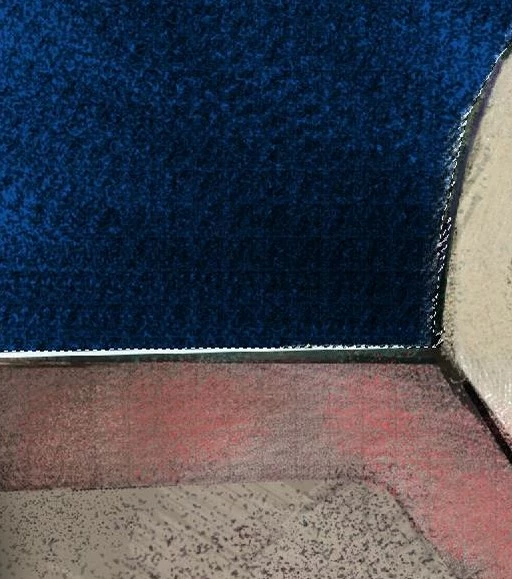
I'm having a new problem when creating digital paintings in Phtoshop. I'm getting these faint grid lines in my work (see photo). They are more prominent in the redish area in the image. I get them when using brushes. If I apply a color area with the paint bucket I do not get them. I've tried a few things to get rid of them but nothing is working. Please help. Thanks in advance. Bryan.
 

    このトピックへの返信は締め切られました。

    返信数 2

    Trevor.Dennis
    Community Expert
    Community Expert
    September 9, 2022

    What was the brush preset that you used?  If the preset had Texture checked, then that might be where the pattern is coming from.  

    How many layers does the project have? Can you turn off thee layers one at a time to see if the grid pattern is on a different layer.

    If you can't find the issue, show us the brush preset you are using, and screen shot of your entire workspace including the layers panel. 


    Trevor.Dennis
    Community Expert
    Community Expert
    September 9, 2022

    Do you know the trick of right clicking on the image with the Move Tool selected?  It shows all the layers that have content at the cursor location.  It only shows layers that are turned on.  If your project is complex with lots of layers, it's a useful tool for tracking down a problem.

    Known Participant
    September 18, 2022

    Here is a higher resolution image of the tiling problem.


    Bryan

    Peru Bob
    Community Expert
    Community Expert
    September 8, 2022

    I've moved this from the Using the Community forum (which is the forum for issues using the forums) to the Photoshop forum so that proper help can be offered.

    Known Participant
    September 8, 2022

    Thank you.