


Participant
December 22, 2022
質問

Hands-on tutorial does not work on my Zenbook

  • December 22, 2022
  • 返信数 4.
  • 186 ビュー

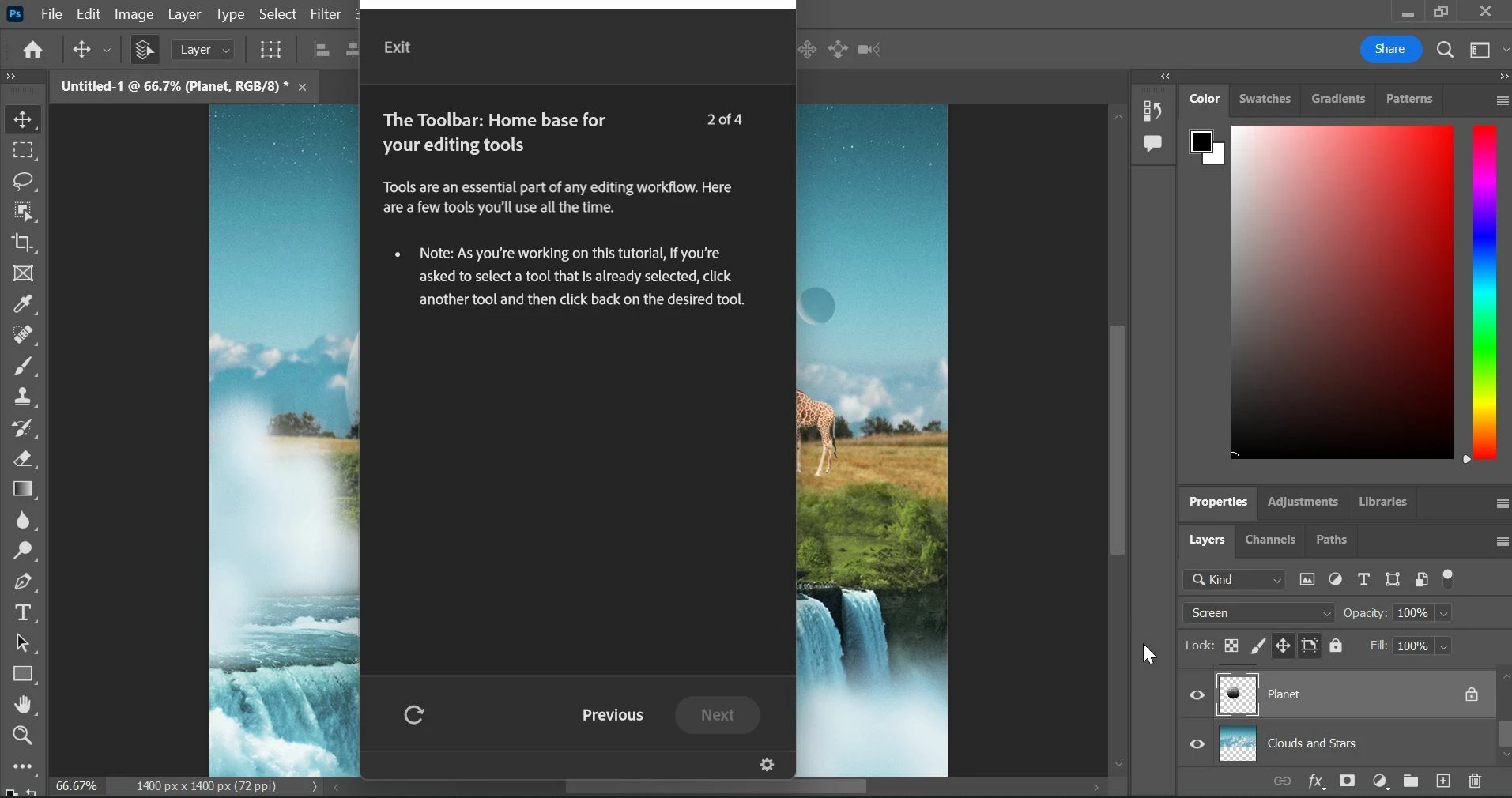
When I open the hands-on tutorial, the panel with instructions about what to do blocks the picture I am supposed to be working on.  Please see the attached screenshot.  There seems to be no way to move the instruction panel.  Machine is a Zenbook running Windows 11 64 bit, Adobe Photoshop Version: 24.1.0 20221206.r.166 be4691b x64
このトピックへの返信は締め切られました。

返信数 4

Wrappermaven作成者
Participant
December 22, 2022

Thanks all.  My screen resolution is at the max, so that isn't it.  I did discover a work-around, however:  The picture underneath can still be moved to the right or left using the scroll bar at the bottom of the PhotoShop window.  That enables me to see and manipulate the picture, though it's still a pretty klunky way to deal with the problem.  As a result, I'm inclined to visit the hundreds of useful YouTube tutorials in preference to dealing with the hands-on tutorial.  Thanks again.

Myra Ferguson
Community Expert
Community Expert
December 22, 2022

What happens if you press the ESC key and then open the Discovery panel up again?

Kevin Stohlmeyer
Community Expert
Community Expert
December 22, 2022

Have you tried changing your screen resolution or clicking the settings icon on the bottom right?

Mylenium
Legend
December 22, 2022

That honestly looks like the screen resolution is too small and doesn't meet the system requirements, even if only by a notch. If possible increase it. On a notebook you should also be able to instate a larger virtual desktop, which may also help. Anyway, the answer is your screen settings system panel.


Mylenium