


Participant
February 19, 2019
Answered

How to Attach Image Window to Photoshop

  • February 19, 2019
  • 1 reply
  • 1149 views

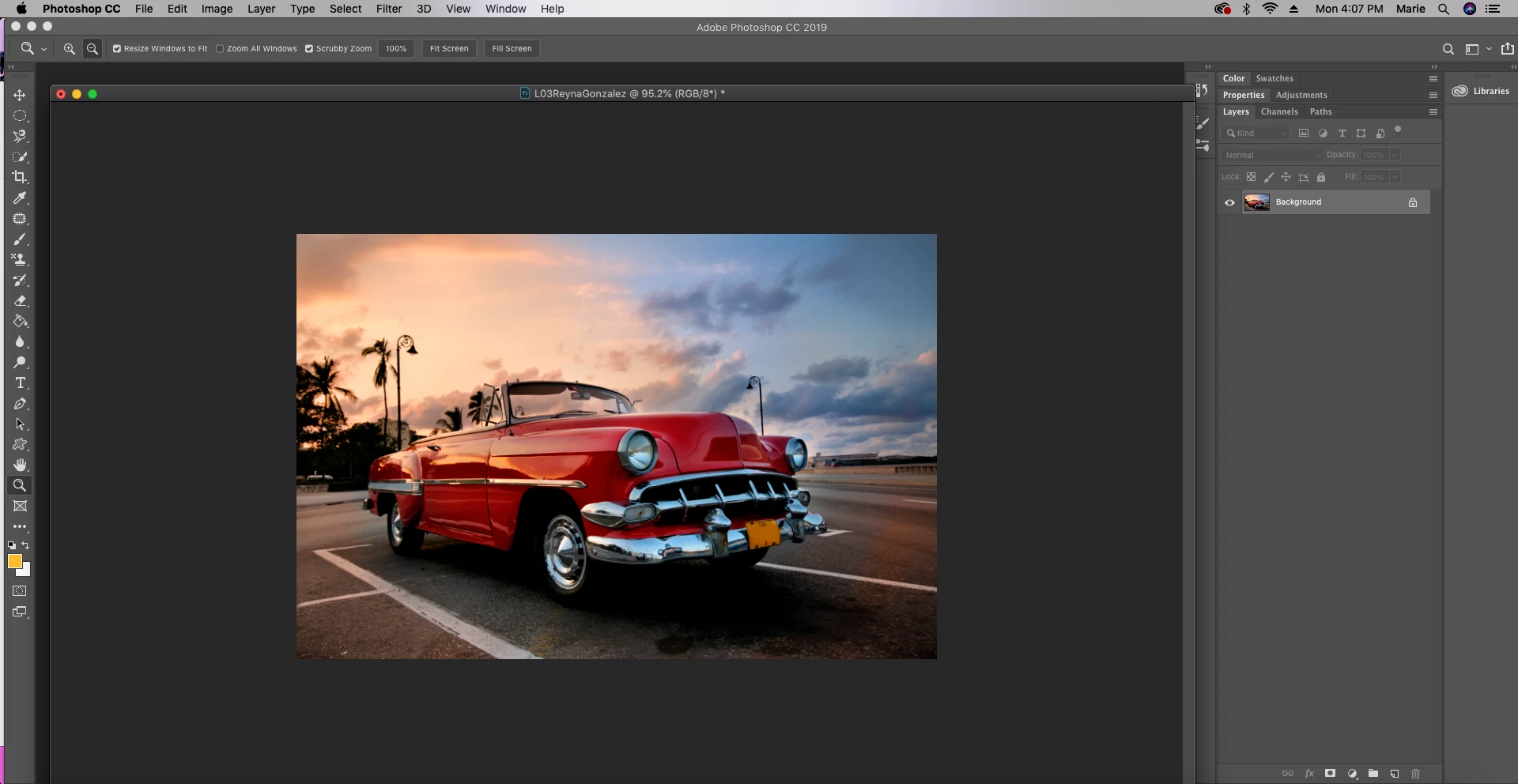
As shown in the screenshot provided, my images are unattached to Photoshop and are able to move independently. I can still edit my images, it just is frustrating to deal with at times, as I'm used to the images appearing as tabs. I had tried dragging and attaching it (like you're able to do with the toolbar, etc.) but the blue halo that indicates it can attach the window isn't showing up. If anyone is able to tell me how to correct this, that would be great, thank you in advance!
This topic has been closed for replies.
Correct answer jane-e

Hi Reyna,

You can either drag the title bar up until you see the blue line and you know it’s in the Drop Zone or go to the Window menu and choose Arrange > Consolidate All.

Jane

1 reply

jane-e
Community Expert
jane-eCommunity ExpertCorrect answer
Community Expert
February 19, 2019

Hi Reyna,

You can either drag the title bar up until you see the blue line and you know it’s in the Drop Zone or go to the Window menu and choose Arrange > Consolidate All.

Jane

Participant
February 19, 2019

It worked, thank you!!

jane-e
Community Expert
Community Expert
February 19, 2019

You’re welcome, Reyna!