


Inspiring
May 20, 2019
解決済み

How To Convert PSD File To RGB Color Space As Recommended By Walgreens Photo Center PHOTOSHOP CC 2019 User

  • May 20, 2019
  • 返信数 1.
  • 1931 ビュー

Hello

Can someone please help me with the following questions concerning the below image:
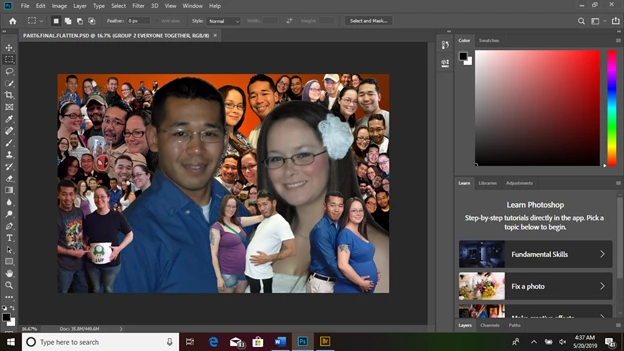
Q1) I saved the original image as a psd file. Then I saved an additional image as a JPEG file, because I want to have an online photo service print the image, and thought a jpeg image would be easier for them to print. When I tried to reopen it later, a photoshop message appeared telling me it could not be opened due to a program error. What did I do incorrectly?

Q2) After I went online to Walgreens, their online photo printing service recommended the following:

“If you are editing photos in a separate program such as Photoshop, save your images with a RGB color space to ensure their clarity and compatibility with our website.” Can you please instruct me how to save a PSD file as “a RGB color space?

Thank-you for taking the time out of your busy schedule to assist me.

Newbie Me

    このトピックへの返信は締め切られました。
    解決に役立った回答 c.pfaffenbichler
    What did I do incorrectly?

    Possibly nothing, the file may have been corrupted while or after saving.

    If you are editing photos in a separate program such as Photoshop, save your images with a RGB color space to ensure their clarity and compatibility with our website

    Always embed the profile (which describes the Color Space) when saving images.

    So make sure »Embed Color Profile« is checked when saving a file/copy.

    Please set the Status Bar to »Document Profile« and post a screenshot including the Layers Panel.

    返信数 1

    c.pfaffenbichler
    Community Expert
    Community Expert
    May 20, 2019
    What did I do incorrectly?

    Possibly nothing, the file may have been corrupted while or after saving.

    If you are editing photos in a separate program such as Photoshop, save your images with a RGB color space to ensure their clarity and compatibility with our website

    Always embed the profile (which describes the Color Space) when saving images.

    So make sure »Embed Color Profile« is checked when saving a file/copy.

    Please set the Status Bar to »Document Profile« and post a screenshot including the Layers Panel.

    Inspiring
    May 20, 2019

    Thank-you. All recommended actions were taken, and the image was printed

    without error by Wallgreens Photo Shop Center.

    Best Wishes

    On Mon, May 20, 2019 at 4:57 AM c.pfaffenbichler <forums_noreply@adobe.com>

    Inspiring
    May 22, 2019

    Images are normally in RGB mode (as taken by a camera). The color space is your choice, normally sRGB or Adobe RGB.


    Thanks