


kirrwed
Inspiring
January 18, 2024
解決済み

How to match a layer style with photoshop Generative AI

  • January 18, 2024
  • 返信数 6.
  • 4650 ビュー

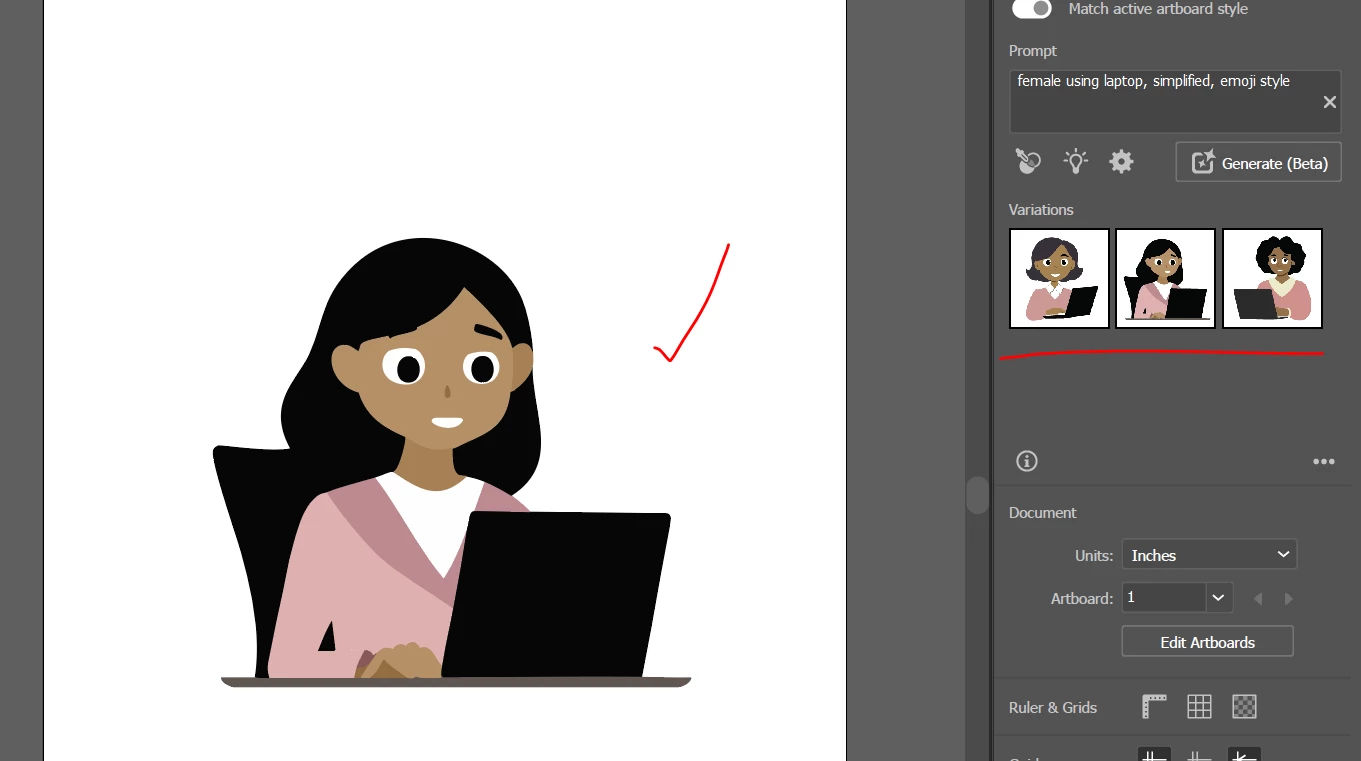
I have been trying to generate an image using Generative AI.  I put my vector style character on a layer.  I highlight the layer and prompt to have the character using a computer, and it just generates a completely unrelated person using computer in a totally different style, color palette, etc.  


Is there a special prompt or checkbox to match a layer style?  Ilustrator has the Style Picker eye-dropper, but Illustrator's Generative AI seems permantly stuck on "We're experiencing high demand" error for days (even after clearing cache) so that's no alterative.
このトピックへの返信は締め切られました。
解決に役立った回答 kirrwed

Illustrator generative AI is working again today - it accomplished what I wanted, matching the style of the original but adding the laptop. 


Now if only photoshop can do the same thing they already have the technology to do in illustrator.

返信数 6

c.pfaffenbichler
Community Expert
Community Expert
January 26, 2024

I did try Style Matching in Firefly but that seems to honor the colors more than the illustrative appearance so far. 

kirrwed
kirrwed作成者解決!
Inspiring
January 22, 2024

Illustrator generative AI is working again today - it accomplished what I wanted, matching the style of the original but adding the laptop. 


Now if only photoshop can do the same thing they already have the technology to do in illustrator.

Tina_Irvine
Community Expert
Community Expert
January 22, 2024

Awesome @kirrwed! Looks great. I'm glad to see you have Illustrator working again.

c.pfaffenbichler
Community Expert
Community Expert
January 20, 2024

Just to make sure: I am not arguing against the feature. 

I seem to remember some Adobe Max demo where a person in photograph was posed according to poses from other images. 

(I think I found it. https://www.youtube.com/watch?v=J60AgPHpOBo

That’s not the exactly same thing as »extracting« an illustration style and using that in creating new images but it seems like a somewhat related issue. 

kirrwed
kirrwed作成者
Inspiring
January 19, 2024

Ok, here is a prompt sample and the original image I'm trying to emulate for style.  The original was also created in Illustrator - so that prompt should be known to Adobe to produce that style.  (as I said in original post, Illustrator is broken, or I'd use that.  It's still broken today.)


But you can see the style is not nearly resembling the original, simplified artwork


c.pfaffenbichler
Community Expert
Community Expert
January 19, 2024

What gave you the idea Generative Fill would do such a thing? 

I am sure I have not seen all the demos and tutorials but I cannot remember anyone making the claim it would. 

kirrwed
kirrwed作成者
Inspiring
January 19, 2024

Multiple other AI image generators can use an existing image as a style basis. 


There are also articles out there tweaking an original image. eg. https://nicolesy.com/2023/09/25/50-art-style-prompts-photoshop-generative-ai-fill/

c.pfaffenbichler
Community Expert
Community Expert
January 19, 2024

Please post meaningful screenshots including the pertinent Panels. 


Other than that I suspect you might be misunderstanding what Photoshop’s Generative Fill is intended to do (or capable of doing at current). 

So just to clarify: You provide an illustration of a person/cartoon character/… and expect Photoshop to essentially pose/animate/… it in 3D?

Tina_Irvine
Community Expert
Community Expert
January 18, 2024

Hi @kirrwed,

You might have to be more specific with the prompt by including the illustration style and colour palette. If you haven't already, try only selecting the area small enough to fit the computer. Sometimes it's a matter of playing around with the prompts and selection area.. Regenerating the same prompt for additional results might help too.