Known Participant
June 10, 2022
Answered

I will never save to your Cloud
  • June 10, 2022
  • 12 replies
  • 19941 views


NO!

KNOCK IT OFF!

Seriously. (Profanity removed by moderator) are you thinking?

I think I know how it went: "You know.. we haven't done anything to really make people hate us lately... let's do something stupid!"

If that's not how it went, you shold really be asking yourselves: Why do the majority of our users hate our guts.. and why do we seem to not care at all?
Correct answer jane-e

@joeh87907460 

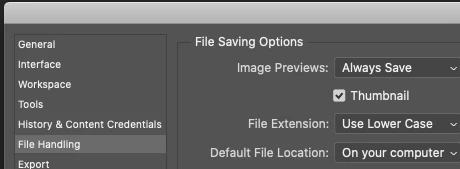
Edit > Preferences > File Handling > File Saving Options > Default File Location > Select "On Your Computer"


Jane


12 replies

joeh87907460
Inspiring
June 18, 2022

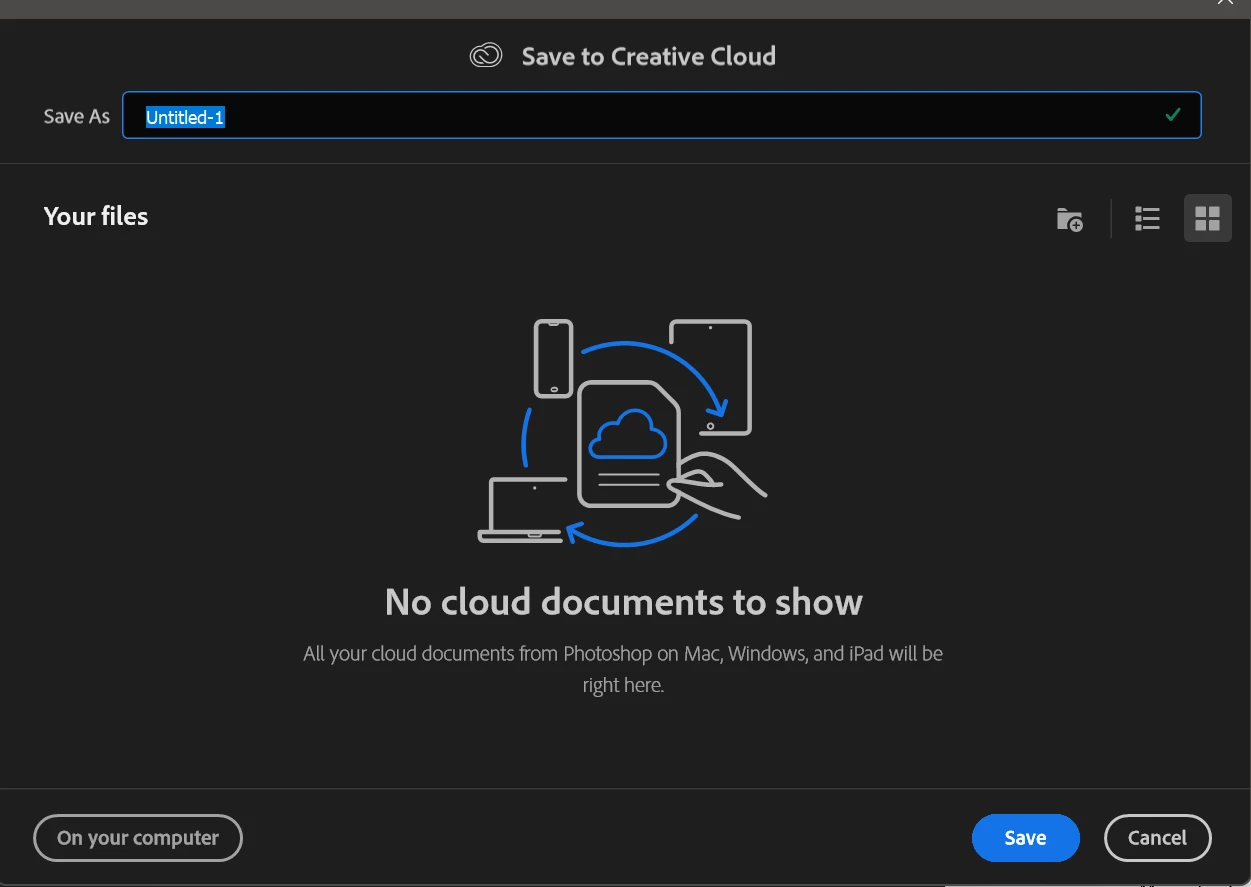
How can I disable the "save to creative cloud" pop up that comes up EVERY TIME I try to save a new document? I dont' use creative cloud, I only save to my computer. After the last two updates, photoshop has this pop up EVERY [inappropriate language removed] TIME I try to save something and I have to click "On my computer" button, EVERY [inappropriate language removed] TIME. I've searched through the preferences to no avail, I can find no way to turn this stupid "Save to creative cloud" off. 


And another thing. Since the last two updates to photoshop, it takes forever to load the program and start working. Not forever actually, but it does take about 10 seconds or more after the the program is loaded before any of the tools are avaliable, and for the libraries panel to populate.


These are two highly annoying bugs that really need to be fixed. This junk just started with the last two updates to photoshop. And I'd like it fixed.


[inappropriate language removed]

New Participant
June 17, 2022

My bigger issue is how certain features—like share for review—are useless unless the files are saved to the cloud.


I get it Adobe, you want us in your ecosystem. The problem is that many design shops already have ecosystems that—logistically speaking—aren't easy to give up or migrate from.

TheDigitalDog
Inspiring
June 17, 2022

@JGrabs wrote:

My bigger issue is how certain features—like share for review—are useless unless the files are saved to the cloud.


You can share files without using Adobe's cloud; there is no one forcing you to do so. 

You want to use a specific Adobe feature (Adobe's Share for Review) then yes, you use their cloud. 

Those design shops that have their own 'ecosystem' can continue to use them. Adobe gives you options. 

Author “Color Management for Photographers" & "Photoshop CC Color Management/pluralsight"
gener7
Community Expert
June 17, 2022

You can opt-out permanently. Just go to Preferences and set the default to "On your Computer".

You won't be asked again.

davescm
Community Expert
June 17, 2022

Go to Preferences- File handling and change the save preference from cloud to your computer.


Dave

Participating Frequently
June 17, 2022

Thank you

Participating Frequently
June 17, 2022

We don't use the cloud here at work. We have a network that we work off of for our saved projects. Please quit telling me what I need. I don't want cloud. I don't use cloud. Turn it off.

TheDigitalDog
Inspiring
June 10, 2022

@d295_2 wrote:

To everyone replying...


I've been using Photoshop since the 90s... I've been using CC since its inception..... I haven't updated anything. Yesterday it was working as usual. Today, I tried to save a file and this happened.


And now you know how to fix it. Case closed, issue fixed, correct answers provided, ranting done with. 

Author “Color Management for Photographers" & "Photoshop CC Color Management/pluralsight"
TheDigitalDog
Inspiring
June 10, 2022

The question you should ask yourself d2 is why do the majority of users who rant on the forums at Adobe (pointless, it's a user-to-user forum) have the inability to RTFM before ranting? KNOCK IT OFF!

Author “Color Management for Photographers" & "Photoshop CC Color Management/pluralsight"
Derek Cross
Community Expert
June 10, 2022

Welcome to this friendly user-to-user support forum d2.

I don't think it's true that the majority of users "hate [Adobe's] guts".

No one is forcing you to use the application!

D Fosse
Community Expert
June 10, 2022

Actually, there is a small change to default Save behavior - but it's easy enough to reject. Set this first:


Then on next save, do as above. Then you shouldn't be bothered with it again. I haven't.


Yes, I agree, and no, I don't like it either. But that's the way it is now.

gener7
Community Expert
June 10, 2022

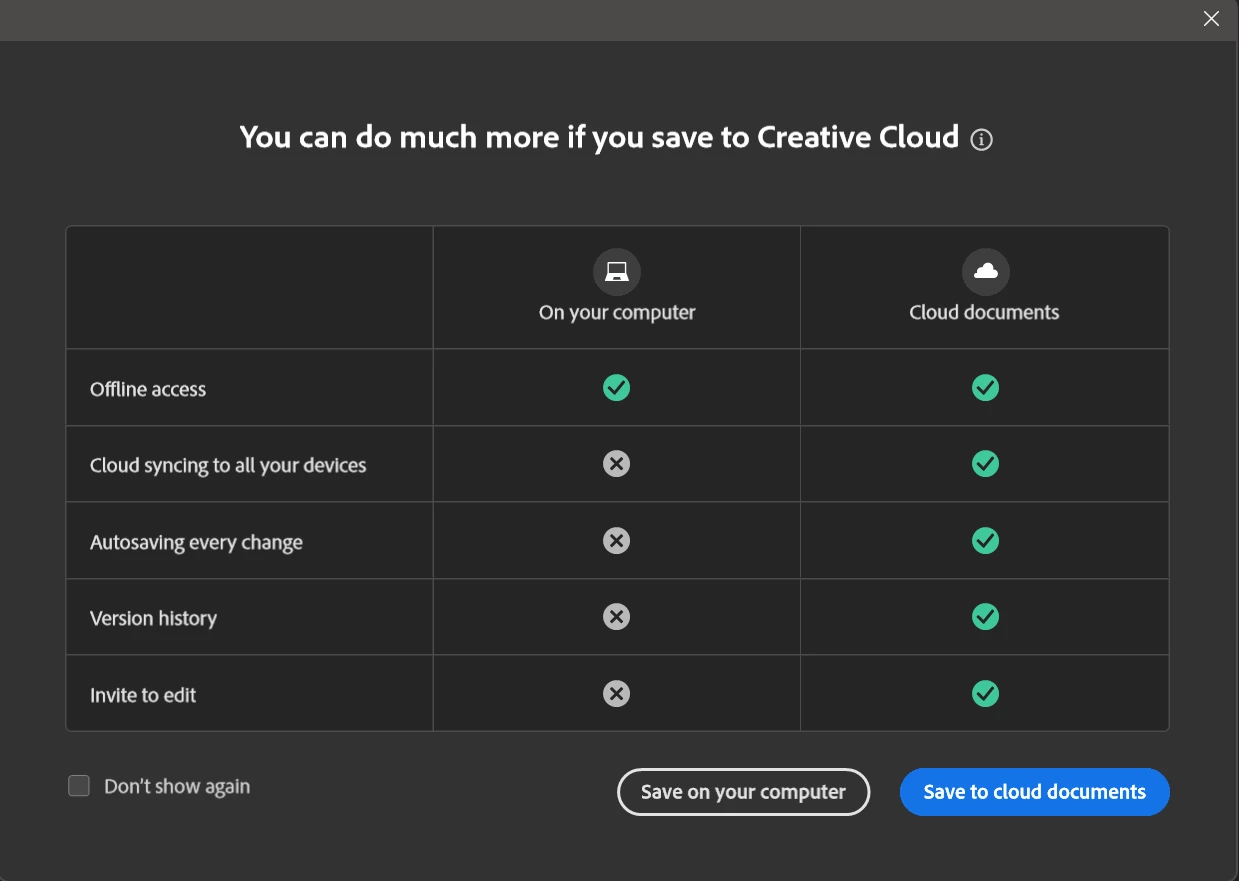
This must be your first experience with the Cloud storage service which has been around for years, and is part of your plan. The idea is to keep your files and changes on Adobe's servers in case something happens locally and you lose valuable files and days of work due to unexpected problems. However if you do not want to, you simply opt-out.

This is an offer, not "an offer you can't refuse."  You don't have to use it if you do not want to.

Check "Don't show again" and click the "Save on your Computer" button. Done.